


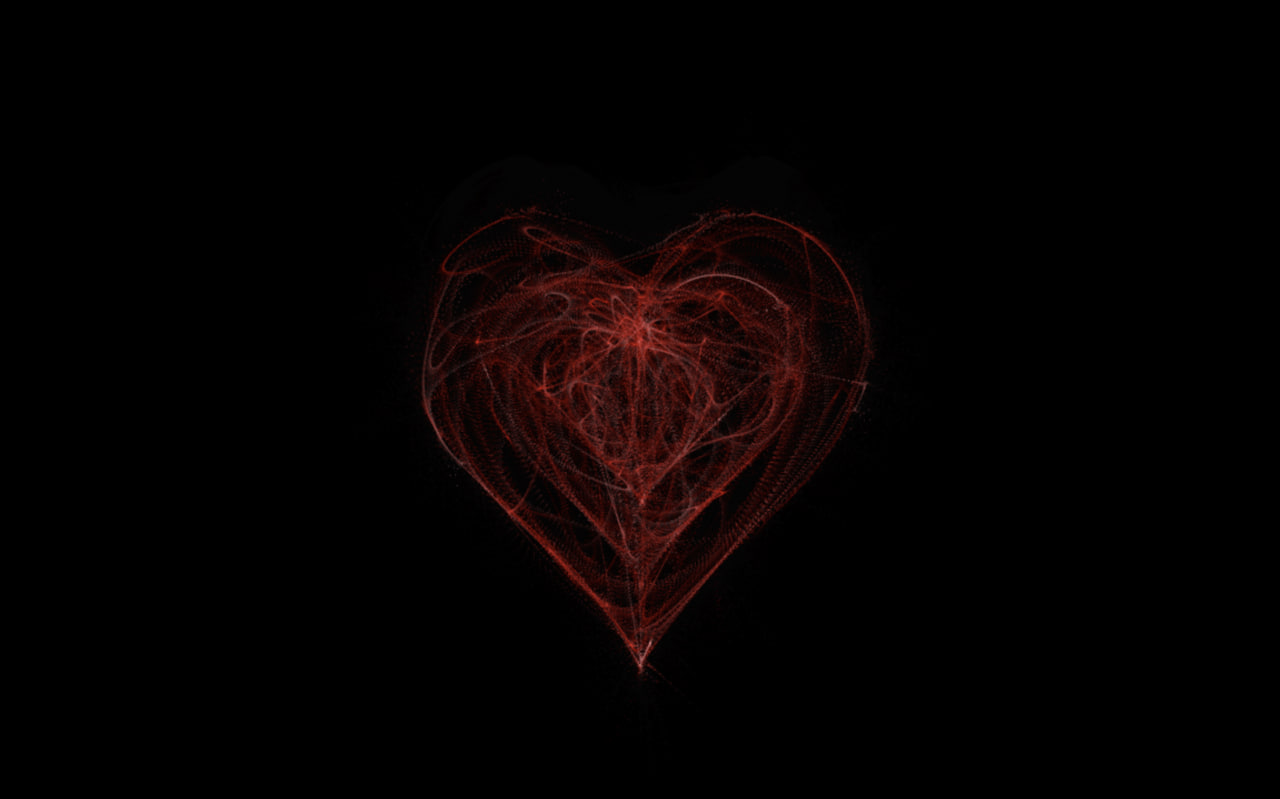
Let’s create a Heart Animation using HTML, CSS, and JavaScript. This project will feature smooth and eye-catching heart animations that add a lovely and emotional touch to your web page.
We’ll use:
- HTML to structure the hearts on the page.
- CSS to style them and create smooth animations.
- JavaScript to control movement, timing, or interactions.
This project is perfect for beginners and anyone looking to add a cute animation to their website. Let’s get started and bring some love to the screen with code! ❤️✨
HTML :
This HTML file sets up a basic web page for a heart animation. The <head> section defines the character encoding, makes the page responsive on all devices, sets the page title, and links an external CSS file for styling. Inside the <body>, a <canvas> element is used as the drawing area where the heart animation appears, and the JavaScript file is loaded at the end to control and animate the drawing on the canvas.
<!DOCTYPE html>
<html lang="en">

<head>
        <meta charset="UTF-8">
        <meta name="viewport" content="width=device-width, initial-scale=1.0">
        <title>Heart Animation | @coding.stella</title>
        <link rel="stylesheet" href="style.css">
</head>

<body>
        <canvas id="heart"></canvas>
        <script src="script.js"></script>
</body>
</html>
CSS :
This CSS styles the canvas to cover the full screen by positioning it at the top-left corner and stretching it to 100% width and height. The semi-transparent black background color adds a dark overlay effect, making anything drawn on the canvas stand out visually.
canvas {
    position: absolute;
    left: 0;
    top: 0;
    width: 100%;
    height: 100%;
    background-color: #00000033;
}
JavaScript :
This JavaScript creates a smooth animated heart on the canvas using particles. It first ensures requestAnimationFrame works on all browsers, detects mobile devices to adjust performance, and sets up the canvas size. A mathematical formula generates heart-shaped points, and many small particles are attracted to these points, moving with velocity, force, and trails. In a loop, the heart pulses in and out while particles smoothly follow the shape, creating a glowing animated heart effect.
window.requestAnimationFrame =
    window.__requestAnimationFrame ||
    window.requestAnimationFrame ||
    window.webkitRequestAnimationFrame ||
    window.mozRequestAnimationFrame ||
    window.oRequestAnimationFrame ||
    window.msRequestAnimationFrame ||
    (function () {
        return function (callback, element) {
            var lastTime = element.__lastTime;
            if (lastTime === undefined) {
                lastTime = 0;
            }
            var currTime = Date.now();
            var timeToCall = Math.max(1, 33 - (currTime - lastTime));
            window.setTimeout(callback, timeToCall);
            element.__lastTime = currTime + timeToCall;
        };
    })();
window.isDevice = (/android|webos|iphone|ipad|ipod|blackberry|iemobile|opera mini/i.test(((navigator.userAgent || navigator.vendor || window.opera)).toLowerCase()));
var loaded = false;
var init = function () {
    if (loaded) return;
    loaded = true;
    var mobile = window.isDevice;
    var koef = mobile ? 0.5 : 1;
    var canvas = document.getElementById('heart');
    var ctx = canvas.getContext('2d');
    var width = canvas.width = koef * innerWidth;
    var height = canvas.height = koef * innerHeight;
    var rand = Math.random;
    ctx.fillStyle = "rgba(0,0,0,1)";
    ctx.fillRect(0, 0, width, height);

    var heartPosition = function (rad) {
        //return [Math.sin(rad), Math.cos(rad)];
        return [Math.pow(Math.sin(rad), 3), -(15 * Math.cos(rad) - 5 * Math.cos(2 * rad) - 2 * Math.cos(3 * rad) - Math.cos(4 * rad))];
    };
    var scaleAndTranslate = function (pos, sx, sy, dx, dy) {
        return [dx + pos[0] * sx, dy + pos[1] * sy];
    };

    window.addEventListener('resize', function () {
        width = canvas.width = koef * innerWidth;
        height = canvas.height = koef * innerHeight;
        ctx.fillStyle = "rgba(0,0,0,1)";
        ctx.fillRect(0, 0, width, height);
    });

    var traceCount = mobile ? 20 : 50;
    var pointsOrigin = [];
    var i;
    var dr = mobile ? 0.3 : 0.1;
    for (i = 0; i < Math.PI * 2; i += dr) pointsOrigin.push(scaleAndTranslate(heartPosition(i), 210, 13, 0, 0));
    for (i = 0; i < Math.PI * 2; i += dr) pointsOrigin.push(scaleAndTranslate(heartPosition(i), 150, 9, 0, 0));
    for (i = 0; i < Math.PI * 2; i += dr) pointsOrigin.push(scaleAndTranslate(heartPosition(i), 90, 5, 0, 0));
    var heartPointsCount = pointsOrigin.length;

    var targetPoints = [];
    var pulse = function (kx, ky) {
        for (i = 0; i < pointsOrigin.length; i++) {
            targetPoints[i] = [];
            targetPoints[i][0] = kx * pointsOrigin[i][0] + width / 2;
            targetPoints[i][1] = ky * pointsOrigin[i][1] + height / 2;
        }
    };

    var e = [];
    for (i = 0; i < heartPointsCount; i++) {
        var x = rand() * width;
        var y = rand() * height;
        e[i] = {
            vx: 0,
            vy: 0,
            R: 2,
            speed: rand() + 5,
            q: ~~(rand() * heartPointsCount),
            D: 2 * (i % 2) - 1,
            force: 0.2 * rand() + 0.7,
            f: "hsla(0," + ~~(40 * rand() + 100) + "%," + ~~(60 * rand() + 20) + "%,.3)",
            trace: []
        };
        for (var k = 0; k < traceCount; k++) e[i].trace[k] = { x: x, y: y };
    }

    var config = {
        traceK: 0.4,
        timeDelta: 0.01
    };

    var time = 0;
    var loop = function () {
        var n = -Math.cos(time);
        pulse((1 + n) * .5, (1 + n) * .5);
        time += ((Math.sin(time)) < 0 ? 9 : (n > 0.8) ? .2 : 1) * config.timeDelta;
        ctx.fillStyle = "rgba(0,0,0,.1)";
        ctx.fillRect(0, 0, width, height);
        for (i = e.length; i--;) {
            var u = e[i];
            var q = targetPoints[u.q];
            var dx = u.trace[0].x - q[0];
            var dy = u.trace[0].y - q[1];
            var length = Math.sqrt(dx * dx + dy * dy);
            if (10 > length) {
                if (0.95 < rand()) {
                    u.q = ~~(rand() * heartPointsCount);
                }
                else {
                    if (0.99 < rand()) {
                        u.D *= -1;
                    }
                    u.q += u.D;
                    u.q %= heartPointsCount;
                    if (0 > u.q) {
                        u.q += heartPointsCount;
                    }
                }
            }
            u.vx += -dx / length * u.speed;
            u.vy += -dy / length * u.speed;
            u.trace[0].x += u.vx;
            u.trace[0].y += u.vy;
            u.vx *= u.force;
            u.vy *= u.force;
            for (k = 0; k < u.trace.length - 1;) {
                var T = u.trace[k];
                var N = u.trace[++k];
                N.x -= config.traceK * (N.x - T.x);
                N.y -= config.traceK * (N.y - T.y);
            }
            ctx.fillStyle = u.f;
            for (k = 0; k < u.trace.length; k++) {
                ctx.fillRect(u.trace[k].x, u.trace[k].y, 1, 1);
            }
        }
        //ctx.fillStyle = "rgba(255,255,255,1)";
        //for (i = u.trace.length; i--;) ctx.fillRect(targetPoints[i][0], targetPoints[i][1], 2, 2);

        window.requestAnimationFrame(loop, canvas);
    };
    loop();
};

var s = document.readyState;
if (s === 'complete' || s === 'loaded' || s === 'interactive') init();
else document.addEventListener('DOMContentLoaded', init, false);
In conclusion, creating a Heart Animation using HTML, CSS, and JavaScript is a simple and fun way to add emotion and interactivity to your website. By combining structure, styling, and animations, you can create smooth and attractive visual effects ❤️
If you encounter any difficulties while working on your glowing cards, fear not. You can freely obtain the source code files for this project. Simply click the Download button to kickstart your journey. Enjoy coding!
