


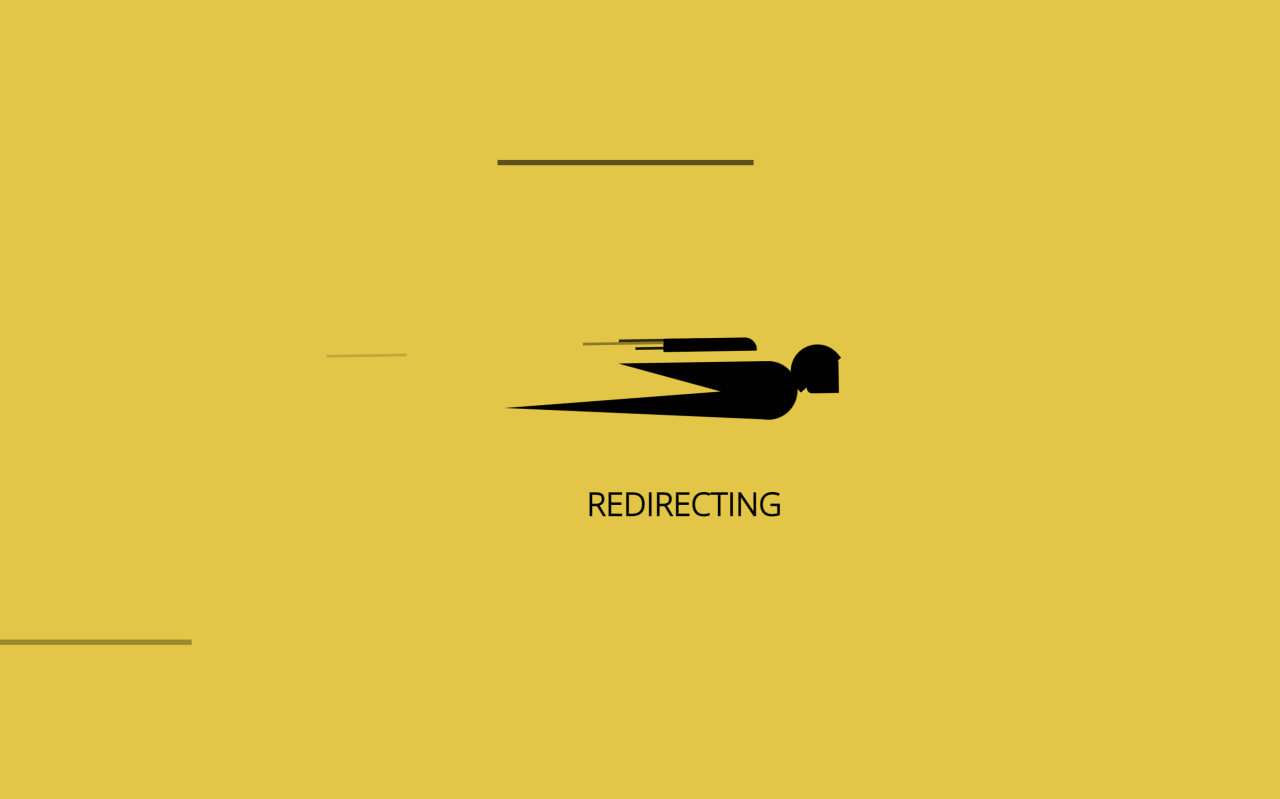
Let’s create a Superman Loading Animation using HTML and CSS. This project uses pure CSS shapes and animations to design a flying Superman-style loader with moving speed lines, giving a dynamic and eye-catching loading effect.
We’ll use:
- HTML to structure the loader elements.
- CSS to draw the character, add motion lines, and animate everything smoothly.
This loader is perfect for redirect screens or loading states to make waiting feel fun and engaging. Let’s bring the animation to life.
HTML :
This HTML sets up the structure for a Superman-style loading animation. It links external CSS and JS files for styling and effects, then uses nested divs and spans to draw the character, motion lines, and base. The “Redirecting” text is shown below, and script.js handles the animation or behavior.
<!DOCTYPE html>
<html lang="en">

<head>
  <meta charset="UTF-8">
  <title>Superman Loading Animation | @coding.stella</title>
  <link rel="stylesheet" href="https://public.codepenassets.com/css/normalize-5.0.0.min.css">
  <link rel="stylesheet" href="./style.css">
  <script src="https://public.codepenassets.com/js/prefixfree-1.0.7.min.js"></script>
</head>

<body>
  <div class='body'>
    <span>
      <span></span>
      <span></span>
      <span></span>
      <span></span>
    </span>
    <div class='base'>
      <span></span>
      <div class='face'></div>
    </div>
  </div>
  <div class='longfazers'>
    <span></span>
    <span></span>
    <span></span>
    <span></span>
  </div>
  <h1>Redirecting</h1>
  <script src="./script.js"></script>

</body>
</html>
CSS :
This CSS creates a Superman-style loading animation using shapes, positions, and keyframe animations. It builds the character with spans and pseudo-elements, shakes it with the speeder animation, and adds moving speed lines with fazer and longfazers animations. The yellow background and animated text complete the fast, redirecting effect.
@import url(https://fonts.googleapis.com/css?family=Open+Sans:300);

body {
  background-color: #f1c40f;
  overflow: hidden;
}

h1 {
  position: absolute;
  font-family: "Open Sans";
  font-weight: 600;
  font-size: 12px;
  text-transform: uppercase;
  left: 50%;
  top: 58%;
  margin-left: -20px;
}

.body {
  position: absolute;
  top: 50%;
  margin-left: -50px;
  left: 50%;
  animation: speeder 0.4s linear infinite;
}

.body>span {
  height: 5px;
  width: 35px;
  background: #000;
  position: absolute;
  top: -19px;
  left: 60px;
  border-radius: 2px 10px 1px 0;
}

.base span {
  position: absolute;
  width: 0;
  height: 0;
  border-top: 6px solid transparent;
  border-right: 100px solid #000;
  border-bottom: 6px solid transparent;
}

.base span:before {
  content: "";
  height: 22px;
  width: 22px;
  border-radius: 50%;
  background: #000;
  position: absolute;
  right: -110px;
  top: -16px;
}

.base span:after {
  content: "";
  position: absolute;
  width: 0;
  height: 0;
  border-top: 0 solid transparent;
  border-right: 55px solid #000;
  border-bottom: 16px solid transparent;
  top: -16px;
  right: -98px;
}

.face {
  position: absolute;
  height: 12px;
  width: 20px;
  background: #000;
  border-radius: 20px 20px 0 0;
  transform: rotate(-40deg);
  right: -125px;
  top: -15px;
}

.face:after {
  content: "";
  height: 12px;
  width: 12px;
  background: #000;
  right: 4px;
  top: 7px;
  position: absolute;
  transform: rotate(40deg);
  transform-origin: 50% 50%;
  border-radius: 0 0 0 2px;
}

.body>span>span:nth-child(1),
.body>span>span:nth-child(2),
.body>span>span:nth-child(3),
.body>span>span:nth-child(4) {
  width: 30px;
  height: 1px;
  background: #000;
  position: absolute;
  animation: fazer1 0.2s linear infinite;
}

.body>span>span:nth-child(2) {
  top: 3px;
  animation: fazer2 0.4s linear infinite;
}

.body>span>span:nth-child(3) {
  top: 1px;
  animation: fazer3 0.4s linear infinite;
  animation-delay: -1s;
}

.body>span>span:nth-child(4) {
  top: 4px;
  animation: fazer4 1s linear infinite;
  animation-delay: -1s;
}

@keyframes fazer1 {
  0% {
    left: 0;
  }

  100% {
    left: -80px;
    opacity: 0;
  }
}

@keyframes fazer2 {
  0% {
    left: 0;
  }

  100% {
    left: -100px;
    opacity: 0;
  }
}

@keyframes fazer3 {
  0% {
    left: 0;
  }

  100% {
    left: -50px;
    opacity: 0;
  }
}

@keyframes fazer4 {
  0% {
    left: 0;
  }

  100% {
    left: -150px;
    opacity: 0;
  }
}

@keyframes speeder {
  0% {
    transform: translate(2px, 1px) rotate(0deg);
  }

  10% {
    transform: translate(-1px, -3px) rotate(-1deg);
  }

  20% {
    transform: translate(-2px, 0px) rotate(1deg);
  }

  30% {
    transform: translate(1px, 2px) rotate(0deg);
  }

  40% {
    transform: translate(1px, -1px) rotate(1deg);
  }

  50% {
    transform: translate(-1px, 3px) rotate(-1deg);
  }

  60% {
    transform: translate(-1px, 1px) rotate(0deg);
  }

  70% {
    transform: translate(3px, 1px) rotate(-1deg);
  }

  80% {
    transform: translate(-2px, -1px) rotate(1deg);
  }

  90% {
    transform: translate(2px, 1px) rotate(0deg);
  }

  100% {
    transform: translate(1px, -2px) rotate(-1deg);
  }
}

.longfazers {
  position: absolute;
  width: 100%;
  height: 100%;
}

.longfazers span {
  position: absolute;
  height: 2px;
  width: 20%;
  background: #000;
}

.longfazers span:nth-child(1) {
  top: 20%;
  animation: lf 0.6s linear infinite;
  animation-delay: -5s;
}

.longfazers span:nth-child(2) {
  top: 40%;
  animation: lf2 0.8s linear infinite;
  animation-delay: -1s;
}

.longfazers span:nth-child(3) {
  top: 60%;
  animation: lf3 0.6s linear infinite;
}

.longfazers span:nth-child(4) {
  top: 80%;
  animation: lf4 0.5s linear infinite;
  animation-delay: -3s;
}

@keyframes lf {
  0% {
    left: 200%;
  }

  100% {
    left: -200%;
    opacity: 0;
  }
}

@keyframes lf2 {
  0% {
    left: 200%;
  }

  100% {
    left: -200%;
    opacity: 0;
  }
}

@keyframes lf3 {
  0% {
    left: 200%;
  }

  100% {
    left: -100%;
    opacity: 0;
  }
}

@keyframes lf4 {
  0% {
    left: 200%;
  }

  100% {
    left: -100%;
    opacity: 0;
  }
}
In conclusion, creating a Superman Loading Animation using HTML and CSS is a creative way to enhance your UI. With simple shapes, keyframes, and smooth motion, you can build an impressive animated loader that looks fast, modern, and interactive.
Facing any problems in your project ? Stay confident! Click Download, obtain the source code, and tackle your coding issues with determination. May your coding experience be smooth and rewarding!
