


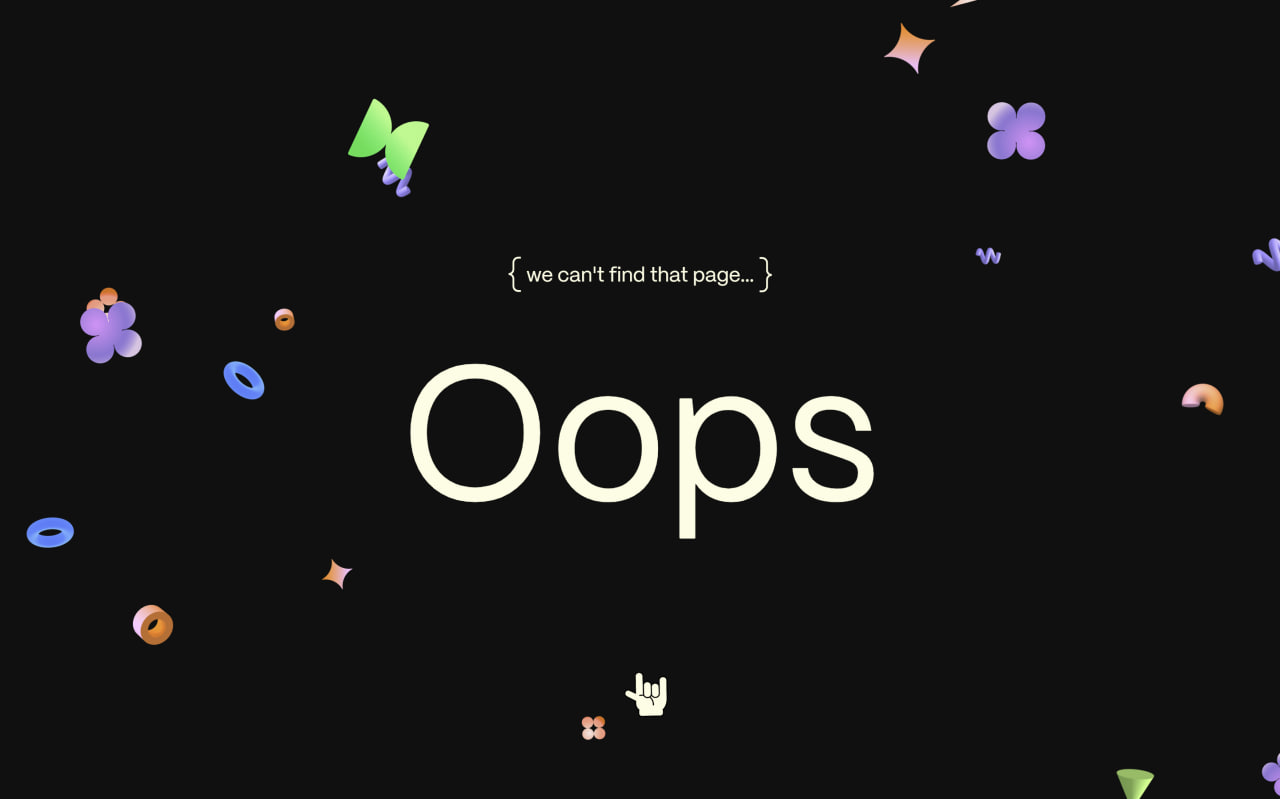
Let’s create an Animated 404 Page using HTML, CSS, JavaScript, and GSAP. Instead of a boring error page, this one reacts to user actions with fun animations and a confetti explosion.
We’ll use:
- HTML to build the 404 layout and SVG canvas.
- CSS to make the page full screen, center content, layer elements, and style text and visuals.
- JavaScript with GSAP to add drag interaction, stretchy effects, and a confetti blast when released.
This project shows how to turn a simple 404 page into something playful and interactive.
HTML :
This HTML creates an animated 404 error page layout where the text “Oops” and a message are shown, and a hero section contains draggable hand graphics and hidden preloaded images used for smooth GSAP animations. The SVG canvas is used to render interactive animated shapes, while GSAP and its plugins handle drag, physics, scroll, and easing effects. CSS controls the styling, and script.js runs all the animation logic to make the page interactive and dynamic.
<!DOCTYPE html>
<html lang="en">

<head>
  <meta charset="UTF-8">
  <title>Animated 404 Page GSAP | @coding.stella</title>
  <link rel='stylesheet' href='https://codepen.io/GreenSock/pen/xxmzBrw.css'>
  <link rel="stylesheet" href="./style.css">
</head>

<body>
  <p class="braces">we can't find that page...</p>
  <h1>Oops</h1>

  <section class="hero pricing-hero" data-block="pricing-hero">
    <div class="container">
      <div class="pricing-hero__content">
        <div class="pricing-hero__flair">
          <div class="pricing-hero__hand">
            <img class="pricing-hero__drag" src="https://assets.codepen.io/16327/hand-drag.png" alt="">
            <img class="pricing-hero__rock" src="https://assets.codepen.io/16327/hand-rock.png" alt="">
            <img class="pricing-hero__handle" src="https://assets.codepen.io/16327/2D-circle.png" alt="">
            <small>drag me</small>
          </div>

          <div class="image-preload" aria-hidden="true">
            <img data-key="combo" src="https://assets.codepen.io/16327/3D-combo.png" width="1" height="1"
              style="position: absolute; left: -9999px;" />
            <img data-key="cone" src="https://assets.codepen.io/16327/3D-cone.png" width="1" height="1"
              style="position: absolute; left: -9999px;" />
            <img data-key="hoop" src="https://assets.codepen.io/16327/3D-hoop.png" width="1" height="1"
              style="position: absolute; left: -9999px;" />
            <img data-key="keyframe" src="https://assets.codepen.io/16327/3D-keyframe.png" width="1" height="1"
              style="position: absolute; left: -9999px;" />
            <img data-key="semi" src="https://assets.codepen.io/16327/3D-semi.png" width="1" height="1"
              style="position: absolute; left: -9999px;" />
            <img data-key="spiral" src="https://assets.codepen.io/16327/3D-spiral.png" width="1" height="1"
              style="position: absolute; left: -9999px;" />
            <img data-key="squish" src="https://assets.codepen.io/16327/3D-squish.png" width="1" height="1"
              style="position: absolute; left: -9999px;" />
            <img data-key="triangle" src="https://assets.codepen.io/16327/3D-triangle.png" width="1" height="1"
              style="position: absolute; left: -9999px;" />
            <img data-key="tunnel" src="https://assets.codepen.io/16327/3D-tunnel.png" width="1" height="1"
              style="position: absolute; left: -9999px;" />
            <img data-key="wat" src="https://assets.codepen.io/16327/3D-poly.png" width="1" height="1"
              style="position: absolute; left: -9999px;" />
          </div>
          <div class="explosion-preload" aria-hidden="true">
            <img data-key="blue-circle" src="https://assets.codepen.io/16327/2D-circles.png"
              style="position: absolute; left: -9999px;" />
            <img data-key="green-keyframe" src="https://assets.codepen.io/16327/2D-keyframe.png"
              style="position: absolute; left: -9999px;" />
            <img data-key="orange-lightning" src="https://assets.codepen.io/16327/2D-lightning.png"
              style="position: absolute; left: -9999px;" />
            <img data-key="orange-star" src="https://assets.codepen.io/16327/2D-star.png"
              style="position: absolute; left: -9999px;" />
            <img data-key="purple-flower" src="https://assets.codepen.io/16327/2D-flower.png"
              style="position: absolute; left: -9999px;" />
            <img data-key="cone" src="https://assets.codepen.io/16327/3D-cone.png"
              style="position: absolute; left: -9999px;" />
            <img data-key="keyframe" src="https://assets.codepen.io/16327/3D-spiral.png"
              style="position: absolute; left: -9999px;" />
            <img data-key="spiral" src="https://assets.codepen.io/16327/3D-spiral.png"
              style="position: absolute; left: -9999px;" />
            <img data-key="tunnel" src="https://assets.codepen.io/16327/3D-tunnel.png"
              style="position: absolute; left: -9999px;" />
            <img data-key="hoop" src="https://assets.codepen.io/16327/3D-hoop.png"
              style="position: absolute; left: -9999px;" />
            <img data-key="semi" src="https://assets.codepen.io/16327/3D-semi.png"
              style="position: absolute; left: -9999px;" />
          </div>

        </div>
      </div>
      <svg class="pricing-hero__canvas"></svg>
      <div class="pricing-hero__proxy"></div>
    </div>
  </section>
  <script src="https://unpkg.com/gsap@3/dist/gsap.min.js"></script>
  <script src="https://unpkg.com/gsap@3/dist/Observer.min.js"></script>
  <script src="https://unpkg.com/gsap@3/dist/ScrollTrigger.min.js"></script>
  <script src="https://unpkg.com/gsap@3/dist/Physics2DPlugin.min.js"></script>
  <script src="https://unpkg.com/gsap@3/dist/CustomEase.min.js"></script>
  <script src="https://unpkg.com/gsap@3/dist/CustomWiggle.min.js"></script>

  <script src="./script.js"></script>

</body>
</html>
CSS :
This CSS styles a full screen animated 404 page by centering content, fixing the hero section to cover the viewport, and layering elements using z-index. It hides overflow, customizes text size and gradients, and positions a custom hand cursor, SVG canvas, and invisible proxy for GSAP interactions. Extra styles control drag visuals, explosions, and decorative braces, while selections are disabled to keep the animation clean and interactive.
html {
  width: 100vw;
  height: 100vh;
  overflow: hidden;
}

body {
  display: flex;
  align-items: center;
  justify-content: center;
  min-height: 100vh;
  flex-direction: column
}

h1 {
  position: relative;
  font-size: 15vw;
  width: 100%;
  text-align: center;
  z-index: 999;
  pointer-events: none;
}

.pricing-hero {
  align-items: center;
  display: flex;
  flex-direction: column;
  justify-content: center;
  max-width: 100vw;
  min-height: 100vh;
  overflow: hidden;
  position: fixed;
  top: 0;
  left: 0;
  width: 100%;
  z-index: 2;
}

img {
  max-width 100%;
}

.pricing-hero .subtitle {
  color: var(--color-surface-white);
  display: inline-block;
  z-index: 2;
}

.pricing-hero__flair {
  display: block;
  margin: max(2rem, min(2.0712vw + 1.51456rem, 4rem)) auto max(2rem, min(6.21359vw + 0.543689rem, 8rem));
  width: 100%;
}

.pricing-hero__content {
  padding-bottom: max(4rem, min(10.7443vw + 1.4818rem, 14.375rem));
  padding-top: max(4rem, min(10.7443vw + 1.4818rem, 14.375rem));
  text-align: center;
  width: 100%;
}

.pricing-hero__heading-container {
  position: relative;
  width: 100%;
}

.pricing-hero__heading--free {
  left: 0;
  opacity: 0;
  position: absolute;
  top: 0;
  width: 100%;
}

.pricing-hero__heading {
  line-height: 1.13 !important;
  margin: 0;
}

.pricing-hero__heading>* {
  -webkit-text-fill-color: transparent;
  background: var(--color-ui-gradient);
  -webkit-background-clip: text;
  background-clip: text;
  will-change: transform;
}

.pricing-hero__hand {
  left: 0;
  opacity: 0;
  pointer-events: none;
  position: fixed;
  top: 0;
  width: 30px;
  z-index: 4;
}

.pricing-hero__hand small {
  left: -60%;
  position: absolute;
  top: 20px;
  width: 200%;
}

.pricing-hero__drag,
.pricing-hero__rock {
  position: absolute;
  z-index: 4;
}

.pricing-hero__rock,
.pricing-hero__drag {
  max-width: 141%;
  opacity: 0;
  right: 1px;
  top: -22px;
  width: 131%;
}

.pricing-hero__drag {
  opacity: 1;
}

.pricing-hero__handle {
  left: 0;
  opacity: 0;
  position: absolute;
  right: 0;
  top: -40px;
  width: 100%;
}

.pricing-hero__canvas {
  z-index: -1;
}

.pricing-hero__canvas,
.pricing-hero__proxy {
  bottom: 0;
  height: 100vh;
  left: 0;
  position: absolute;
  right: 0;
  top: 0;
  width: 100vw;
}

.pricing-hero__proxy {
  z-index: 3;
}

.explosion-img {
  will-change: transform;
}

.pricing-intro {
  align-items: center;
  background: var(--color-ui-blue-lt);
  color: var(--color-just-black);
  overflow: hidden;
  padding-top: max(4rem, min(7.63754vw + 2.20995rem, 11.375rem));
  position: relative;
  z-index: 2;
}

@media only screen and (min-width: 77.5rem) {
  .pricing-intro {
    padding-bottom: max(2rem, min(9.64401vw - 0.260316rem, 11.3125rem));
  }
}

.pricing-intro .heading-r {
  -webkit-text-fill-color: transparent;
  background: var(--color-ui-text-gradient);
  -webkit-background-clip: text;
  background-clip: text;
  line-height: 1.2;
  margin-bottom: max(1rem, min(1.0356vw + 0.757282rem, 2rem));
}

.pricing-intro:after {
  background-image: url(/tf-assets/noise-e82662fe.png);
  bottom: 0;
  content: "";
  display: block;
  height: 100%;
  left: 0;
  opacity: 0.2;
  pointer-events: none;
  position: absolute;
  right: 0;
  top: 0;
  width: 100%;
}

.pricing-intro__heading {
  margin-bottom: max(2rem, min(2.0712vw + 1.51456rem, 4rem));
}

.pricing-intro__flair {
  margin-bottom: 0;
  margin-top: 64px;
}

.pricing-intro__flair svg {
  margin: 0 auto;
  max-width: max(16.875rem, min(17.4757vw + 12.7791rem, 33.75rem));
  width: 100%;
}

.explosion-img {
  will-change: transform;
}

::selection {
  background: transparent;
}

::-moz-selection {
  background: transparent;
}

.braces {
  pointer-events: none;
  position: relative;
  color: var(--light);
  margin-bottom: 1rem;
  z-index: 999
}

.braces:before {
  position: absolute;
  content: "";
  background-image: url("data:image/svg+xml,%3Csvg xmlns='http://www.w3.org/2000/svg' fill='none' viewBox='0 0 27 78'%3E%3Cpath fill='%23FFFCE1' d='M26.52 77.21h-5.75c-6.83 0-12.38-5.56-12.38-12.38V48.38C8.39 43.76 4.63 40 .01 40v-4c4.62 0 8.38-3.76 8.38-8.38V12.4C8.38 5.56 13.94 0 20.77 0h5.75v4h-5.75c-4.62 0-8.38 3.76-8.38 8.38V27.6c0 4.34-2.25 8.17-5.64 10.38 3.39 2.21 5.64 6.04 5.64 10.38v16.45c0 4.62 3.76 8.38 8.38 8.38h5.75v4.02Z'%3E%3C/path%3E%3C/svg%3E");
  right: 100%;
  height: 2rem;
  transform: translateY(-50%);
  top: 50%;
  aspect-ratio: 1/2;
  background-repeat: no-repeat;
}

.braces:after {
  position: absolute;
  content: "";
  background-image: url("data:image/svg+xml,%3Csvg xmlns='http://www.w3.org/2000/svg' fill='none' viewBox='0 0 27 78'%3E%3Cpath fill='%23FFFCE1' d='M26.52 77.21h-5.75c-6.83 0-12.38-5.56-12.38-12.38V48.38C8.39 43.76 4.63 40 .01 40v-4c4.62 0 8.38-3.76 8.38-8.38V12.4C8.38 5.56 13.94 0 20.77 0h5.75v4h-5.75c-4.62 0-8.38 3.76-8.38 8.38V27.6c0 4.34-2.25 8.17-5.64 10.38 3.39 2.21 5.64 6.04 5.64 10.38v16.45c0 4.62 3.76 8.38 8.38 8.38h5.75v4.02Z'%3E%3C/path%3E%3C/svg%3E");
  left: 100%;
  height: 2rem;
  transform: rotate(180deg) translateY(50%);
  top: 50%;
  aspect-ratio: 1/2;
  background-repeat: no-repeat;
}
JavaScript :
This GSAP code creates an interactive confetti cannon effect where the user drags on the screen to draw a stretchy line with a shape, and when released it explodes into animated confetti using physics. It tracks mouse or touch input, rotates and scales elements based on drag distance and angle, shows a custom hand cursor, and uses preloaded images for smooth visuals. GSAP plugins handle motion, easing, wiggle, physics, and input detection, while everything resets cleanly after each explosion.
gsap.registerPlugin(
  Observer,
  CustomEase,
  CustomWiggle,
  Physics2DPlugin,
  ScrollTrigger
);

class confettiCannon {
  constructor(el) {
    this.el = el;
  }
  init() {
    const hero = this.el;
    this.hero = hero;

    const el = {
      hand: hero.querySelector(".pricing-hero__hand"),
      instructions: hero.querySelector(".pricing-hero__hand small"),
      rock: hero.querySelector(".pricing-hero__rock"),
      drag: hero.querySelector(".pricing-hero__drag"),
      handle: hero.querySelector(".pricing-hero__handle"),
      canvas: hero.querySelector(".pricing-hero__canvas"),
      proxy: hero.querySelector(".pricing-hero__proxy"),
      preloadImages: hero.querySelectorAll(".image-preload img"),
      xplodePreloadImages: hero.querySelectorAll(".explosion-preload img")
    };
    this.el = el;
    this.isDrawing = false;

    this.imageMap = {};
    this.imageKeys = [];

    this.el.preloadImages.forEach((img) => {
      const key = img.dataset.key;
      this.imageMap[key] = img;
      this.imageKeys.push(key);
    });

    this.explosionMap = {};
    this.explosionKeys = [];

    this.el.xplodePreloadImages.forEach((img) => {
      const key = img.dataset.key;
      this.explosionMap[key] = img;
      this.explosionKeys.push(key);
    });

    this.currentLine = null;
    this.startImage = null;
    this.circle = null;
    this.startX = 0;
    this.startY = 0;
    this.lastDistance = 0;

    this.animationIsOk = window.matchMedia(
      "(prefers-reduced-motion: no-preference)"
    ).matches;

    this.wiggle = CustomWiggle.create("myWiggle", { wiggles: 6 });
    this.clamper = gsap.utils.clamp(1, 100);

    this.xSetter = gsap.quickTo(this.el.hand, "x", { duration: 0.1 });
    this.ySetter = gsap.quickTo(this.el.hand, "y", { duration: 0.1 });

    this.setpricingMotion();
    this.initObserver();
    this.initEvents();
  }

  initEvents() {
    if (!this.animationIsOk || ScrollTrigger.isTouch === 1) return;

    this.hero.style.cursor = "none";

    this.hero.addEventListener("mouseenter", (e) => {
      gsap.set(this.el.hand, { opacity: 1 });

      this.xSetter(e.x, e.x);
      this.ySetter(e.y, e.y);
    });

    this.hero.addEventListener("mouseleave", (e) => {
      gsap.set(this.el.hand, { opacity: 0 });
    });

    this.hero.addEventListener("mousemove", (e) => {
      this.xSetter(e.x);
      this.ySetter(e.y);
    });

    gsap.delayedCall(1, (e) => {
      this.createExplosion(window.innerWidth / 2, window.innerHeight / 2, 600);
    })
  }

  setpricingMotion() {
    gsap.set(this.el.hand, { xPercent: -50, yPercent: -50 });
  }

  initObserver() {
    if (!this.animationIsOk) return;

    if (ScrollTrigger.isTouch === 1) {
      Observer.create({
        target: this.el.proxy,
        type: "touch",
        onPress: (e) => {
          this.createExplosion(e.x, e.y, 400);
        }
      });
    } else {
      Observer.create({
        target: this.el.proxy,
        type: "pointer",
        onPress: (e) => this.startDrawing(e),
        onDrag: (e) => this.isDrawing && this.updateDrawing(e),
        onDragEnd: (e) => this.clearDrawing(e),
        onRelease: (e) => this.clearDrawing(e)
      });
    }
  }

  startDrawing(e) {
    this.isDrawing = true;

    gsap.set(this.el.instructions, { opacity: 0 });

    this.startX = e.x;
    this.startY = e.y + window.scrollY;

    // Create line
    this.currentLine = document.createElementNS(
      "http://www.w3.org/2000/svg",
      "line"
    );
    this.currentLine.setAttribute("x1", this.startX);
    this.currentLine.setAttribute("y1", this.startY);
    this.currentLine.setAttribute("x2", this.startX);
    this.currentLine.setAttribute("y2", this.startY);
    this.currentLine.setAttribute("stroke", "#fffce1");
    this.currentLine.setAttribute("stroke-width", "2");
    this.currentLine.setAttribute("stroke-dasharray", "4");

    this.circle = document.createElementNS(
      "http://www.w3.org/2000/svg",
      "circle"
    );
    this.circle.setAttribute("cx", this.startX);
    this.circle.setAttribute("cy", this.startY);
    this.circle.setAttribute("r", "30");
    this.circle.setAttribute("fill", "#0e100f");

    // Create image at start point
    const randomKey = gsap.utils.random(this.imageKeys);
    const original = this.imageMap[randomKey];
    const clone = document.createElementNS(
      "http://www.w3.org/2000/svg",
      "image"
    );

    clone.setAttribute("x", this.startX - 25);
    clone.setAttribute("y", this.startY - 25);
    clone.setAttribute("width", "50");
    clone.setAttribute("height", "50");
    clone.setAttributeNS("http://www.w3.org/1999/xlink", "href", original.src);

    this.startImage = clone;

    this.el.canvas.appendChild(this.currentLine);
    this.el.canvas.appendChild(this.circle);
    this.el.canvas.appendChild(this.startImage);

    gsap.set(this.el.drag, { opacity: 1 });
    gsap.set(this.el.handle, { opacity: 1 });
    gsap.set(this.el.rock, { opacity: 0 });
  }

  updateDrawing(e) {
    if (!this.currentLine || !this.startImage) return;

    let cursorX = e.x;
    let cursorY = e.y + window.scrollY;

    let dx = cursorX - this.startX;
    let dy = cursorY - this.startY;

    let distance = Math.sqrt(dx * dx + dy * dy);
    let shrink = (distance - 30) / distance;

    let x2 = this.startX + dx * shrink;
    let y2 = this.startY + dy * shrink;

    if (distance < 30) {
      x2 = this.startX;
      y2 = this.startY;
    }

    let angle = Math.atan2(dy, dx) * (180 / Math.PI);

    gsap.to(this.currentLine, {
      attr: { x2, y2 },
      duration: 0.1,
      ease: "none"
    });

    // Eased scale (starts fast, slows down)
    let raw = distance / 100;
    let eased = Math.pow(raw, 0.5);
    let clamped = this.clamper(eased);

    gsap.set([this.startImage, this.circle], {
      scale: clamped,
      rotation: `${angle + -45}_short`,
      transformOrigin: "center center"
    });

    // Move & rotate hand
    gsap.to(this.el.hand, {
      rotation: `${angle + -90}_short`,
      duration: 0.1,
      ease: "none"
    });

    this.lastDistance = distance;
  }

  createExplosion(x, y, distance = 100) {
    const count = Math.round(gsap.utils.clamp(3, 100, distance / 20));
    const angleSpread = Math.PI * 2;
    const explosion = gsap.timeline();
    const gravity = 5;
    const speed = gsap.utils.mapRange(0, 500, 0.3, 1.5, distance);
    const sizeRange = gsap.utils.mapRange(0, 500, 20, 60, distance);

    for (let i = 0; i < count; i++) {
      const randomKey = gsap.utils.random(this.explosionKeys);
      const original = this.explosionMap[randomKey];
      const img = original.cloneNode(true);

      img.className = "explosion-img";
      img.style.position = "absolute";
      img.style.pointerEvents = "none";
      img.style.height = `${gsap.utils.random(20, sizeRange)}px`;
      img.style.left = `${x}px`;
      img.style.top = `${y}px`;
      img.style.zIndex = 4;

      this.hero.appendChild(img);

      const angle = Math.random() * angleSpread;
      const velocity = gsap.utils.random(500, 1500) * speed;

      explosion
        .to(
          img,
          {
            physics2D: {
              angle: angle * (180 / Math.PI),
              velocity: velocity,
              gravity: 3000
            },
            rotation: gsap.utils.random(-180, 180),
            duration: 1 + Math.random()
          },
          0
        )
        .to(
          img,
          {
            opacity: 0,
            duration: 0.2,
            ease: "power1.out",
            onComplete: () => img.remove()
          },
          1
        );
    }

    return explosion;
  }

  clearDrawing(e) {
    if (!this.isDrawing) return;
    this.createExplosion(this.startX, this.startY, this.lastDistance);

    gsap.set(this.el.drag, { opacity: 0 });
    gsap.set(this.el.handle, { opacity: 0 });
    gsap.set(this.el.rock, { opacity: 1 });

    gsap.to(this.el.rock, {
      duration: 0.4,
      rotation: "+=30",
      ease: "myWiggle",
      onComplete: () => {
        gsap.set(this.el.rock, { opacity: 0 });

        gsap.set(this.el.hand, { rotation: 0, overwrite: "auto" });

        gsap.to(this.el.instructions, { opacity: 1 });
        gsap.set(this.el.drag, { opacity: 1 });
      }
    });

    this.isDrawing = false;

    // Clear all elements from SVG and reset references
    this.el.canvas.innerHTML = "";
    this.currentLine = null;
    this.startImage = null;
  }
}
const cannon = new confettiCannon(document.body);
cannon.init();
In short, this GSAP 404 Page proves that error pages can be fun. With smooth animations, drag interactions, and physics-based effects, you can create an engaging experience instead of a dead end 🚀
If your project has problems, don’t worry. Just click to download the source code and face your coding challenges with excitement. Have fun coding!
