


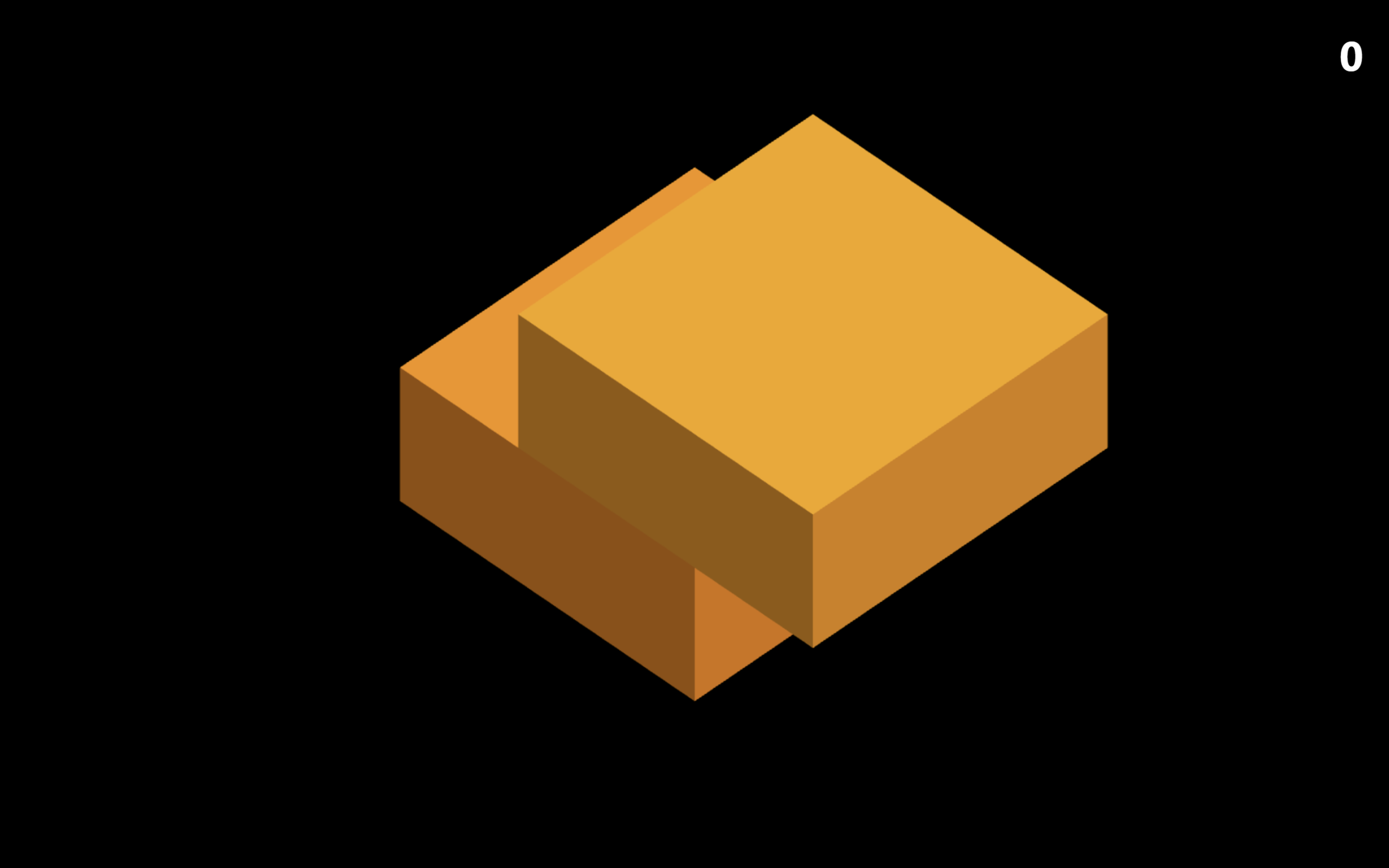
Let’s create a Stack Game using HTML, CSS, and JavaScript. This project is a simple yet addictive game where players stack moving blocks on top of each other and try to keep the stack from falling.
We’ll use:
- HTML to structure the game area and blocks.
- CSS to style the game with clean visuals and smooth animations.
- JavaScript to control block movement, stacking logic, scoring, and game over conditions.
This project is great for learning basic game logic, animations, and user interaction in the browser. It’s fun, challenging, and perfect for improving your JavaScript skills 🎮
HTML :
This HTML sets up a 3D stacking game by creating instruction, result, and score UI elements, then loads Three.js for rendering the 3D blocks, Cannon.js for physics and collisions, and a custom script.js that handles game logic, user input, scoring, and resets, allowing players to stack moving blocks by clicking, tapping, or pressing keys.
<!DOCTYPE html>
<html lang="en">

<head>
  <meta charset="UTF-8">
  <title>Stack game with Three.js and Cannon.js</title>
  <link rel="stylesheet" href="./style.css">

</head>

<body>
  <div id="instructions">
    <div class="content">
      <p>Stack the blocks on top of each other</p>
      <p>Click, tap or press Space when a block is above the stack. Can you reach the blue color blocks?</p>
      <p>Click, tap or press Space to start game</p>
    </div>
  </div>
  <div id="results">
    <div class="content">
      <p>You missed the block</p>
      <p>To reset the game press R</p>
    </div>
  </div>
  <div id="score">0</div>

  <script src='https://cdnjs.cloudflare.com/ajax/libs/three.js/r124/three.min.js'></script>
  <script src='https://cdnjs.cloudflare.com/ajax/libs/cannon.js/0.6.2/cannon.min.js'></script>
  <script src="./script.js"></script>

</body>

</html>
CSS :
This CSS styles the 3D stack game UI by applying a clean font and full screen overlays for instructions and results, using flexbox to center messages, dark translucent backgrounds for focus, hover based instruction visibility, and a bold fixed score display in the corner to keep gameplay feedback clear and distraction free.
@import url("https://fonts.googleapis.com/css2?family=Montserrat:wght@900&display=swap");

body {
  margin: 0;
  color: white;
  font-family: "Segoe UI", Tahoma, Geneva, Verdana, sans-serif;
  cursor: pointer;
}

#instructions {
  display: none;
}

#results,
body:hover #instructions {
  position: absolute;
  display: flex;
  align-items: center;
  justify-content: center;
  height: 100%;
  width: 100%;
  background-color: rgba(20, 20, 20, 0.75);
}

#results {
  display: none;
  cursor: default;
}

#results .content,
#instructions .content {
  max-width: 300px;
  padding: 50px;
  border-radius: 20px;
}

#results {}

#score {
  position: absolute;
  color: white;
  font-size: 3em;
  font-weight: bold;
  top: 30px;
  right: 30px;
}
JavaScript:
This JavaScript powers a 3D stack game by using Three.js for rendering blocks and Cannon.js for realistic physics, where each moving block slides along one axis and the player must time inputs to stack it correctly, cutting off overhangs that fall with gravity, updating score and camera height dynamically, handling user input, collisions, game over state, and even an autopilot mode, all inside a continuous animation loop that syncs physics and visuals smoothly.
window.focus(); // Capture keys right away (by default focus is on editor)

let camera, scene, renderer; // ThreeJS globals
let world; // CannonJs world
let lastTime; // Last timestamp of animation
let stack; // Parts that stay solid on top of each other
let overhangs; // Overhanging parts that fall down
const boxHeight = 1; // Height of each layer
const originalBoxSize = 3; // Original width and height of a boxes
let autopilot;
let gameEnded;
let robotPrecision; // Determines how precise the game is on autopilot

const scoreElement = document.getElementById("score");
const instructionsElement = document.getElementById("instructions");
const resultsElement = document.getElementById("results");

init();

// Determines how precise the game is on autopilot
function setRobotPrecision() {
  robotPrecision = Math.random() * 1 - 0.5;
}

function init() {
  autopilot = true;
  gameEnded = false;
  lastTime = 0;
  stack = [];
  overhangs = [];
  setRobotPrecision();

  // Initialize CannonJS
  world = new CANNON.World();
  world.gravity.set(0, -10, 0); // Gravity pulls things down
  world.broadphase = new CANNON.NaiveBroadphase();
  world.solver.iterations = 40;

  // Initialize ThreeJs
  const aspect = window.innerWidth / window.innerHeight;
  const width = 10;
  const height = width / aspect;

  camera = new THREE.OrthographicCamera(
    width / -2, // left
    width / 2, // right
    height / 2, // top
    height / -2, // bottom
    0, // near plane
    100 // far plane
  );

  /*
  // If you want to use perspective camera instead, uncomment these lines
  camera = new THREE.PerspectiveCamera(
    45, // field of view
    aspect, // aspect ratio
    1, // near plane
    100 // far plane
  );
  */

  camera.position.set(4, 4, 4);
  camera.lookAt(0, 0, 0);

  scene = new THREE.Scene();

  // Foundation
  addLayer(0, 0, originalBoxSize, originalBoxSize);

  // First layer
  addLayer(-10, 0, originalBoxSize, originalBoxSize, "x");

  // Set up lights
  const ambientLight = new THREE.AmbientLight(0xffffff, 0.6);
  scene.add(ambientLight);

  const dirLight = new THREE.DirectionalLight(0xffffff, 0.6);
  dirLight.position.set(10, 20, 0);
  scene.add(dirLight);

  // Set up renderer
  renderer = new THREE.WebGLRenderer({ antialias: true });
  renderer.setSize(window.innerWidth, window.innerHeight);
  renderer.setAnimationLoop(animation);
  document.body.appendChild(renderer.domElement);
}

function startGame() {
  autopilot = false;
  gameEnded = false;
  lastTime = 0;
  stack = [];
  overhangs = [];

  if (instructionsElement) instructionsElement.style.display = "none";
  if (resultsElement) resultsElement.style.display = "none";
  if (scoreElement) scoreElement.innerText = 0;

  if (world) {
    // Remove every object from world
    while (world.bodies.length > 0) {
      world.remove(world.bodies[0]);
    }
  }

  if (scene) {
    // Remove every Mesh from the scene
    while (scene.children.find((c) => c.type == "Mesh")) {
      const mesh = scene.children.find((c) => c.type == "Mesh");
      scene.remove(mesh);
    }

    // Foundation
    addLayer(0, 0, originalBoxSize, originalBoxSize);

    // First layer
    addLayer(-10, 0, originalBoxSize, originalBoxSize, "x");
  }

  if (camera) {
    // Reset camera positions
    camera.position.set(4, 4, 4);
    camera.lookAt(0, 0, 0);
  }
}

function addLayer(x, z, width, depth, direction) {
  const y = boxHeight * stack.length; // Add the new box one layer higher
  const layer = generateBox(x, y, z, width, depth, false);
  layer.direction = direction;
  stack.push(layer);
}

function addOverhang(x, z, width, depth) {
  const y = boxHeight * (stack.length - 1); // Add the new box one the same layer
  const overhang = generateBox(x, y, z, width, depth, true);
  overhangs.push(overhang);
}

function generateBox(x, y, z, width, depth, falls) {
  // ThreeJS
  const geometry = new THREE.BoxGeometry(width, boxHeight, depth);
  const color = new THREE.Color(`hsl(${30 + stack.length * 4}, 100%, 50%)`);
  const material = new THREE.MeshLambertMaterial({ color });
  const mesh = new THREE.Mesh(geometry, material);
  mesh.position.set(x, y, z);
  scene.add(mesh);

  // CannonJS
  const shape = new CANNON.Box(
    new CANNON.Vec3(width / 2, boxHeight / 2, depth / 2)
  );
  let mass = falls ? 5 : 0; // If it shouldn't fall then setting the mass to zero will keep it stationary
  mass *= width / originalBoxSize; // Reduce mass proportionately by size
  mass *= depth / originalBoxSize; // Reduce mass proportionately by size
  const body = new CANNON.Body({ mass, shape });
  body.position.set(x, y, z);
  world.addBody(body);

  return {
    threejs: mesh,
    cannonjs: body,
    width,
    depth
  };
}

function cutBox(topLayer, overlap, size, delta) {
  const direction = topLayer.direction;
  const newWidth = direction == "x" ? overlap : topLayer.width;
  const newDepth = direction == "z" ? overlap : topLayer.depth;

  // Update metadata
  topLayer.width = newWidth;
  topLayer.depth = newDepth;

  // Update ThreeJS model
  topLayer.threejs.scale[direction] = overlap / size;
  topLayer.threejs.position[direction] -= delta / 2;

  // Update CannonJS model
  topLayer.cannonjs.position[direction] -= delta / 2;

  // Replace shape to a smaller one (in CannonJS you can't simply just scale a shape)
  const shape = new CANNON.Box(
    new CANNON.Vec3(newWidth / 2, boxHeight / 2, newDepth / 2)
  );
  topLayer.cannonjs.shapes = [];
  topLayer.cannonjs.addShape(shape);
}

window.addEventListener("mousedown", eventHandler);
window.addEventListener("touchstart", eventHandler);
window.addEventListener("keydown", function (event) {
  if (event.key == " ") {
    event.preventDefault();
    eventHandler();
    return;
  }
  if (event.key == "R" || event.key == "r") {
    event.preventDefault();
    startGame();
    return;
  }
});

function eventHandler() {
  if (autopilot) startGame();
  else splitBlockAndAddNextOneIfOverlaps();
}

function splitBlockAndAddNextOneIfOverlaps() {
  if (gameEnded) return;

  const topLayer = stack[stack.length - 1];
  const previousLayer = stack[stack.length - 2];

  const direction = topLayer.direction;

  const size = direction == "x" ? topLayer.width : topLayer.depth;
  const delta =
    topLayer.threejs.position[direction] -
    previousLayer.threejs.position[direction];
  const overhangSize = Math.abs(delta);
  const overlap = size - overhangSize;

  if (overlap > 0) {
    cutBox(topLayer, overlap, size, delta);

    // Overhang
    const overhangShift = (overlap / 2 + overhangSize / 2) * Math.sign(delta);
    const overhangX =
      direction == "x"
        ? topLayer.threejs.position.x + overhangShift
        : topLayer.threejs.position.x;
    const overhangZ =
      direction == "z"
        ? topLayer.threejs.position.z + overhangShift
        : topLayer.threejs.position.z;
    const overhangWidth = direction == "x" ? overhangSize : topLayer.width;
    const overhangDepth = direction == "z" ? overhangSize : topLayer.depth;

    addOverhang(overhangX, overhangZ, overhangWidth, overhangDepth);

    // Next layer
    const nextX = direction == "x" ? topLayer.threejs.position.x : -10;
    const nextZ = direction == "z" ? topLayer.threejs.position.z : -10;
    const newWidth = topLayer.width; // New layer has the same size as the cut top layer
    const newDepth = topLayer.depth; // New layer has the same size as the cut top layer
    const nextDirection = direction == "x" ? "z" : "x";

    if (scoreElement) scoreElement.innerText = stack.length - 1;
    addLayer(nextX, nextZ, newWidth, newDepth, nextDirection);
  } else {
    missedTheSpot();
  }
}

function missedTheSpot() {
  const topLayer = stack[stack.length - 1];

  // Turn to top layer into an overhang and let it fall down
  addOverhang(
    topLayer.threejs.position.x,
    topLayer.threejs.position.z,
    topLayer.width,
    topLayer.depth
  );
  world.remove(topLayer.cannonjs);
  scene.remove(topLayer.threejs);

  gameEnded = true;
  if (resultsElement && !autopilot) resultsElement.style.display = "flex";
}

function animation(time) {
  if (lastTime) {
    const timePassed = time - lastTime;
    const speed = 0.008;

    const topLayer = stack[stack.length - 1];
    const previousLayer = stack[stack.length - 2];

    // The top level box should move if the game has not ended AND
    // it's either NOT in autopilot or it is in autopilot and the box did not yet reach the robot position
    const boxShouldMove =
      !gameEnded &&
      (!autopilot ||
        (autopilot &&
          topLayer.threejs.position[topLayer.direction] <
          previousLayer.threejs.position[topLayer.direction] +
          robotPrecision));

    if (boxShouldMove) {
      // Keep the position visible on UI and the position in the model in sync
      topLayer.threejs.position[topLayer.direction] += speed * timePassed;
      topLayer.cannonjs.position[topLayer.direction] += speed * timePassed;

      // If the box went beyond the stack then show up the fail screen
      if (topLayer.threejs.position[topLayer.direction] > 10) {
        missedTheSpot();
      }
    } else {
      // If it shouldn't move then is it because the autopilot reached the correct position?
      // Because if so then next level is coming
      if (autopilot) {
        splitBlockAndAddNextOneIfOverlaps();
        setRobotPrecision();
      }
    }

    // 4 is the initial camera height
    if (camera.position.y < boxHeight * (stack.length - 2) + 4) {
      camera.position.y += speed * timePassed;
    }

    updatePhysics(timePassed);
    renderer.render(scene, camera);
  }
  lastTime = time;
}

function updatePhysics(timePassed) {
  world.step(timePassed / 1000); // Step the physics world

  // Copy coordinates from Cannon.js to Three.js
  overhangs.forEach((element) => {
    element.threejs.position.copy(element.cannonjs.position);
    element.threejs.quaternion.copy(element.cannonjs.quaternion);
  });
}

window.addEventListener("resize", () => {
  // Adjust camera
  console.log("resize", window.innerWidth, window.innerHeight);
  const aspect = window.innerWidth / window.innerHeight;
  const width = 10;
  const height = width / aspect;

  camera.top = height / 2;
  camera.bottom = height / -2;

  // Reset renderer
  renderer.setSize(window.innerWidth, window.innerHeight);
  renderer.render(scene, camera);
});
In conclusion, building a Stack Game using HTML, CSS, and JavaScript is a fun way to learn game logic and animations. By handling movement, stacking, and scoring with JavaScript, you can create an engaging browser game. This project is perfect for practicing interaction, timing, and clean UI design while having fun 🎮
If your project has problems, don’t worry. Just click to download the source code and face your coding challenges with excitement. Have fun coding!
