


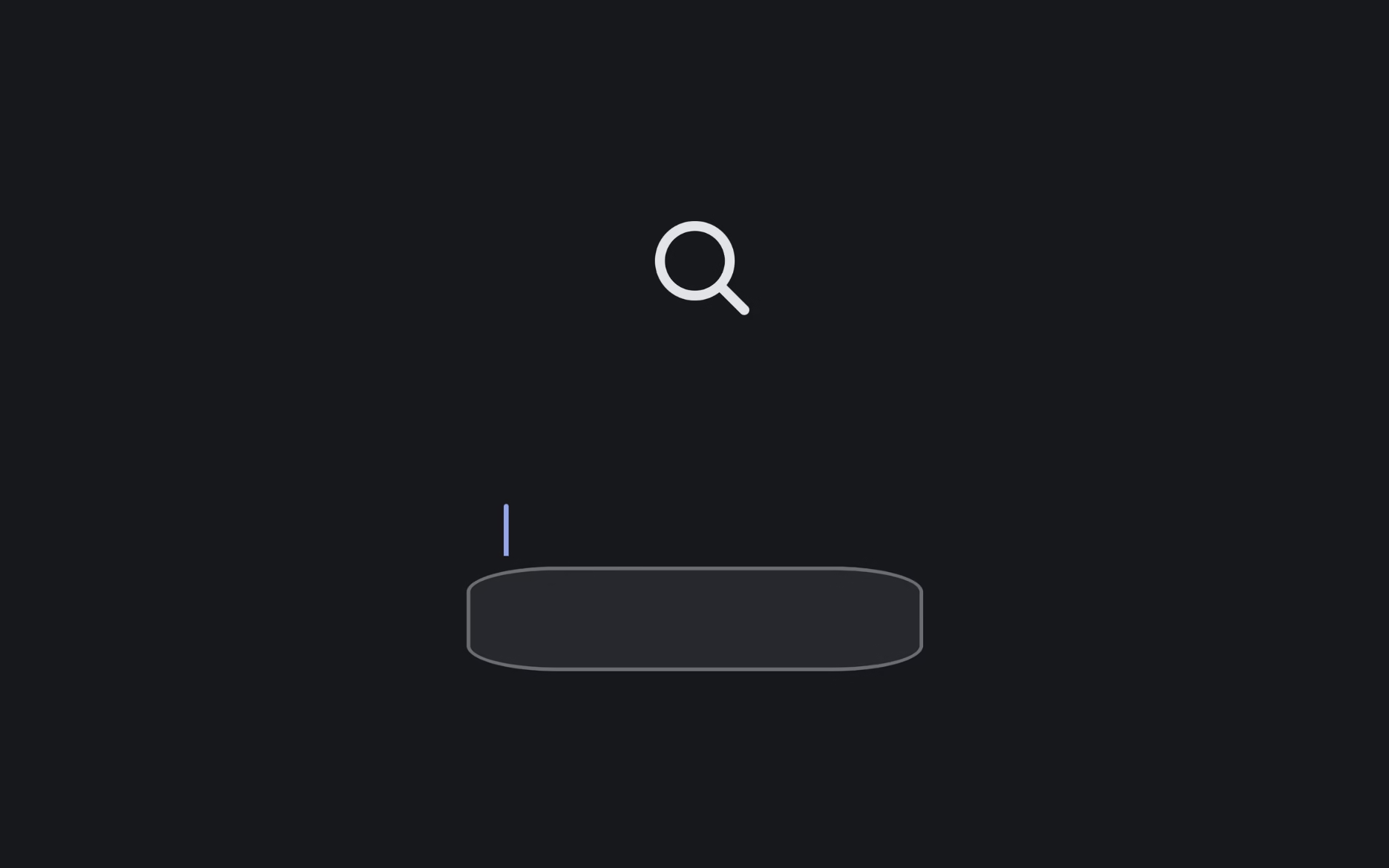
Let’s create an Animated Search Bar Input using HTML and CSS. This project will feature a clean and modern search bar that smoothly expands when clicked, creating a stylish and interactive user experience.
We’ll use:
- HTML to structure the search bar and input field.
- CSS to style it and add smooth animations for expanding and collapsing effects.
This project is perfect for beginners and front-end enthusiasts who want to add elegant motion and functionality to their website design. Let’s dive in and make a beautiful animated search bar that stands out! 🔍✨
HTML :
This HTML code creates a simple search bar with an animated caret (blinking cursor). It uses a form containing a label, a search input field, and a span element for the animated caret effect. The pattern=".*\S.*" ensures the input isn’t empty or just spaces, while the linked CSS file (style.css) handles the styling and caret animation.
<!DOCTYPE html>
<html lang="en">
<head>
<meta charset="UTF-8">
<title>Animated Search Bar Input Caret Jump | @coding.stella</title>
<meta name="viewport" content="width=device-width, initial-scale=1, viewport-fit=cover">
<link rel='stylesheet' href='https://fonts.googleapis.com/css2?family=Hind&display=swap'>
<link rel="stylesheet" href="./style.css">
</head>
<body>
<form>
<label for="search">Search</label>
<input id="search" type="search" pattern=".*\S.*" required>
<span class="caret"></span>
</form>
</body>
</html>
CSS :
This CSS styles and animates the search bar to smoothly transform from a small circular icon into a full input box when clicked. It sets color variables, centers the form, and adds transitions for smooth movement. When the user focuses or types, the circle expands into a rectangle, and the animated caret (the small blinking line) moves and transforms using keyframes (showCaret and handleToCaret). It also supports dark mode, automatically changing colors based on the system theme.
* {
	border: 0;
	box-sizing: border-box;
	margin: 0;
	padding: 0;
}

:root {
	--bg: #e3e4e8;
	--fg: #17181c;
	--input: #ffffff;
	--primary: #255ff4;
	--dur: 1s;
	font-size: calc(16px + (24 - 16)*(100vw - 320px)/(1280 - 320));
}

body,
input {
	color: var(--fg);
	font: 1em/1.5 Hind, sans-serif;
}

body {
	background: var(--bg);
	display: flex;
	height: 100vh;
}

form,
input,
.caret {
	margin: auto;
}

form {
	position: relative;
	width: 100%;
	max-width: 17em;
}

input,
.caret {
	display: block;
	transition: all calc(var(--dur) * 0.5) linear;
}

input {
	background: transparent;
	border-radius: 50%;
	box-shadow: 0 0 0 0.25em inset;
	caret-color: var(--primary);
	width: 2em;
	height: 2em;
	-webkit-appearance: none;
	-moz-appearance: none;
	appearance: none;
}

input:focus,
input:valid {
	background: var(--input);
	border-radius: 0.25em;
	box-shadow: none;
	padding: 0.75em 1em;
	transition-duration: calc(var(--dur) * 0.25);
	transition-delay: calc(var(--dur) * 0.25);
	width: 100%;
	height: 3em;
}

input:focus {
	animation: showCaret var(--dur) steps(1);
	outline: transparent;
}

input:focus+.caret,
input:valid+.caret {
	animation: handleToCaret var(--dur) linear;
	background: transparent;
	width: 1px;
	height: 1.5em;
	transform: translate(0, -1em) rotate(-180deg) translate(7.5em, -0.25em);
}

input::-webkit-search-decoration {
	-webkit-appearance: none;
}

label {
	color: #e3e4e8;
	overflow: hidden;
	position: absolute;
	width: 0;
	height: 0;
}

.caret {
	background: currentColor;
	border-radius: 0 0 0.125em 0.125em;
	margin-bottom: -0.6em;
	width: 0.25em;
	height: 1em;
	transform: translate(0, -1em) rotate(-45deg) translate(0, 0.875em);
	transform-origin: 50% 0;
}

/* Dark mode */
@media (prefers-color-scheme: dark) {
	:root {
		--bg: #17181c;
		--fg: #e3e4e8;
		--input: #2e3138;
		--primary: #5583f6;
	}
}

/* Animations */
@keyframes showCaret {
	from {
		caret-color: transparent;
	}

	to {
		caret-color: var(--primary);
	}
}

@keyframes handleToCaret {
	from {
		background: currentColor;
		width: 0.25em;
		height: 1em;
		transform: translate(0, -1em) rotate(-45deg) translate(0, 0.875em);
	}

	25% {
		background: currentColor;
		width: 0.25em;
		height: 1em;
		transform: translate(0, -1em) rotate(-180deg) translate(0, 0.875em);
	}

	50%,
	62.5% {
		background: var(--primary);
		width: 1px;
		height: 1.5em;
		transform: translate(0, -1em) rotate(-180deg) translate(7.5em, 2.5em);
	}

	75%,
	99% {
		background: var(--primary);
		width: 1px;
		height: 1.5em;
		transform: translate(0, -1em) rotate(-180deg) translate(7.5em, -0.25em);
	}

	87.5% {
		background: var(--primary);
		width: 1px;
		height: 1.5em;
		transform: translate(0, -1em) rotate(-180deg) translate(7.5em, 0.125em);
	}

	to {
		background: transparent;
		width: 1px;
		height: 1.5em;
		transform: translate(0, -1em) rotate(-180deg) translate(7.5em, -0.25em);
	}
}
In conclusion, building an Animated Search Bar Input using HTML and CSS is a quick and fun way to enhance your web design. With simple structure and smooth animations, you can make a search bar that’s both functional and eye-catching 💫
If your project has problems, don’t worry. Just click to download the source code and face your coding challenges with excitement. Have fun coding!
