


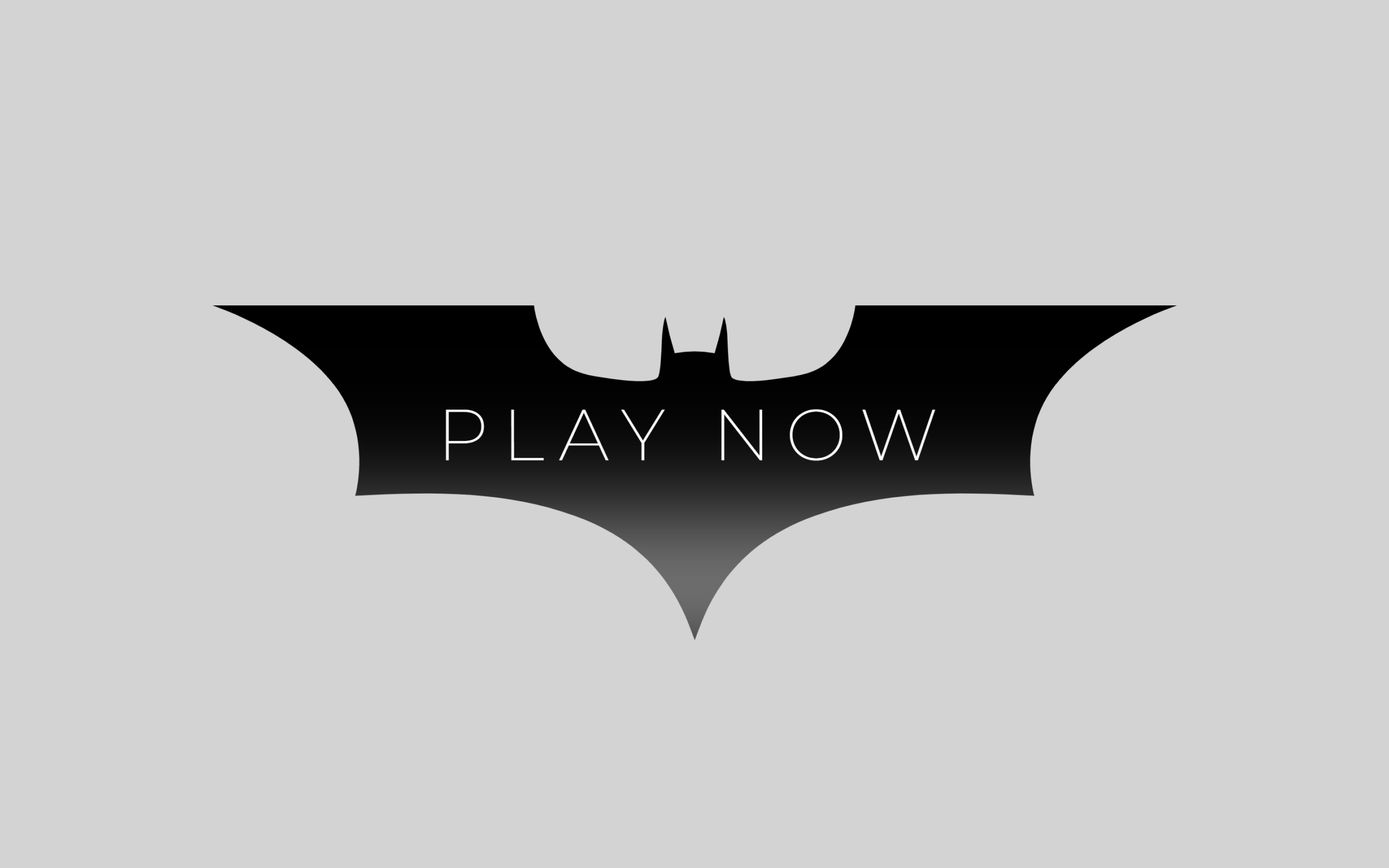
Let’s create a Batman Button Animation using HTML and CSS. In this project, we build a stylish Batman-inspired button with smooth hover effects and a custom shape that gives it a unique superhero look.
We’ll use:
- HTML to create the basic structure by adding a button and text inside a
<span>element for better styling and animation control. - CSS to design and animate the button using a custom SVG mask for the Batman-style shape, center everything with Flexbox, and create smooth hover effects like a glowing shadow, animated background fill, and text color transition using
:before,:after, andtransition.
This project is perfect for beginners and front-end developers who want to practice CSS animations, pseudo-elements, and create modern interactive UI designs using only HTML and CSS. Let’s build an eye-catching Batman button! 🚀
HTML :
The HTML creates a simple webpage with a custom title, connects the CSS file and Montserrat font from Google Fonts, and adds a button with a <span> inside it to display the text “PLAY NOW”. The <span> is used so the text can be styled and animated separately from the button.
<!DOCTYPE html>
<html lang="en">

<head>
    <meta charset="UTF-8">
    <meta name="viewport" content="width=device-width, initial-scale=1.0">
    <title>Batman Button Animation | @coding.stella</title>
    <link rel="stylesheet" href="style.css">
    <link href="https://fonts.googleapis.com/css2?family=Montserrat:wght@100;200&display=swap" rel="stylesheet">
</head>
<body>

    <button>
        <span>PLAY NOW</span>
    </button>

</body>
</html>
CSS :
The CSS first removes default spacing and centers the button on the screen using Flexbox. A custom SVG mask gives the button its Batman-like shape, while :before and :after create hover effects like the black fill animation and glow effect. The button text is positioned in the center and changes color from black to white smoothly when the user hovers over it.
/* Reset */
* {
    margin: 0;
    padding: 0;
    box-sizing: border-box;
}

/* Center content */
body {
    display: flex;
    justify-content: center;
    align-items: center;
    min-height: 100vh;
    background: #d3d3d3;
    font-family: Arial, sans-serif;
}

button {
    border: none;
    position: relative;
    width: 200px;
    height: 73px;
    padding: 0;
    z-index: 2;
    -webkit-mask: url("data:image/svg+xml,%3Csvg xmlns='http://www.w3.org/2000/svg' height='868' width='2500' viewBox='0 0 726 252.17'%3E%3Cpath d='M483.92 0S481.38 24.71 466 40.11c-11.74 11.74-24.09 12.66-40.26 15.07-9.42 1.41-29.7 3.77-34.81-.79-2.37-2.11-3-21-3.22-27.62-.21-6.92-1.36-16.52-2.82-18-.75 3.06-2.49 11.53-3.09 13.61S378.49 34.3 378 36a85.13 85.13 0 0 0-30.09 0c-.46-1.67-3.17-11.48-3.77-13.56s-2.34-10.55-3.09-13.61c-1.45 1.45-2.61 11.05-2.82 18-.21 6.67-.84 25.51-3.22 27.62-5.11 4.56-25.38 2.2-34.8.79-16.16-2.47-28.51-3.39-40.21-15.13C244.57 24.71 242 0 242 0H0s69.52 22.74 97.52 68.59c16.56 27.11 14.14 58.49 9.92 74.73C170 140 221.46 140 273 158.57c69.23 24.93 83.2 76.19 90 93.6 6.77-17.41 20.75-68.67 90-93.6 51.54-18.56 103-18.59 165.56-15.25-4.21-16.24-6.63-47.62 9.93-74.73C656.43 22.74 726 0 726 0z'/%3E%3C/svg%3E") no-repeat 50% 50%;
    mask: url("data:image/svg+xml,%3Csvg xmlns='http://www.w3.org/2000/svg' height='868' width='2500' viewBox='0 0 726 252.17'%3E%3Cpath d='M483.92 0S481.38 24.71 466 40.11c-11.74 11.74-24.09 12.66-40.26 15.07-9.42 1.41-29.7 3.77-34.81-.79-2.37-2.11-3-21-3.22-27.62-.21-6.92-1.36-16.52-2.82-18-.75 3.06-2.49 11.53-3.09 13.61S378.49 34.3 378 36a85.13 85.13 0 0 0-30.09 0c-.46-1.67-3.17-11.48-3.77-13.56s-2.34-10.55-3.09-13.61c-1.45 1.45-2.61 11.05-2.82 18-.21 6.67-.84 25.51-3.22 27.62-5.11 4.56-25.38 2.2-34.8.79-16.16-2.47-28.51-3.39-40.21-15.13C244.57 24.71 242 0 242 0H0s69.52 22.74 97.52 68.59c16.56 27.11 14.14 58.49 9.92 74.73C170 140 221.46 140 273 158.57c69.23 24.93 83.2 76.19 90 93.6 6.77-17.41 20.75-68.67 90-93.6 51.54-18.56 103-18.59 165.56-15.25-4.21-16.24-6.63-47.62 9.93-74.73C656.43 22.74 726 0 726 0z'/%3E%3C/svg%3E") no-repeat 50% 50%;
    -webkit-mask-size: 100%;
    cursor: pointer;
    background-color: transparent;
    transform: translateY(8px)
}

button:after {
    content: '';
    position: absolute;
    left: 0;
    right: 0;
    bottom: 0;
    box-shadow: 0px 0 0 0 white;
    transition: all 2s ease;
}

button:hover:after {
    box-shadow: 0px -13px 56px 12px #ffffffa6;
}

button span {
    position: absolute;
    width: 100%;
    left: 50%;
    top: 39%;
    transform: translate(-50%, -50%);
    font-family: "Montserrat", sans-serif;
    font-size: 15px;
    font-weight: 200;
    letter-spacing: 3px;
    text-align: center;
    text-transform: uppercase;
    color: black;
    transition: all 2s ease;
}

button:hover span {
    color: white;
}

button:before {
    content: '';
    position: absolute;
    width: 0;
    height: 100%;
    background-color: black;
    left: 50%;
    top: 50%;
    transform: translate(-50%, -50%);
    transition: all 1s ease;
}

button:hover:before {
    width: 100%;
}
In conclusion, this Batman Button Animation project is a fun way to improve your HTML and CSS skills while learning how animations and creative UI effects work. By using custom shapes, hover transitions, and pseudo-elements, you can turn a simple button into an interactive and visually appealing design that makes websites feel more engaging and modern. 🚀
If your project has problems, don’t worry. Just click to download the source code and face your coding challenges with excitement. Have fun coding!
