


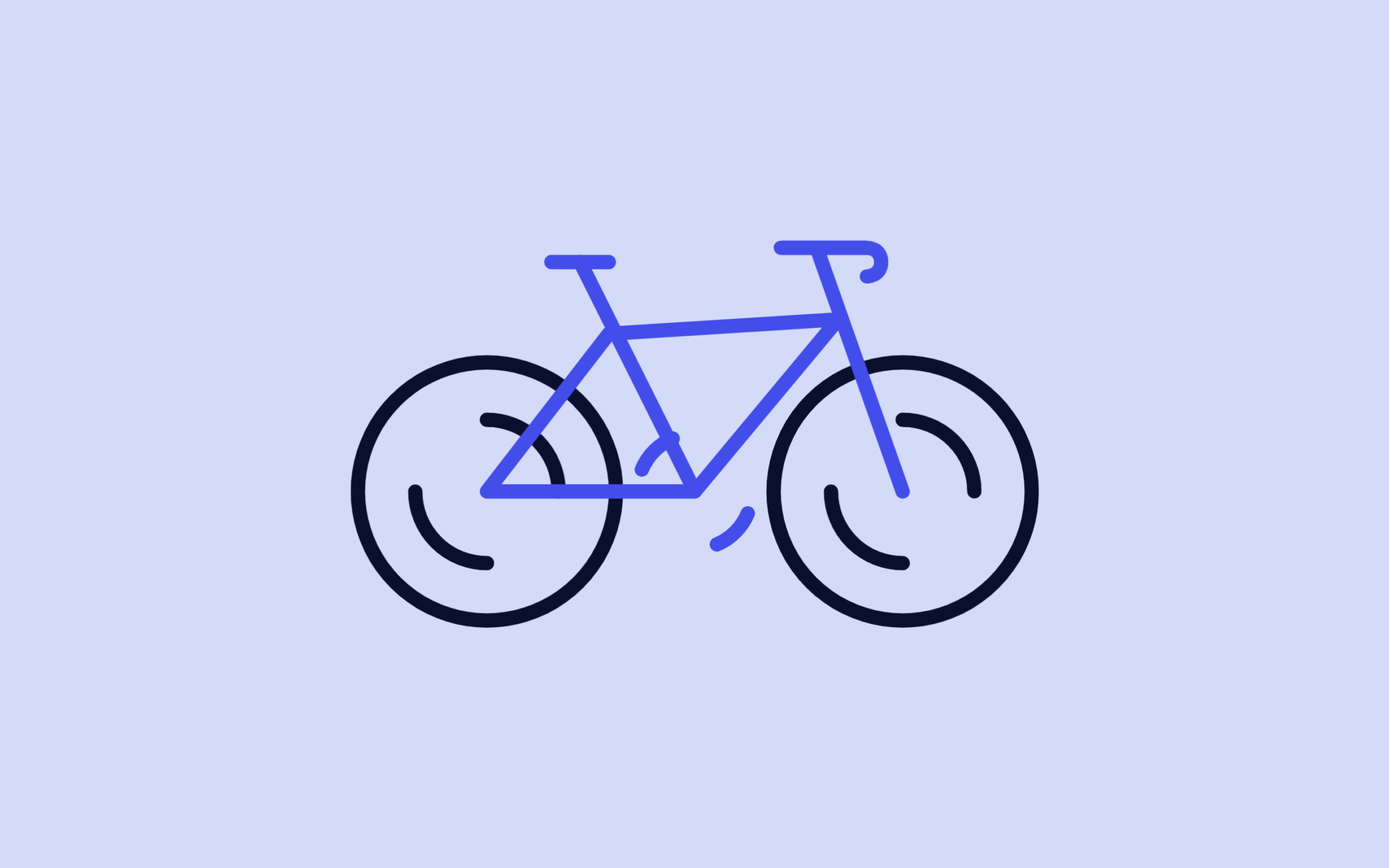
Let’s create a Bicycle Loading Animation using HTML and CSS. In this project, we will build a creative loading indicator where a bicycle appears to move with spinning wheels and pedals, giving a smooth and modern visual effect.
We’ll use:
- HTML to structure the bicycle using SVG elements like circles, paths, and lines to form tires, frame, and pedals.
- CSS to style the bike and apply animations using keyframes, where
stroke-dashoffsetcreates a drawing effect andtransform: rotate()makes wheels and pedals spin smoothly.
This project is perfect for beginners and front-end developers who want to learn SVG animations and create unique loading screens for their websites. Let’s build a smooth and visually engaging bicycle loader! 🚴♂️✨
HTML :
This code creates a small animated bicycle loader using SVG instead of images, where different parts of the bike like tires, spokes, pedals, seat, and frame are drawn using shapes like circles, polylines, and paths, and grouped together with <g> tags for positioning; the stroke-dasharray and stroke-dashoffset properties are used so CSS can animate them to look like spinning wheels and moving pedals, while the viewBox keeps it responsive and the external CSS file controls all animations and styling, making the bike appear like it’s continuously moving as a loading indicator.
<!DOCTYPE html>
<html lang="en">

<head>
	<meta charset="UTF-8">
	<title>Bicycle Loader | @coding.stella</title>
	<meta name="viewport" content="width=device-width, initial-scale=1, viewport-fit=cover">
	<link rel="stylesheet" href="./style.css">
</head>

<body>
	<svg class="bike" viewBox="0 0 48 30" width="48px" height="30px">
		<g fill="none" stroke="currentColor" stroke-linecap="round" stroke-linejoin="round" stroke-width="1">
			<g transform="translate(9.5,19)">
				<circle class="bike__tire" r="9" stroke-dasharray="56.549 56.549" />
				<g class="bike__spokes-spin" stroke-dasharray="31.416 31.416" stroke-dashoffset="-23.562">
					<circle class="bike__spokes" r="5" />
					<circle class="bike__spokes" r="5" transform="rotate(180,0,0)" />
				</g>
			</g>
			<g transform="translate(24,19)">
				<g class="bike__pedals-spin" stroke-dasharray="25.133 25.133" stroke-dashoffset="-21.991"
					transform="rotate(67.5,0,0)">
					<circle class="bike__pedals" r="4" />
					<circle class="bike__pedals" r="4" transform="rotate(180,0,0)" />
				</g>
			</g>
			<g transform="translate(38.5,19)">
				<circle class="bike__tire" r="9" stroke-dasharray="56.549 56.549" />
				<g class="bike__spokes-spin" stroke-dasharray="31.416 31.416" stroke-dashoffset="-23.562">
					<circle class="bike__spokes" r="5" />
					<circle class="bike__spokes" r="5" transform="rotate(180,0,0)" />
				</g>
			</g>
			<polyline class="bike__seat" points="14 3,18 3" stroke-dasharray="5 5" />
			<polyline class="bike__body" points="16 3,24 19,9.5 19,18 8,34 7,24 19" stroke-dasharray="79 79" />
			<path class="bike__handlebars" d="m30,2h6s1,0,1,1-1,1-1,1" stroke-dasharray="10 10" />
			<polyline class="bike__front" points="32.5 2,38.5 19" stroke-dasharray="19 19" />
		</g>
	</svg>

</body>
</html>
CSS :
This CSS styles and animates the bicycle loader by first resetting default styles and defining color variables for light/dark themes, then centering the SVG bike on the screen using flexbox; each bike part (like tires, spokes, pedals, frame, etc.) gets its own animation using @keyframes, where stroke-dashoffset creates a drawing/moving line effect and transform: rotate() makes parts like wheels and pedals spin, all running in smooth infinite loops with timing functions for realism, while variables and media queries ensure responsive sizing and automatic dark mode support.
* {
	border: 0;
	box-sizing: border-box;
	margin: 0;
	padding: 0;
}

:root {
	--hue: 223;
	--bg: hsl(var(--hue), 90%, 90%);
	--fg: hsl(var(--hue), 90%, 10%);
	--primary: hsl(var(--hue), 90%, 50%);
	--trans-dur: 0.3s;
	font-size: calc(16px + (32 - 16) * (100vw - 320px) / (2560 - 320));
}

body {
	background-color: var(--bg);
	color: var(--fg);
	display: flex;
	font: 1em/1.5 sans-serif;
	height: 100vh;
	transition:
		background-color var(--trans-dur),
		color var(--trans-dur);
}

.bike {
	display: block;
	margin: auto;
	width: 16em;
	height: auto;
}

.bike__body,
.bike__front,
.bike__handlebars,
.bike__pedals,
.bike__pedals-spin,
.bike__seat,
.bike__spokes,
.bike__spokes-spin,
.bike__tire {
	animation: bikeBody 3s ease-in-out infinite;
	stroke: var(--primary);
	transition: stroke var(--trans-dur);
}

.bike__front {
	animation-name: bikeFront;
}

.bike__handlebars {
	animation-name: bikeHandlebars;
}

.bike__pedals {
	animation-name: bikePedals;
}

.bike__pedals-spin {
	animation-name: bikePedalsSpin;
}

.bike__seat {
	animation-name: bikeSeat;
}

.bike__spokes,
.bike__tire {
	stroke: currentColor;
}

.bike__spokes {
	animation-name: bikeSpokes;
}

.bike__spokes-spin {
	animation-name: bikeSpokesSpin;
}

.bike__tire {
	animation-name: bikeTire;
}

/* Dark theme */
@media (prefers-color-scheme: dark) {
	:root {
		--bg: hsl(var(--hue), 90%, 10%);
		--fg: hsl(var(--hue), 90%, 90%);
	}
}

/* Animations */
@keyframes bikeBody {
	from {
		stroke-dashoffset: 79;
	}

	33%,
	67% {
		stroke-dashoffset: 0;
	}

	to {
		stroke-dashoffset: -79;
	}
}

@keyframes bikeFront {
	from {
		stroke-dashoffset: 19;
	}

	33%,
	67% {
		stroke-dashoffset: 0;
	}

	to {
		stroke-dashoffset: -19;
	}
}

@keyframes bikeHandlebars {
	from {
		stroke-dashoffset: 10;
	}

	33%,
	67% {
		stroke-dashoffset: 0;
	}

	to {
		stroke-dashoffset: -10;
	}
}

@keyframes bikePedals {
	from {
		animation-timing-function: ease-in;
		stroke-dashoffset: -25.133;
	}

	33%,
	67% {
		animation-timing-function: ease-out;
		stroke-dashoffset: -21.991;
	}

	to {
		stroke-dashoffset: -25.133;
	}
}

@keyframes bikePedalsSpin {
	from {
		transform: rotate(0.1875turn);
	}

	to {
		transform: rotate(3.1875turn);
	}
}

@keyframes bikeSeat {
	from {
		stroke-dashoffset: 5;
	}

	33%,
	67% {
		stroke-dashoffset: 0;
	}

	to {
		stroke-dashoffset: -5;
	}
}

@keyframes bikeSpokes {
	from {
		animation-timing-function: ease-in;
		stroke-dashoffset: -31.416;
	}

	33%,
	67% {
		animation-timing-function: ease-out;
		stroke-dashoffset: -23.562;
	}

	to {
		stroke-dashoffset: -31.416;
	}
}

@keyframes bikeSpokesSpin {
	from {
		transform: rotate(0);
	}

	to {
		transform: rotate(3turn);
	}
}

@keyframes bikeTire {
	from {
		animation-timing-function: ease-in;
		stroke-dashoffset: 56.549;
		transform: rotate(0);
	}

	33% {
		stroke-dashoffset: 0;
		transform: rotate(0.33turn);
	}

	67% {
		animation-timing-function: ease-out;
		stroke-dashoffset: 0;
		transform: rotate(0.67turn);
	}

	to {
		stroke-dashoffset: -56.549;
		transform: rotate(1turn);
	}
}
In conclusion, this bicycle loading animation is a clean and creative way to enhance user experience by replacing boring loaders with something visually engaging and smooth; by combining SVG with CSS animations, you can achieve realistic motion like spinning wheels and moving pedals without JavaScript, making it lightweight, responsive, and perfect for modern websites.
If your project has problems, don’t worry. Just click to download the source code and face your coding challenges with excitement. Have fun coding!
