


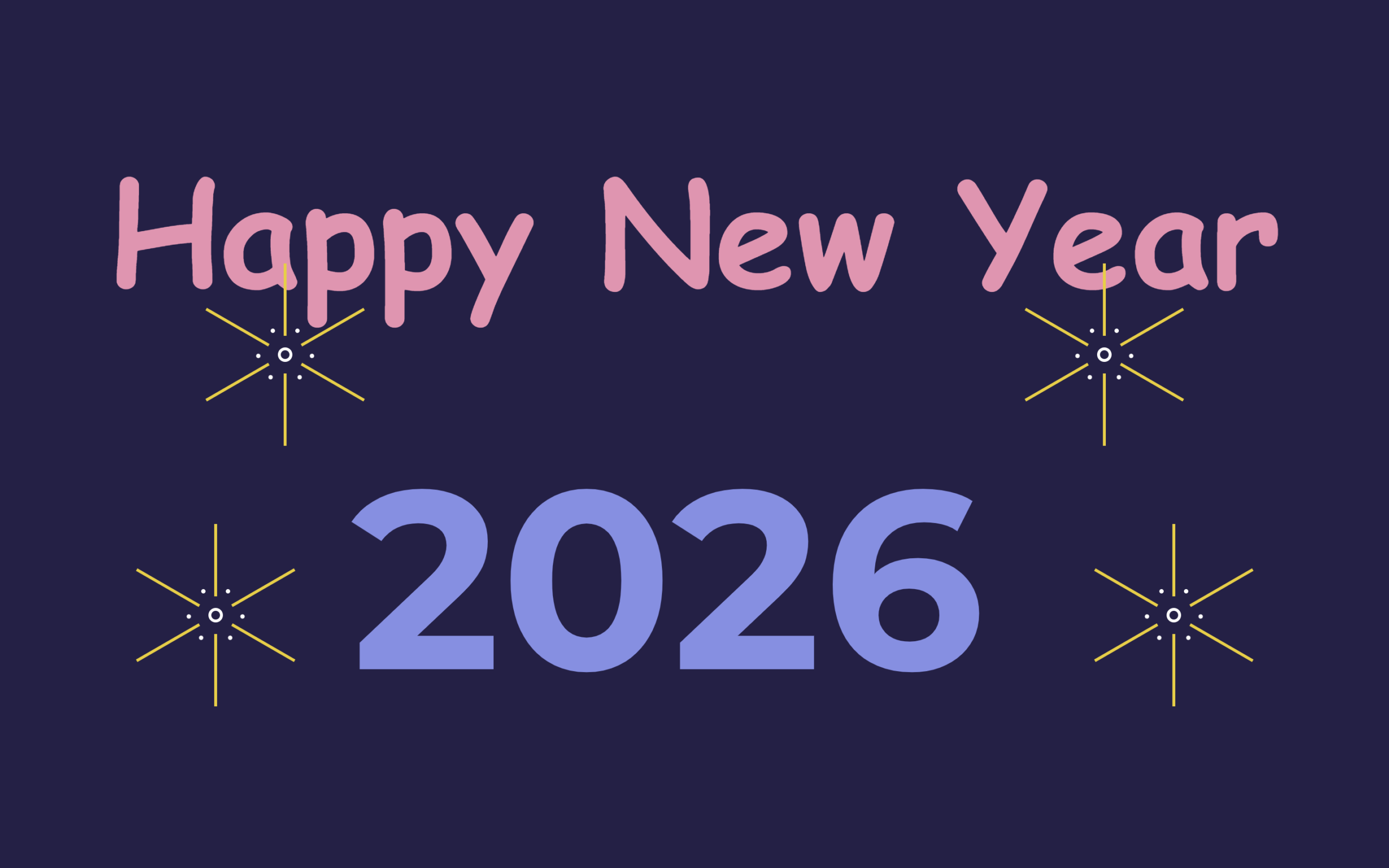
Let’s create a Happy New Year 2026 Animation using HTML and CSS. This project will help you design a festive animation with glowing text, smooth transitions, and celebratory effects to welcome the New Year in style.
We’ll use:
- HTML to structure the text and elements for the New Year message.
- CSS to add animations, colors, glow effects, and smooth motion.
This project is perfect for beginners who want to practice CSS animations and for developers looking to create eye-catching festive designs. Let’s start building and welcome 2026 with a beautiful animated celebration! 🎉✨
HTML :
This HTML creates a New Year celebration layout using only structure and CSS animations. The head sets basic metadata, fixes the viewport width, and loads a normalize file plus a custom stylesheet. In the body, “Happy New Year” is shown as a heading, while the year is split into spans (202, 5, 6) so CSS can animate the transition from 2025 to 2026, with the balloon div used for a visual effect. The “fogos” section contains multiple nested spans and empty <i> tags that are styled in CSS to look like animated fireworks. There is no JavaScript here, all movement and visuals are handled purely with CSS.
<!DOCTYPE html>
<html lang="en">

<head>
  <meta charset="UTF-8">
  <title>Happy New Year 2026 | @coding.stella</title>
  <meta name="viewport" content="width=1000, user-scalable=no">
  <link rel="stylesheet" href="https://public.codepenassets.com/css/normalize-5.0.0.min.css">
  <link rel="stylesheet" href="./style.css">
</head>

<body>
  <div class="feliz">Happy New Year</div>
  <div class="ano_novo">
    <span class="num">202</span>
    <span class="seis">5</span>
    <span class="sete">6</span>
    <div class="balao"></div>
  </div>
  <div class="fogos">
    <div class="f1">
      <span><i></i></span>
      <span><i></i></span>
      <span><i></i></span>
    </div>
    <div class="f2">
      <span><i></i></span>
      <span><i></i></span>
      <span><i></i></span>
    </div>
    <div class="f3">
      <span><i></i></span>
      <span><i></i></span>
      <span><i></i></span>
    </div>
    <div class="f4">
      <span><i></i></span>
      <span><i></i></span>
      <span><i></i></span>
    </div>
  </div>

</body>
</html>
CSS :
This CSS creates a New Year animation using only styles. It animates the text, changes 2025 to 2026 by moving the numbers, shows a balloon flying away, and displays fireworks using small shapes and rotations. All effects like movement, fade-in, and explosions are done with CSS keyframes, no JavaScript is used.
@import url('https://fonts.googleapis.com/css?family=Montserrat:700|Pacifico');

*,
*:after,
*:before {
  box-sizing: border-box;
  margin: 0;
  padding: 0;
  transition: all 100ms ease-in;
}

html {
  background: #222048;
}

.feliz {
  width: 100%;
  font-family: cursive;
  font-size: 100px;
  font-weight: 700;
  color: #f48fb1;
  text-align: center;
  position: absolute;
  top: 50%;
  opacity: 0;
  -webkit-animation: vem_feliz 2s ease-in-out 7s forwards;
  animation: vem_feliz 2s ease-in-out 7s forwards;
}

.ano_novo {
  position: absolute;
  top: 0;
  left: 0;
  width: 100%;
  height: 100%;
  display: flex;
  flex-direction: row;
  justify-content: center;
  align-items: center;
  overflow: hidden;
  padding: 200px 100px 0px 0px;
}

.ano_novo>span {
  font-family: 'Montserrat', sans-serif;
  font-size: 175px;
  font-weight: 700;
  color: #7a8fe8;
}

span.num {
  margin-right: 50px;
}

span.seis {
  position: absolute;
  top: 50%;
  right: 50%;
  margin-right: -200px;
  -webkit-animation: vai_2016 5s ease-in-out 5s forwards;
  animation: vai_2016 5s ease-in-out 5s forwards;
}

span.sete {
  position: absolute;
  right: 0%;
  margin-right: -200px;
  -webkit-animation: vem_2017 6s ease-in-out forwards;
  animation: vem_2017 6s ease-in-out forwards;
}

span.sete:before {
  content: '';
  width: 0px;
  height: 4px;
  display: block;
  border-radius: 3px;
  background: #7a8fe8;
  transform: rotate(0deg);
  transform-origin: left top;
  position: absolute;
  top: 55px;
  left: 30px;
  z-index: -1;
  -webkit-animation: entrega_balao 1s ease-in-out 4s;
  animation: entrega_balao 1s ease-in-out 4s;
}

.balao {
  width: 100px;
  height: 100px;
  display: block;
  background: #e8d57a;
  border-radius: 50%;
  position: absolute;
  top: 50%;
  margin-top: -165px;
  right: 0%;
  margin-right: -200px;
  -webkit-animation: vem_e_vai_balao 10s ease-in-out forwards;
  animation: vem_e_vai_balao 10s ease-in-out forwards;
}

.balao:before {
  content: '';
  width: 0;
  height: 0;
  border-style: solid;
  border-width: 0 10px 20px 10px;
  border-color: transparent transparent #b19b32 transparent;
  position: absolute;
  left: 50%;
  margin-left: -10px;
  bottom: -10px;
  z-index: -1;
}

.balao:after {
  content: '';
  width: 4px;
  height: 100px;
  display: block;
  background: #fff;
  border-radius: 0px 0px 3px 3px;
  position: absolute;
  left: 50%;
  margin-left: -2px;
  bottom: -110px;
}

.fogos {
  width: 100%;
  height: 100%;
  display: block;
  position: absolute;
  top: 0;
  left: 0;
  overflow: hidden;
}

.fogos>div {
  border: 2px solid #fff;
  position: absolute;
  opacity: 0;
  -webkit-animation: solta_fogos 1.5s ease-in-out 8s forwards;
  animation: solta_fogos 1.5s ease-in-out 8s forwards;
}

.fogos>div.f1 {
  left: 20%;
  top: 40%;
}

.fogos>div.f2 {
  left: 15%;
  top: 70%;
}

.fogos>div.f3 {
  right: 20%;
  top: 40%;
}

.fogos>div.f4 {
  right: 15%;
  top: 70%;
}

.fogos>div span {
  width: 6px;
  height: 6px;
  display: block;
  position: absolute;
  top: 0;
  left: 0;
  opacity: 0;
  -webkit-animation: estoura_fogos 0.5s ease-in-out 9s forwards;
  animation: estoura_fogos 0.5s ease-in-out 9s forwards;
}

.fogos>div span:nth-child(1) {
  transform: rotate(0deg);
}

.fogos>div span:nth-child(2) {
  transform: rotate(120deg);
}

.fogos>div span:nth-child(3) {
  transform: rotate(240deg);
}

.fogos>div span:before {
  content: '';
  width: 2px;
  height: 50px;
  display: block;
  background: #f5cc06;
  position: absolute;
  top: -60px;
  left: 2px;
}

.fogos>div span:after {
  content: '';
  width: 2px;
  height: 50px;
  display: block;
  background: #f5cc06;
  position: absolute;
  bottom: -60px;
  left: 2px;
}

.fogos>div span i:before {
  content: '';
  width: 3px;
  height: 3px;
  display: block;
  border-radius: 50%;
  background: #fff;
  position: absolute;
  top: -15px;
  left: 10px;
}

.fogos>div span i:after {
  content: '';
  width: 3px;
  height: 3px;
  display: block;
  border-radius: 50%;
  background: #fff;
  position: absolute;
  top: -15px;
  right: 10px;
}

@-webkit-keyframes vem_2017 {
  0% {
    right: 0%;
  }

  66.6666% {
    right: 50%;
    margin-right: -300px;
  }

  90% {
    right: 50%;
    margin-right: -300px;
  }

  100% {
    right: 50%;
  }
}

@keyframes vem_2017 {
  0% {
    right: 0%;
  }

  66.6666% {
    right: 50%;
    margin-right: -300px;
  }

  90% {
    right: 50%;
    margin-right: -300px;
  }

  100% {
    right: 50%;
  }
}

@-webkit-keyframes vem_e_vai_balao {
  0% {
    right: 0%;
  }

  40% {
    right: 50%;
    margin-right: -300px;
  }

  50% {
    right: 50%;
    margin-right: -200px;
    top: 50%;
  }

  100% {
    top: -100%;
    right: 50%;
  }
}

@keyframes vem_e_vai_balao {
  0% {
    right: 0%;
  }

  40% {
    right: 50%;
    margin-right: -300px;
  }

  50% {
    right: 50%;
    margin-right: -200px;
    top: 50%;
  }

  100% {
    top: -100%;
    right: 50%;
  }
}

@-webkit-keyframes entrega_balao {
  0% {
    transform: rotate(-30deg);
    width: 40px;
  }

  100% {
    transform: rotate(-150deg);
    width: 70px;
  }
}

@keyframes entrega_balao {
  0% {
    transform: rotate(-30deg);
    width: 40px;
  }

  100% {
    transform: rotate(-150deg);
    width: 70px;
  }
}

@-webkit-keyframes vai_2016 {
  0% {
    top: 50%;
  }

  100% {
    top: -100%;
  }
}

@keyframes vai_2016 {
  0% {
    top: 50%;
  }

  100% {
    top: -100%;
  }
}

@-webkit-keyframes vem_feliz {
  0% {
    margin-top: 0px;
    opacity: 0;
  }

  100% {
    margin-top: -200px;
    ;
    opacity: 1;
  }
}

@keyframes vem_feliz {
  0% {
    margin-top: 0px;
    opacity: 0;
  }

  100% {
    margin-top: -200px;
    ;
    opacity: 1;
  }
}

@-webkit-keyframes solta_fogos {
  0% {
    margin-top: 100%;
    opacity: 0;
    width: 2px;
    height: 30px;
    display: block;
    border-radius: 50%;
  }

  75% {
    margin-top: 0%;
    opacity: 1;
    width: 2px;
    height: 30px;
    display: block;
    border-radius: 50%;
  }

  80% {
    margin-top: 0px;
    margin-left: 0px;
    opacity: 1;
    width: 10px;
    height: 10px;
    display: block;
    border-radius: 50%;
    transform: scale(0.2);
  }

  100% {
    opacity: 1;
    width: 10px;
    height: 10px;
    display: block;
    border-radius: 50%;
    transform: scale(1);
  }
}

@keyframes solta_fogos {
  0% {
    margin-top: 100%;
    opacity: 0;
    width: 2px;
    height: 30px;
    display: block;
    border-radius: 50%;
  }

  75% {
    margin-top: 0%;
    opacity: 1;
    width: 2px;
    height: 30px;
    display: block;
    border-radius: 50%;
  }

  80% {
    margin-top: 0px;
    margin-left: 0px;
    opacity: 1;
    width: 10px;
    height: 10px;
    display: block;
    border-radius: 50%;
    transform: scale(0.2);
  }

  100% {
    opacity: 1;
    width: 10px;
    height: 10px;
    display: block;
    border-radius: 50%;
    transform: scale(1);
  }
}

@-webkit-keyframes estoura_fogos {
  0% {
    opacity: 0;
  }

  100% {
    opacity: 1;
  }
}

@keyframes estoura_fogos {
  0% {
    opacity: 0;
  }

  100% {
    opacity: 1;
  }
}
In conclusion, creating a Happy New Year 2026 Animation using HTML and CSS is a fun and creative way to explore animations and visual effects. With simple structure and styling, you can build a festive animation that spreads joy and celebration. Keep experimenting with colors and effects to make your New Year designs even more exciting! 🎆🎊
If your project has problems, don’t worry. Just click to download the source code and face your coding challenges with excitement. Have fun coding!
