


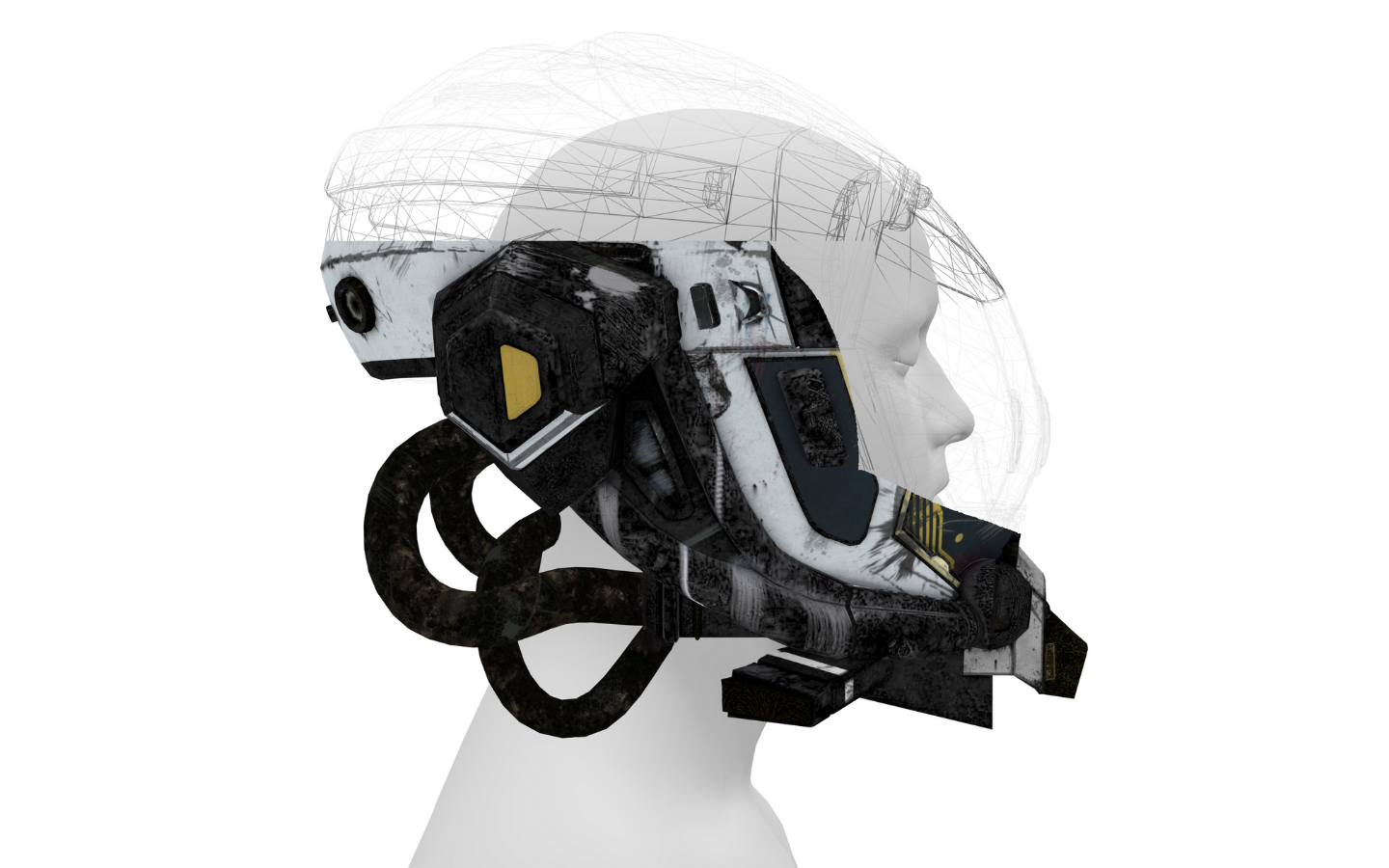
Let’s create a Helmet Reveal Animation using HTML, CSS, and JavaScript. This project focuses on a smooth and dramatic reveal effect where a helmet appears with stylish animations as the page loads or on user interaction.
We’ll use:
- HTML to structure the helmet and wrapper elements.
- CSS to design the layout and add reveal effects, transitions, and shadows.
- JavaScript to control the animation timing and trigger the reveal smoothly.
This project is perfect for learning animation flow, layering, and interaction in web design. Whether you’re a beginner or an experienced developer, the Helmet Reveal Animation is a great way to add cinematic effects to your websites and portfolios. Let’s bring the reveal to life! 🪖✨
HTML :
This HTML file sets up a basic page to run a 3D helmet reveal animation using Three.js. It defines the document structure, sets the page title, and links an external CSS file for styling. The import map tells the browser where to load the Three.js library and its addons from a CDN, so no local setup is needed. Finally, the JavaScript module file script.js is loaded, which contains all the logic for creating and animating the 3D helmet scene.
<!DOCTYPE html>
<html lang="en">

<head>
  <meta charset="UTF-8">
  <title>Helmet Reveal Animation | @coding.stella</title>
  <link rel="stylesheet" href="./style.css">

</head>

<body>
  <script type="importmap">
  {
    "imports": {
      "three": "https://unpkg.com/three@0.180.0/build/three.module.js",
      "three/addons/": "https://unpkg.com/three@0.180.0/examples/jsm/"
    }
  }
</script>
  <script type="module" src="./script.js"></script>

</body>

</html>
CSS :
This CSS removes all default spacing from the page and disables scrolling. Setting margin: 0 makes the canvas or animation fill the entire screen without gaps, and overflow: hidden prevents scrollbars from appearing when the animation or elements go beyond the viewport.
body {
  overflow: hidden;
  margin: 0;
}
JavaScript :
This script creates an interactive 3D helmet reveal effect using Three.js. It sets up a scene, camera, lights, and orbit controls, then loads a head model and a helmet model. A custom Blob class renders an invisible fullscreen plane to a texture that reacts to mouse movement, acting like a reveal mask. That texture is injected into the helmet shader so parts of the helmet appear only where the blob is visible, creating a smooth interactive reveal. A wireframe helmet with animated transparency is added for effect, and everything updates continuously in the render loop based on time and mouse input.
import * as THREE from "three";
import { OrbitControls } from "three/addons/controls/OrbitControls.js";
import { GLTFLoader } from "three/addons/loaders/GLTFLoader.js";

console.clear();

class Blob {
  constructor(renderer) {
    this.renderer = renderer;
    this.fbTexture = { value: new THREE.FramebufferTexture(innerWidth, innerHeight) };
    this.rtOutput = new THREE.WebGLRenderTarget(innerWidth, innerHeight);
    this.uniforms = {
      pointer: { value: new THREE.Vector2().setScalar(10) },
      pointerDown: { value: 1 },
      pointerRadius: { value: 0.375 }, // of UV -1..1
      pointerDuration: { value: 2.5 }
    };

    window.addEventListener("pointermove", event => {

      this.uniforms.pointer.value.x = (event.clientX / window.innerWidth) * 2 - 1;
      this.uniforms.pointer.value.y = - (event.clientY / window.innerHeight) * 2 + 1;

    });

    renderer.domElement.addEventListener("pointerleave", event => {
      this.uniforms.pointer.value.setScalar(10);
    });

    this.rtScene = new THREE.Mesh(
      new THREE.PlaneGeometry(2, 2),
      new THREE.MeshBasicMaterial({
        color: 0x000000,
        onBeforeCompile: shader => {
          shader.uniforms.dTime = gu.dTime;
          shader.uniforms.aspect = gu.aspect;
          shader.uniforms.pointer = this.uniforms.pointer;
          shader.uniforms.pointerDown = this.uniforms.pointerDown;
          shader.uniforms.pointerRadius = this.uniforms.pointerRadius;
          shader.uniforms.pointerDuration = this.uniforms.pointerDuration;
          shader.uniforms.fbTexture = this.fbTexture;
          shader.fragmentShader = `
            uniform float dTime;
            uniform float aspect;
            uniform vec2 pointer;
            uniform float pointerDown;
            uniform float pointerRadius;
            uniform float pointerDuration;
            uniform sampler2D fbTexture;

            ${shader.fragmentShader}
          `.replace(
            `#include <color_fragment>`,
            `#include <color_fragment>

            float duration = pointerDuration;

            float rVal = texture2D(fbTexture, vUv).r;

            rVal -= clamp(dTime / duration, 0., 0.1);
            rVal = clamp(rVal, 0., 1.);


            float f = 0.;
            if (pointerDown > 0.5){
              vec2 uv = (vUv - 0.5) * 2. * vec2(aspect, 1.);
              vec2 mouse = pointer * vec2(aspect, 1);

              f = 1. - smoothstep(pointerRadius * 0.1, pointerRadius, distance(uv, mouse));
            }
            rVal += f * 0.1;
            rVal = clamp(rVal, 0., 1.);
            diffuseColor.rgb = vec3(rVal);

            `
          );
        }
      })
    );
    this.rtScene.material.defines = { "USE_UV": "" };
    this.rtCamera = new THREE.Camera();
  }

  render() {
    this.renderer.setRenderTarget(this.rtOutput);
    this.renderer.render(this.rtScene, this.rtCamera);
    this.renderer.copyFramebufferToTexture(this.fbTexture.value);
    this.renderer.setRenderTarget(null);
  }

  setSize(w, h) {
    this.rtOutput.setSize(w, h);
  }
}

const gu = {
  time: { value: 0 },
  dTime: { value: 0 },
  aspect: { value: innerWidth / innerHeight }
}

const scene = new THREE.Scene();
scene.background = new THREE.Color(0xffffff);
const camera = new THREE.PerspectiveCamera(30, innerWidth / innerHeight, 1, 100);
camera.position.set(-1, 0, 0).setLength(15);
const renderer = new THREE.WebGLRenderer({ antialias: true });
renderer.setSize(innerWidth, innerHeight);
renderer.setPixelRatio(devicePixelRatio);
document.body.appendChild(renderer.domElement);

window.addEventListener("resize", event => {
  camera.aspect = innerWidth / innerHeight;
  camera.updateProjectionMatrix();
  renderer.setSize(innerWidth, innerHeight);
  gu.aspect.value = camera.aspect;
});

const camShift = new THREE.Vector3(0, 1, 0);
const controls = new OrbitControls(camera, renderer.domElement);
controls.enableDamping = true;
controls.object.position.add(camShift);
controls.target.add(camShift);

const light = new THREE.AmbientLight(0xffffff, Math.PI);
scene.add(light);

const blob = new Blob(renderer);

const loader = new GLTFLoader();

const head = (await loader.loadAsync("https://threejs.org/examples/models/gltf/LeePerrySmith/LeePerrySmith.glb")).scene.children[0];
head.geometry.rotateY(Math.PI * 0.01);
head.material = new THREE.MeshMatcapMaterial({ color: 0xffffff });
scene.add(head);

const helmet = (await loader.loadAsync("https://threejs.org/examples/models/gltf/DamagedHelmet/glTF/DamagedHelmet.gltf")).scene.children[0];
console.log(helmet.material.type);
const helmetUniforms = {
  texBlob: { value: blob.rtOutput.texture }
}
helmet.material.onBeforeCompile = shader => {
  shader.uniforms.texBlob = helmetUniforms.texBlob;
  shader.vertexShader = `
    varying vec4 vPosProj;
    ${shader.vertexShader}
  `.replace(
    `#include <project_vertex>`,
    `#include <project_vertex>
      vPosProj = gl_Position;
    `
  );
  shader.fragmentShader = `
    uniform sampler2D texBlob;
    varying vec4 vPosProj;
    ${shader.fragmentShader}
  `.replace(
    `#include <clipping_planes_fragment>`,
    `
    vec2 blobUV = ((vPosProj.xy / vPosProj.w) + 1.) * 0.5;

    vec4 blobData = texture(texBlob, blobUV);

    if (blobData.r < 0.01) discard;
    //diffuseColor += blobData;

    #include <clipping_planes_fragment>
    `
  );

};
helmet.scale.setScalar(3.5);
helmet.position.set(0, 1.5, 0.75);
scene.add(helmet);

const helmetWire = new THREE.Mesh(
  helmet.geometry.clone().rotateX(Math.PI * 0.5),
  new THREE.MeshBasicMaterial({
    color: 0x000000,
    wireframe: true,
    transparent: true,
    opacity: 0.25,
    onBeforeCompile: shader => {
      shader.uniforms.time = gu.time;
      shader.vertexShader = `
        varying float vYVal;
        ${shader.vertexShader}
      `.replace(
        `#include <begin_vertex>`,
        `#include <begin_vertex>
          vYVal = position.y;
        `
      );
      shader.fragmentShader = `
        uniform float time;
        varying float vYVal;
        ${shader.fragmentShader}
      `.replace(
        `#include <color_fragment>`,
        `#include <color_fragment>

          float y = fract(vYVal * 0.25 + time * 0.5);
          float fY = smoothstep(0., 0.01, y) - smoothstep(0.02, 0.1, y);

          diffuseColor.a *= fY * 0.9 + 0.1;
        `
      );
    }
  })
);
helmetWire.scale.setScalar(3.5);
helmetWire.position.set(0, 1.5, 0.75);
scene.add(helmetWire);


const clock = new THREE.Clock();
let t = 0;

renderer.setAnimationLoop(() => {
  const dt = clock.getDelta();
  t += dt;
  gu.time.value = t;
  gu.dTime.value = dt;
  controls.update();
  blob.render();
  renderer.render(scene, camera);
})
In conclusion, creating a Helmet Reveal Animation using HTML, CSS, and JavaScript is a great way to explore modern web animations. By combining structured layout, smooth CSS transitions, and JavaScript control, you can build a clean and cinematic reveal effect. Keep experimenting with effects to make your designs even more impactful! 🚀✨
If your project has problems, don’t worry. Just click to download the source code and face your coding challenges with excitement. Have fun coding!
