


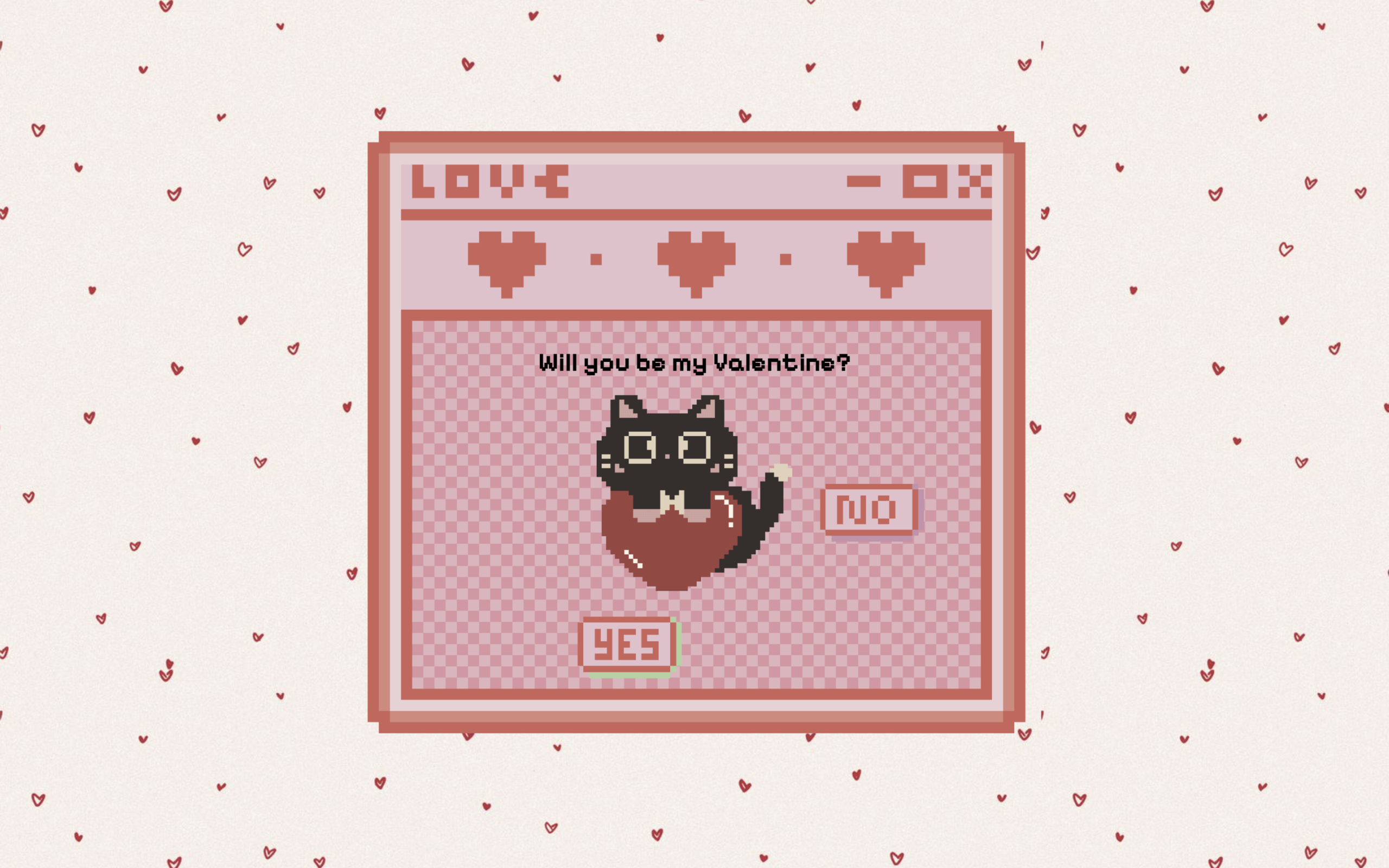
Let’s create a Valentine Letter Animation using HTML, CSS, and JavaScript – an interactive UI where a cute envelope opens into a love letter, includes playful button interactions (like a running “No” button), and ends with a sweet final message using smooth animations and transitions.
- HTML: Create two sections – an envelope screen and a hidden letter screen. Inside the letter, add a title, a cute image/GIF, Yes and No buttons, and a hidden final message.
- CSS: Style everything in the center with a Valentine background and custom font, add a pulsing animation to the envelope, and use smooth transitions to show the letter, style buttons, and control final state using classes.
- JavaScript: On clicking the envelope, show the letter with animation, make the “No” button move randomly on hover, and when “Yes” is clicked, change text, update the image, hide buttons, and display the final message.
This project teaches how to build a fun and interactive UI using HTML, CSS, and JavaScript by combining animations, transitions, and user interactions to create an engaging Valentine letter experience.
HTML :
This HTML code creates a cute Valentine-themed interactive webpage where the user first sees an envelope screen with a message, and when opened (handled via script.js), it reveals a letter asking “Will you be my Valentine?” along with a GIF image of a cat and two buttons (Yes and No); clicking these buttons will trigger actions defined in the JavaScript, such as showing a final message with a date plan, while styling, layout, and fonts are handled using an external CSS file and Google Fonts to make the page visually appealing and responsive on different devices.
<!doctype html>
<html lang="en">

<head>
  <meta charset="UTF-8" />
  <link rel="stylesheet" href="style.css" />
  <title>Valentine Letter | @coding.stella</title>
  <meta name="viewport" content="width=device-width, initial-scale=1.0" />

  <link rel="preconnect" href="https://fonts.googleapis.com" />
  <link rel="preconnect" href="https://fonts.gstatic.com" crossorigin />
  <link href="https://fonts.googleapis.com/css2?family=Aldrich&family=Pixelify+Sans:wght@400..700&display=swap"
    rel="stylesheet" />
</head>

<body>
  <!-- Envelope Screen -->
  <div id="envelope-container">
    <img src="envelope.png" alt="Envelope" id="envelope" />
    <p>♡ Letter for You ♡</p>
  </div>

  <!-- Letter Screen -->
  <div id="letter-container">
    <div class="letter-window">
      <h1 id="letter-title">Will you be my Valentine?</h1>

      <img src="cat_heart.gif" class="cat" id="letter-cat" />

      <div class="buttons" id="letter-buttons">
        <img src="yes.png" class="btn yes-btn" alt="Yes" />

        <div class="no-wrapper">
          <img src="no.png" class="btn no-btn" alt="No" />
        </div>
      </div>

      <p id="final-text" class="final-text" style="display: none">
        <strong>Valentine Date:</strong> Meow Restaurant at 7pm. Dress fancy!
      </p>
    </div>
  </div>
  <script src="script.js"></script>
</body>
</html>
CSS :
This CSS styles the Valentine webpage by centering everything on the screen with a heart background and custom font, creating an animated envelope that gently “pulses” to attract clicks, and hiding the letter section initially; when opened, the letter smoothly scales and fades in using transitions, displaying content inside a decorative window with a cat image and buttons, while additional styles control layout, spacing, and button behavior (like hover/interaction effects), adjust the cat size in the final state, and style the final message box to look soft and readable.
body {
    margin: 0;
    height: 100vh;
    display: flex;
    justify-content: center;
    align-items: center;
    background-image: url("heart-bg.jpg");
    font-family: "Pixelify Sans", sans-serif;
}

/* Envelope Screen */
#envelope-container {
    text-align: center;
    cursor: pointer;
}

@keyframes pulse {
    0% {
        transform: scale(1);
    }

    50% {
        transform: scale(1.1);
    }

    100% {
        transform: scale(1);
    }
}

#envelope {
    width: 200px;
    animation: pulse 1.5s infinite;
    cursor: pointer;
}

#letter-container {
    display: none;
    position: fixed;
    inset: 0;
    justify-content: center;
    align-items: center;
}

.letter-window {
    width: 90vw;
    max-width: 800px;
    aspect-ratio: 3/2;
    padding: 20px 20px 0 20px;
    display: flex;
    flex-direction: column;
    justify-content: center;
    align-items: center;
    text-align: center;
    background-image: url("window.png");
    background-size: contain;
    background-repeat: no-repeat;
    background-position: center;
    border-radius: 12px;
    gap: 1px;
    padding-top: 180px;

    transform: scale(1.2);
    opacity: 0;
    transition: transform 0.6s ease, opacity 0.6s ease;
}

.letter-window.open {
    transform: scale(1);
    opacity: 1;
}

h1 {
    font-size: 30px;
    margin: 0;
}

p {
    font-size: 40px;
}

/* Cat */

.cat {
    width: 250px;
    margin: 10px 0;
    transition: width 0.4s ease;
}

.letter-window.final .cat {
    width: 180px;
}

/* buttons */
.buttons {
    display: flex;
    justify-content: center;
    gap: 30px;
    position: relative;
}

.no-wrapper {
    position: relative;
}

.btn {
    width: 120px;
    cursor: pointer;
    user-select: none;
}

.yes-btn,
.no-btn {
    width: 120px;
    height: auto;
    display: inline-block;
}

.yes-btn {
    position: relative;
    z-index: 2;
    transform-origin: center center;
    transition: transform 0.3s ease;
}

.no-btn {
    z-index: 1;
    position: relative;
    transition: transform 0.15s ease;
    cursor: default;
}

.final-text {
    font-size: 22px;
    line-height: 1.4;
    text-align: center;
    display: inline-block;
    padding: 10px 20px;
    background-color: rgba(255, 240, 240, 0.5);
    border-radius: 12px;
}
JavaScript:
This JavaScript adds interactivity to the Valentine webpage by first selecting all important elements, then showing the letter screen with a smooth animation when the envelope is clicked, making the “No” button run away randomly when hovered so it’s hard to click, and handling the “Yes” button click to change the title text, swap the cat GIF to a dancing one, apply a final style, hide the buttons, and reveal the final message with the date plan.
// Elements
const envelope = document.getElementById("envelope-container");
const letter = document.getElementById("letter-container");
const noBtn = document.querySelector(".no-btn");
const yesBtn = document.querySelector(".btn[alt='Yes']");

const title = document.getElementById("letter-title");
const catImg = document.getElementById("letter-cat");
const buttons = document.getElementById("letter-buttons");
const finalText = document.getElementById("final-text");

// Click Envelope

envelope.addEventListener("click", () => {
    envelope.style.display = "none";
    letter.style.display = "flex";

    setTimeout(() => {
        document.querySelector(".letter-window").classList.add("open");
    }, 50);
});

// Logic to move the NO btn

noBtn.addEventListener("mouseover", () => {
    const min = 200;
    const max = 200;

    const distance = Math.random() * (max - min) + min;
    const angle = Math.random() * Math.PI * 2;

    const moveX = Math.cos(angle) * distance;
    const moveY = Math.sin(angle) * distance;

    noBtn.style.transition = "transform 0.3s ease";
    noBtn.style.transform = `translate(${moveX}px, ${moveY}px)`;
});

// Logic to make YES btn to grow

// let yesScale = 1;

// yesBtn.style.position = "relative"
// yesBtn.style.transformOrigin = "center center";
// yesBtn.style.transition = "transform 0.3s ease";

// noBtn.addEventListener("click", () => {
//     yesScale += 2;

//     if (yesBtn.style.position !== "fixed") {
//         yesBtn.style.position = "fixed";
//         yesBtn.style.top = "50%";
//         yesBtn.style.left = "50%";
//         yesBtn.style.transform = `translate(-50%, -50%) scale(${yesScale})`;
//     }else{
//         yesBtn.style.transform = `translate(-50%, -50%) scale(${yesScale})`;
//     }
// });

// YES is clicked

yesBtn.addEventListener("click", () => {
    title.textContent = "Yippeeee!";

    catImg.src = "cat_dance.gif";

    document.querySelector(".letter-window").classList.add("final");

    buttons.style.display = "none";

    finalText.style.display = "block";
});
This project is a great way to understand how real-world interactive websites are built by combining HTML for structure, CSS for styling and smooth animations, and JavaScript for handling user interactions. Overall, this Valentine Letter Animation is not just a creative project but also a practical example of how to build delightful micro-interactions that can improve user engagement and make your web projects stand out.
If your project has problems, don’t worry. Just click to download the source code and face your coding challenges with excitement. Have fun coding!
