


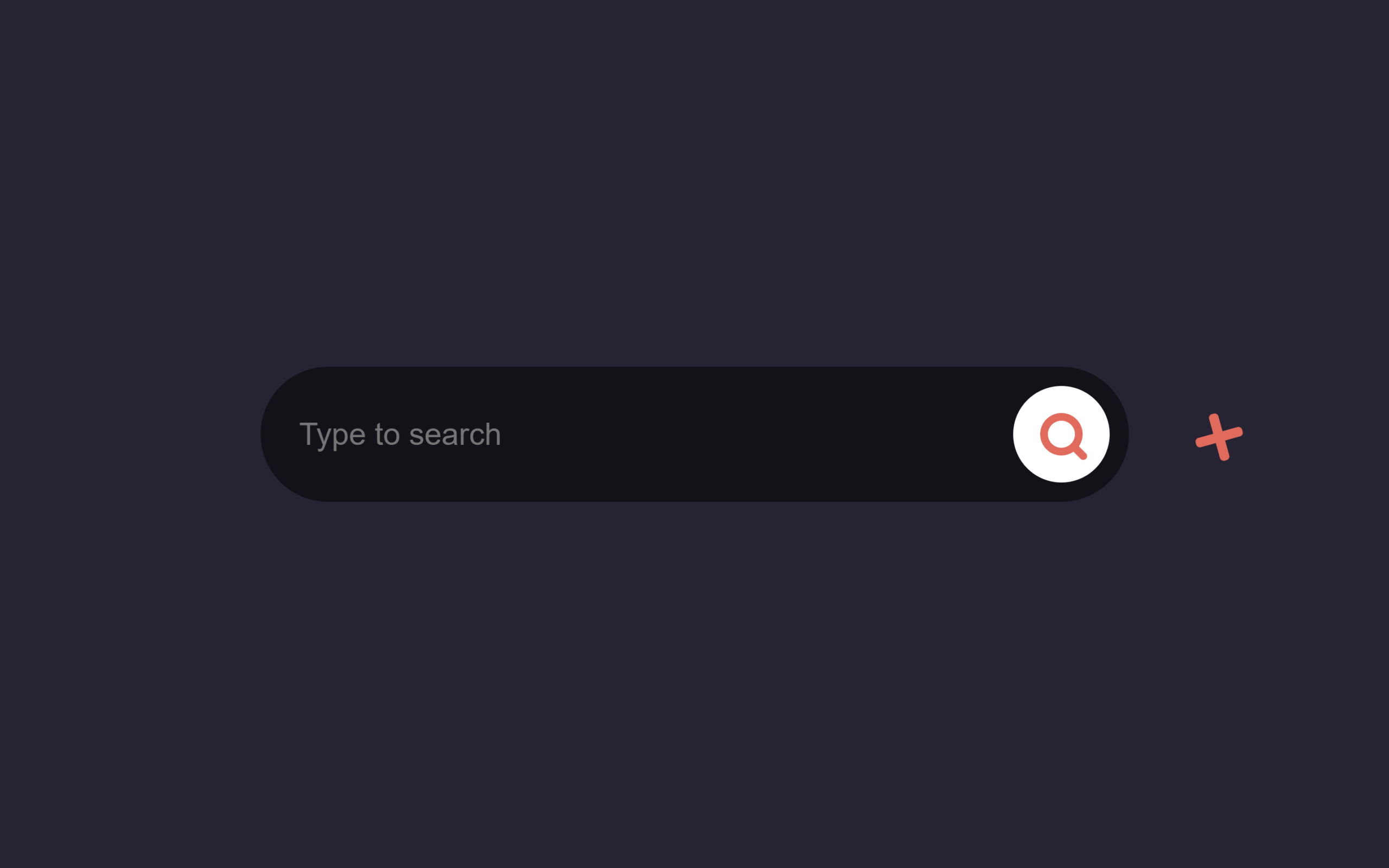
Let’s create an Animated Search Bar Box using HTML, CSS, and JavaScript. In this project, we will build a stylish search bar that smoothly expands when clicked, creating a modern and interactive experience for users.
We’ll use:
- HTML to structure the search bar and input field.
- CSS to design the layout and add smooth animations for the expanding and collapsing effect.
- JavaScript to control the toggle behavior when the search icon or close button is clicked.
This project is perfect for beginners and front-end developers who want to add clean animations and interactive UI elements to their websites. Let’s build a smooth and modern animated search bar! 🔍✨
HTML :
This HTML creates an animated search box interface. It includes a text input where users can type a query, a search button that triggers a toggle function to open or activate the search field, and a close button to hide it again. The layout is styled using an external CSS file, while JavaScript (with jQuery) is used to control the search animation and toggle behavior when the icons are clicked.
<!DOCTYPE html>
<html lang="en">

<head>
  <meta charset="UTF-8">
  <title>Animated Search Box | @coding.stella</title>
  <link rel="stylesheet" href="./style.css">
</head>

<body>

  <div class="search-wrapper">
    <div class="input-holder">
      <input type="text" class="search-input" placeholder="Type to search" />
      <button class="search-icon" onclick="searchToggle(this, event);"><span></span></button>
    </div>
    <span class="close" onclick="searchToggle(this, event);"></span>
  </div>

  <script src='https://cdnjs.cloudflare.com/ajax/libs/jquery/3.1.1/jquery.min.js'></script>
  <script src="./script.js"></script>

</body>
</html>
CSS :
This CSS styles an animated search box. Initially the search container is a small square with a search icon, centered on the page with a dark background. When the .active class is added, the box smoothly expands into a wider rounded search bar, the input field fades and slides into view, and the search icon rotates slightly. A close button also appears with a rotation animation, allowing the search bar to collapse back to its original size.
body {
    background: #262433;
}

::selection {
    background: #212129;
}

.search-wrapper {
    position: absolute;
    transform: translate(-50%, -50%);
    top: 50%;
    left: 50%;
}

.search-wrapper.active {}

.search-wrapper .input-holder {
    height: 70px;
    width: 70px;
    overflow: hidden;
    background: rgba(255, 255, 255, 0);
    border-radius: 6px;
    position: relative;
    transition: all 0.3s ease-in-out;
}

.search-wrapper.active .input-holder {
    width: 450px;
    border-radius: 50px;
    background: rgba(0, 0, 0, 0.5);
    transition: all .5s cubic-bezier(0.000, 0.105, 0.035, 1.570);
}

.search-wrapper .input-holder .search-input {
    width: 100%;
    height: 50px;
    padding: 0px 70px 0 20px;
    opacity: 0;
    position: absolute;
    top: 0px;
    left: 0px;
    background: transparent;
    box-sizing: border-box;
    border: none;
    outline: none;
    font-family: "Open Sans", Arial, Verdana;
    font-size: 16px;
    font-weight: 400;
    line-height: 20px;
    color: #FFF;
    transform: translate(0, 60px);
    transition: all .3s cubic-bezier(0.000, 0.105, 0.035, 1.570);
    transition-delay: 0.3s;
}

.search-wrapper.active .input-holder .search-input {
    opacity: 1;
    transform: translate(0, 10px);
}

.search-wrapper .input-holder .search-icon {
    width: 70px;
    height: 70px;
    border: none;
    border-radius: 6px;
    background: #FFF;
    padding: 0px;
    outline: none;
    position: relative;
    z-index: 2;
    float: right;
    cursor: pointer;
    transition: all 0.3s ease-in-out;
}

.search-wrapper.active .input-holder .search-icon {
    width: 50px;
    height: 50px;
    margin: 10px;
    border-radius: 30px;
}

.search-wrapper .input-holder .search-icon span {
    width: 22px;
    height: 22px;
    display: inline-block;
    vertical-align: middle;
    position: relative;
    transform: rotate(45deg);
    transition: all .4s cubic-bezier(0.650, -0.600, 0.240, 1.650);
}

.search-wrapper.active .input-holder .search-icon span {
    transform: rotate(-45deg);
}

.search-wrapper .input-holder .search-icon span::before,
.search-wrapper .input-holder .search-icon span::after {
    position: absolute;
    content: '';
}

.search-wrapper .input-holder .search-icon span::before {
    width: 4px;
    height: 11px;
    left: 9px;
    top: 18px;
    border-radius: 2px;
    background: #FE5F55;
}

.search-wrapper .input-holder .search-icon span::after {
    width: 14px;
    height: 14px;
    left: 0px;
    top: 0px;
    border-radius: 16px;
    border: 4px solid #FE5F55;
}

.search-wrapper .close {
    position: absolute;
    z-index: 1;
    top: 24px;
    right: 20px;
    width: 25px;
    height: 25px;
    cursor: pointer;
    transform: rotate(-180deg);
    transition: all .3s cubic-bezier(0.285, -0.450, 0.935, 0.110);
    transition-delay: 0.2s;
}

.search-wrapper.active .close {
    right: -50px;
    transform: rotate(45deg);
    transition: all .6s cubic-bezier(0.000, 0.105, 0.035, 1.570);
    transition-delay: 0.5s;
}

.search-wrapper .close::before,
.search-wrapper .close::after {
    position: absolute;
    content: '';
    background: #FE5F55;
    border-radius: 2px;
}

.search-wrapper .close::before {
    width: 5px;
    height: 25px;
    left: 10px;
    top: 0px;
}

.search-wrapper .close::after {
    width: 25px;
    height: 5px;
    left: 0px;
    top: 10px;
}
JavaScript :
This JavaScript function controls the search box animation. When the search icon is clicked, it adds the active class to the search container, which expands the search bar and shows the input field. If the search is already open and the close area is clicked, it removes the active class to collapse the search box and also clears the text inside the input field.
function searchToggle(obj, evt) {
    var container = $(obj).closest('.search-wrapper');
    if (!container.hasClass('active')) {
        container.addClass('active');
        evt.preventDefault();
    }
    else if (container.hasClass('active') && $(obj).closest('.input-holder').length == 0) {
        container.removeClass('active');
        // clear input
        container.find('.search-input').val('');
    }
}
In conclusion, this animated search bar project shows how HTML, CSS, and JavaScript can be combined to create a clean and interactive UI component. With smooth animations and simple toggle functionality, it improves the user experience while keeping the design modern and engaging 🔍✨
If your project has problems, don’t worry. Just click to download the source code and face your coding challenges with excitement. Have fun coding!
