


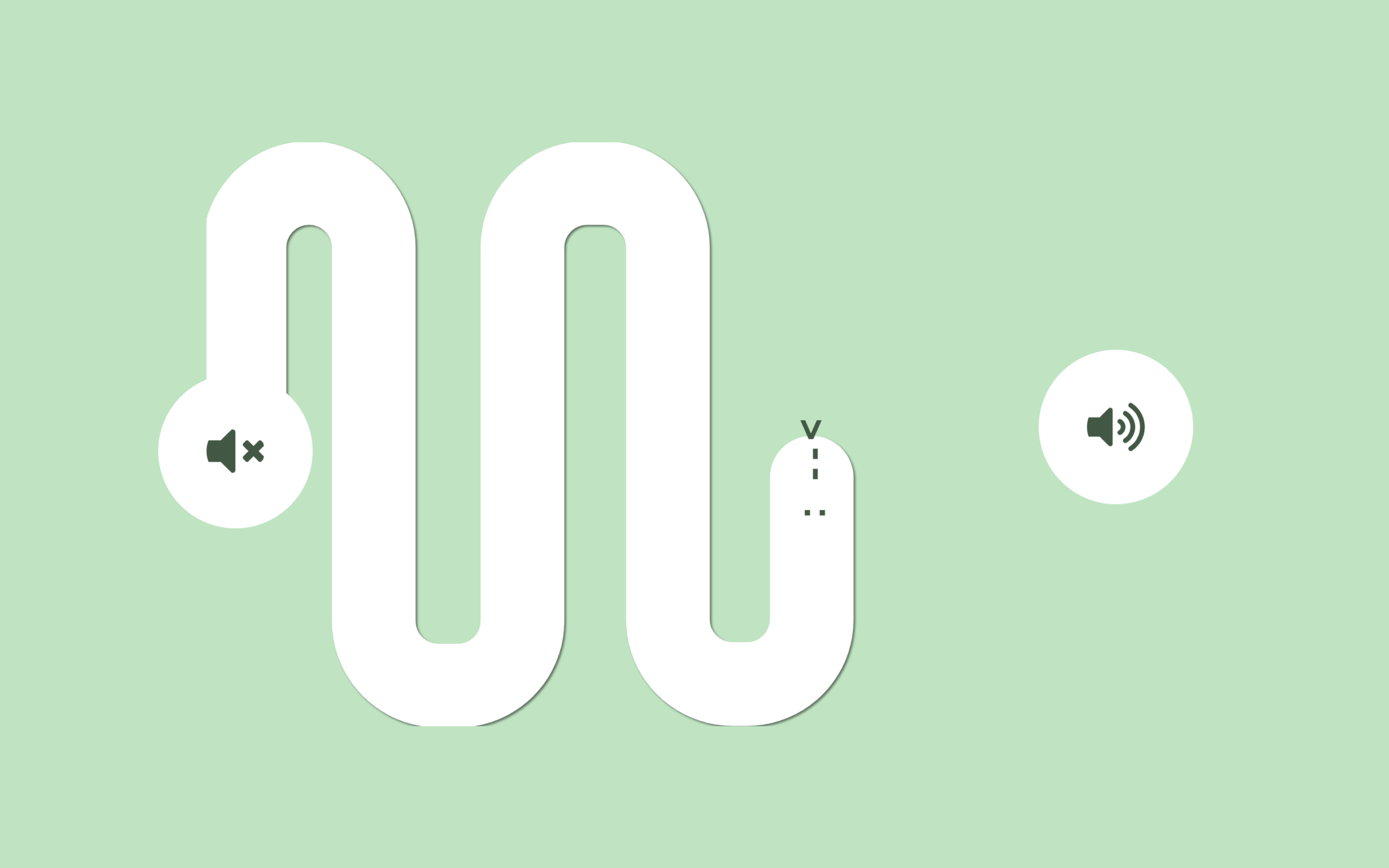
Let’s create a Snake Volume Slider using HTML, CSS, and JavaScript, where a simple range input is transformed into a smooth animated slider with a snake-like line and a moving smiley that follows the path.
We’ll use:
- HTML to structure the slider, icons, SVG path, and smiley element that represents the moving point.
- CSS to style the layout, hide the default slider, design the icons, and create the snake effect using
stroke-dasharrayandstroke-dashoffsetfor smooth animation. - JavaScript to handle the slider interaction, calculate the progress, animate the SVG path, and move + rotate the smiley along the path using precise position and angle calculations.
This project is perfect for learning how to combine SVG animations with user input, control motion along paths, and build creative UI interactions that make your projects stand out 🔥
HTML :
This code creates a custom volume slider UI where a range input controls the volume visually, with two SVG icons showing low and high volume states, a smiley face that likely reacts to slider movement, and a long SVG path styled with dashed strokes to look like a “snake” that animates as the slider changes; the HTML structures all elements while CSS (style.css) handles styling and the JavaScript (script.js) controls interactions and animations.
<!DOCTYPE html>
<html lang="en">

<head>
	<meta charset="UTF-8">
	<title>Snake Volume Slider | @coding.stella</title>
	<link rel="stylesheet" href="./style.css">
</head>

<body>
	<div class="volume-container">

		<div class="icon icon-low">

			<svg viewBox="0 0 512 512" width="100" title="volume-mute">
				<path
					d="M215.03 71.05L126.06 160H24c-13.26 0-24 10.74-24 24v144c0 13.25 10.74 24 24 24h102.06l88.97 88.95c15.03 15.03 40.97 4.47 40.97-16.97V88.02c0-21.46-25.96-31.98-40.97-16.97zM461.64 256l45.64-45.64c6.3-6.3 6.3-16.52 0-22.82l-22.82-22.82c-6.3-6.3-16.52-6.3-22.82 0L416 210.36l-45.64-45.64c-6.3-6.3-16.52-6.3-22.82 0l-22.82 22.82c-6.3 6.3-6.3 16.52 0 22.82L370.36 256l-45.63 45.63c-6.3 6.3-6.3 16.52 0 22.82l22.82 22.82c6.3 6.3 16.52 6.3 22.82 0L416 301.64l45.64 45.64c6.3 6.3 16.52 6.3 22.82 0l22.82-22.82c6.3-6.3 6.3-16.52 0-22.82L461.64 256z" />
			</svg>
		</div>
		<div id="smiley" class="face">: --< </div>
				<input type="range" min="0" max="100" value="0" class="slider" />
				<?xml version="1.0" encoding="UTF-8"?>
				<svg id="newRange" data-name="Layer 1" xmlns="http://www.w3.org/2000/svg" viewBox="0 0 1920 1080">
					<defs>
						<style>
							.cls-1 {
								fill: transparent;
								stroke: white;
								stroke-miterlimit: 10;
								stroke-width: 155px;
								stroke-style: dash;
								stroke-dasharray: 8000 0;
							}
						</style>
					</defs>

					<path style="filter: drop-shadow(3px 3px 2px rgba(0,0,0,0.5));" class="cls-1"
						d="M70.29,618.47V194.87c0-66.09,53.57-119.66,119.66-119.66h0c66.09,0,119.66,53.57,119.66,119.66v691.04c0,66.09,53.57,119.66,119.66,119.66h35.9c66.09,0,119.66-53.57,119.66-119.66V194.87c0-66.09,53.57-119.66,119.66-119.66h29.92c66.09,0,119.66,53.57,119.66,119.66v688.05c0,66.09,53.57,119.66,119.66,119.66h26.92c66.09,0,119.66-53.57,119.66-119.66V188.89c0-66.09,53.57-119.66,119.66-119.66h29.92c66.09,0,119.66,53.57,119.66,119.66v700.01c0,66.09,53.57,119.66,119.66,119.66h41.17c66.09,0,119.66-53.57,119.66-119.66v-387.84" />
				</svg>

				<div class="icon icon-high">
					<svg viewBox="0 0 576 512" width="100" title="volume-up">
						<path
							d="M215.03 71.05L126.06 160H24c-13.26 0-24 10.74-24 24v144c0 13.25 10.74 24 24 24h102.06l88.97 88.95c15.03 15.03 40.97 4.47 40.97-16.97V88.02c0-21.46-25.96-31.98-40.97-16.97zm233.32-51.08c-11.17-7.33-26.18-4.24-33.51 6.95-7.34 11.17-4.22 26.18 6.95 33.51 66.27 43.49 105.82 116.6 105.82 195.58 0 78.98-39.55 152.09-105.82 195.58-11.17 7.32-14.29 22.34-6.95 33.5 7.04 10.71 21.93 14.56 33.51 6.95C528.27 439.58 576 351.33 576 256S528.27 72.43 448.35 19.97zM480 256c0-63.53-32.06-121.94-85.77-156.24-11.19-7.14-26.03-3.82-33.12 7.46s-3.78 26.21 7.41 33.36C408.27 165.97 432 209.11 432 256s-23.73 90.03-63.48 115.42c-11.19 7.14-14.5 22.07-7.41 33.36 6.51 10.36 21.12 15.14 33.12 7.46C447.94 377.94 480 319.54 480 256zm-141.77-76.87c-11.58-6.33-26.19-2.16-32.61 9.45-6.39 11.61-2.16 26.2 9.45 32.61C327.98 228.28 336 241.63 336 256c0 14.38-8.02 27.72-20.92 34.81-11.61 6.41-15.84 21-9.45 32.61 6.43 11.66 21.05 15.8 32.61 9.45 28.23-15.55 45.77-45 45.77-76.88s-17.54-61.32-45.78-76.86z" />
					</svg>
				</div>
		</div>
		<script src="./script.js"></script>

</body>

</html>
CSS :
This CSS styles a custom volume slider by centering everything on the screen, positioning the container and icons, and hiding the actual input slider (opacity 0) so only the custom UI is visible; it uses CSS variables to control animation values, styles the SVG path with stroke-dasharray and stroke-dashoffset to create the animated “snake” effect as the slider moves, and positions the smiley and icons with smooth transitions to visually react to user interaction.
:root {
  --offset-value: 0;
  --offset-gap: 0;
}

body {
  margin: 0;
  height: 100vh;
  display: flex;
  justify-content: center;
  align-items: center;
  background-color: #252432;
  font-family: sans-serif;
}

.volume-container {
  display: flex;
  position: relative;
  width: 455px;
  height: 200px;
  align-items: center;
  justify-content: space-between;
}

.icon svg {
  fill: #3a5942;
  background-color: white;
  border-radius: 100%;
  padding: 20px;
  display: block;
  width: 24px;
  height: 24px;
  top: -30px;
  z-index: 9999999999999;
  pointer-events: none;
}

.icon-low {
  position: relative;
  left: -20px;
  top: 5px;
}

.icon-high {
  position: relative;
  right: 110px;
  top: -5px;
}

svg {
  height: auto;
  position: absolute;
  left: 25px;
  pointer-events: none;
  stroke: lightgray;
}

#smiley {
  top: 6%;
  color: #3a594a;
  font-weight: bold;
  letter-spacing: 3px;
  position: absolute;
  transform-origin: center;
  pointer-events: none;
  z-index: 99999999;
  transform: translate(-10000px, -100000px);
  transition: transform 0.001s linear;
}

input {
  display: block;
  height: 25px;
  width: 500px;
  opacity: 0;
  position: relative;
  cursor: pointer;
}

.cls-1 {
  stroke-dasharray: 1000;
  stroke-dashoffset: 1000;
  transition: stroke-dashoffset 0.001s linear;
  stroke-linecap: round;
}
JavaScript:
This JavaScript makes the slider interactive by listening to input changes and converting the slider value into a percentage to animate the SVG path like a “snake” using strokeDashoffset; it also calculates the exact position and angle along the path using getPointAtLength() so the smiley follows the path smoothly and rotates based on direction, creating a dynamic effect where both the line and smiley move together as the user adjusts the volume.
const selectElement = document.querySelector("input");
const newRangeSVG = document.querySelector("#newRange path");
const svg = document.getElementById("newRange");
const smiley = document.getElementById("smiley");

const pathLength = newRangeSVG.getTotalLength();

// initialize dasharray
newRangeSVG.style.strokeDasharray = pathLength;
newRangeSVG.style.strokeDashoffset = pathLength;

selectElement.addEventListener("input", (event) => {
	const value = event.target.value;
	const percent = value / 100;
	const drawLength = pathLength * percent;

	const point1 = newRangeSVG.getPointAtLength(drawLength);
	const point2 = newRangeSVG.getPointAtLength(drawLength + 1);

	// tangent angle
	const angle =
		Math.atan2(point2.y - point1.y, point2.x - point1.x) * (180 / Math.PI);

	const svgRect = svg.getBoundingClientRect();
	const containerRect = document
		.querySelector(".volume-container")
		.getBoundingClientRect();
	const viewBox = svg.viewBox.baseVal;

	// ratio
	const scale = Math.min(
		svgRect.width / viewBox.width,
		svgRect.height / viewBox.height
	);

	// map SVG coordinates to container coordinates
	let x = point1.x * scale + (svgRect.left - containerRect.left);
	let y = point1.y * scale + (svgRect.top - containerRect.top);

	// adjust Y for stroke thickness
	const strokeWidth = parseFloat(getComputedStyle(newRangeSVG).strokeWidth) || 0;
	y -= (strokeWidth / 2) * scale; // centers on the visible stroke

	smiley.style.transform = `
    translate(${x}px, ${y}px)
    translate(-50%, -50%)
    rotate(${angle}deg)
  `;

	newRangeSVG.style.strokeDashoffset = pathLength - drawLength;
});
This Snake Volume Slider shows how you can turn a simple input into a creative, interactive UI by combining HTML, CSS, and JavaScript, using SVG animations and real-time calculations to create smooth motion and engaging visuals, making it a great project to improve your frontend animation skills and build standout portfolio pieces 🚀
If your project has problems, don’t worry. Just click to download the source code and face your coding challenges with excitement. Have fun coding!
