


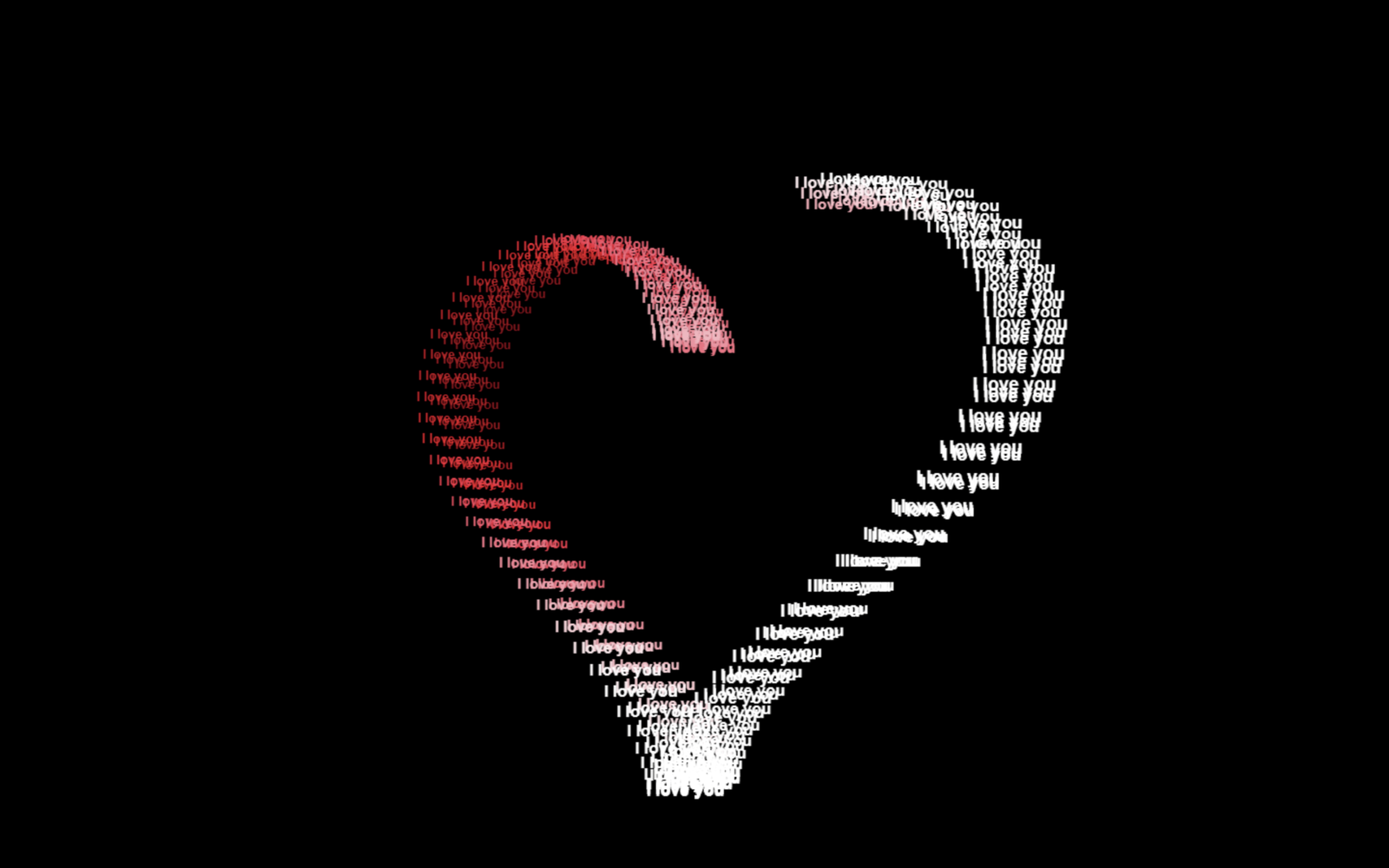
Let’s create a beautiful “I Love You” Heart Animation using HTML, CSS, and JavaScript. It will feature a glowing heart made from multiple “I love you” texts, a smooth 3D rotation effect, and a dark background for a modern romantic look.
We’ll use:
- HTML to create the canvas where the heart animation will be displayed.
- CSS to create the full-screen dark background and make the canvas responsive.
- JavaScript to generate the heart shape mathematically, add “I love you” text to each point, create the 3D rotation and perspective effects, and animate everything smoothly.
The heart gradually forms on the screen and continuously rotates in 3D, while the text changes brightness and size based on its depth.
This project is a simple and fun way to learn how HTML, CSS, and JavaScript work together to create a creative, animated, and interactive visual effect.
HTML :
Creates the canvas area where the heart animation will appear and connects the CSS and JavaScript files.
<!DOCTYPE html>
<html lang="en">
<head>
    <meta charset="UTF-8">
    <meta name="viewport" content="width=device-width, initial-scale=1.0">
    <title>I Love you heart animation | @coding.stella</title>
    <link rel="stylesheet" href="style.css">
</head>
<body>
    <canvas id="heartCanvas"></canvas>
    <script src="script.js"></script>
</body>
</html>
CSS :
Makes the canvas full-screen, removes default spacing, sets the background to black, and prevents scrolling.
* {
    margin: 0;
    padding: 0;
    box-sizing: border-box;
}

body,
html {
    width: 100%;
    height: 100%;
    background-color: black;
    overflow: hidden;
}

canvas {
    display: block;
    width: 100vw;
    height: 100vh;
}
JavaScript:
Creates the 3D “I love you” heart animation. It calculates heart-shaped points using a mathematical formula, adds "I love you" to each point, rotates the heart in 3D, adds perspective and lighting effects, and continuously redraws it to create the animation.
const canvas = document.getElementById('heartCanvas');
const ctx = canvas.getContext('2d');

let width, height, viewScale;

function resize() {
    width = canvas.width = window.innerWidth;
    height = canvas.height = window.innerHeight;
    viewScale = Math.min(width, height) / 500;
}
window.addEventListener('resize', resize);
resize();

let points = [];
let currentScale = 11;
let i = 0;

function generatePoints() {
    if (currentScale > 16) return;

    let angle = i * (Math.PI * 2) / 90;

    let x = 16 * Math.pow(Math.sin(angle), 3) * currentScale;
    let y = (13 * Math.cos(angle) - 5 * Math.cos(2 * angle) - 2 * Math.cos(3 * angle) - Math.cos(4 * angle)) * currentScale;

    for (let zOffset = -12; zOffset <= 12; zOffset += 12) {
        points.push({
            origX: x,
            origY: y,
            origZ: zOffset,
            text: "I love you"
        });
    }

    i++;
    if (i >= 90) {
        i = 0;
        currentScale++;
    }

    setTimeout(generatePoints, 70);
}

let time = 0;

// 2. High-Speed 3D Render Loop
function render3D() {
    ctx.fillStyle = "black";
    ctx.fillRect(0, 0, width, height);

    time += 0.01;

    let angleY = time * 1.2;
    let angleX = Math.sin(time * 0.4) * 0.25;

    let cosY = Math.cos(angleY);
    let sinY = Math.sin(angleY);
    let cosX = Math.cos(angleX);
    let sinX = Math.sin(angleX);

    let projectedPoints = [];

    for (let p of points) {
        let x1 = p.origX * cosY - p.origZ * sinY;
        let z1 = p.origX * sinY + p.origZ * cosY;
        let y1 = p.origY;

        let y2 = y1 * cosX - z1 * sinX;
        let z2 = y1 * sinX + z1 * cosX;

        projectedPoints.push({
            x: x1,
            y: y2,
            z: z2,
            text: p.text
        });
    }

    projectedPoints.sort((a, b) => b.z - a.z);

    ctx.textAlign = "center";
    ctx.textBaseline = "middle";

    for (let p of projectedPoints) {
        let zOffset = 400;
        let perspective = zOffset / (zOffset + p.z);

        let drawX = width / 2 + p.x * viewScale * perspective;
        let drawY = height / 2 - p.y * viewScale * perspective;

        let lightness = 85 - (p.z / 40) * 25;

        // OPTIMIZATION 3: Round values so the browser doesn't struggle caching font/colors
        lightness = Math.max(30, Math.min(100, Math.round(lightness)));
        ctx.fillStyle = `hsl(351, 100%, ${lightness}%)`;

        let fontSize = (8.5 * viewScale * perspective).toFixed(1);
        ctx.font = `bold ${fontSize}px Arial`;

        ctx.fillText(p.text, drawX, drawY);
    }

    requestAnimationFrame(render3D);
}

setTimeout(generatePoints, 500);
render3D();
In this project, we created a beautiful “I Love You” 3D Heart Animation using HTML, CSS, and JavaScript. HTML provided the canvas, CSS created the dark background and responsive layout, while JavaScript handled the heart shape, text, 3D rotation, and smooth animation. This project shows how simple web technologies can be combined to create creative and engaging visual effects.
This project is a simple and practical way to understand how HTML, CSS, and JavaScript work together to create an interactive and visually engaging web interface.
If you face any issues with your project, don’t worry! You can grab the source code for this project by clicking the Download button. Ready to kick off your coding journey? Happy coding!
