


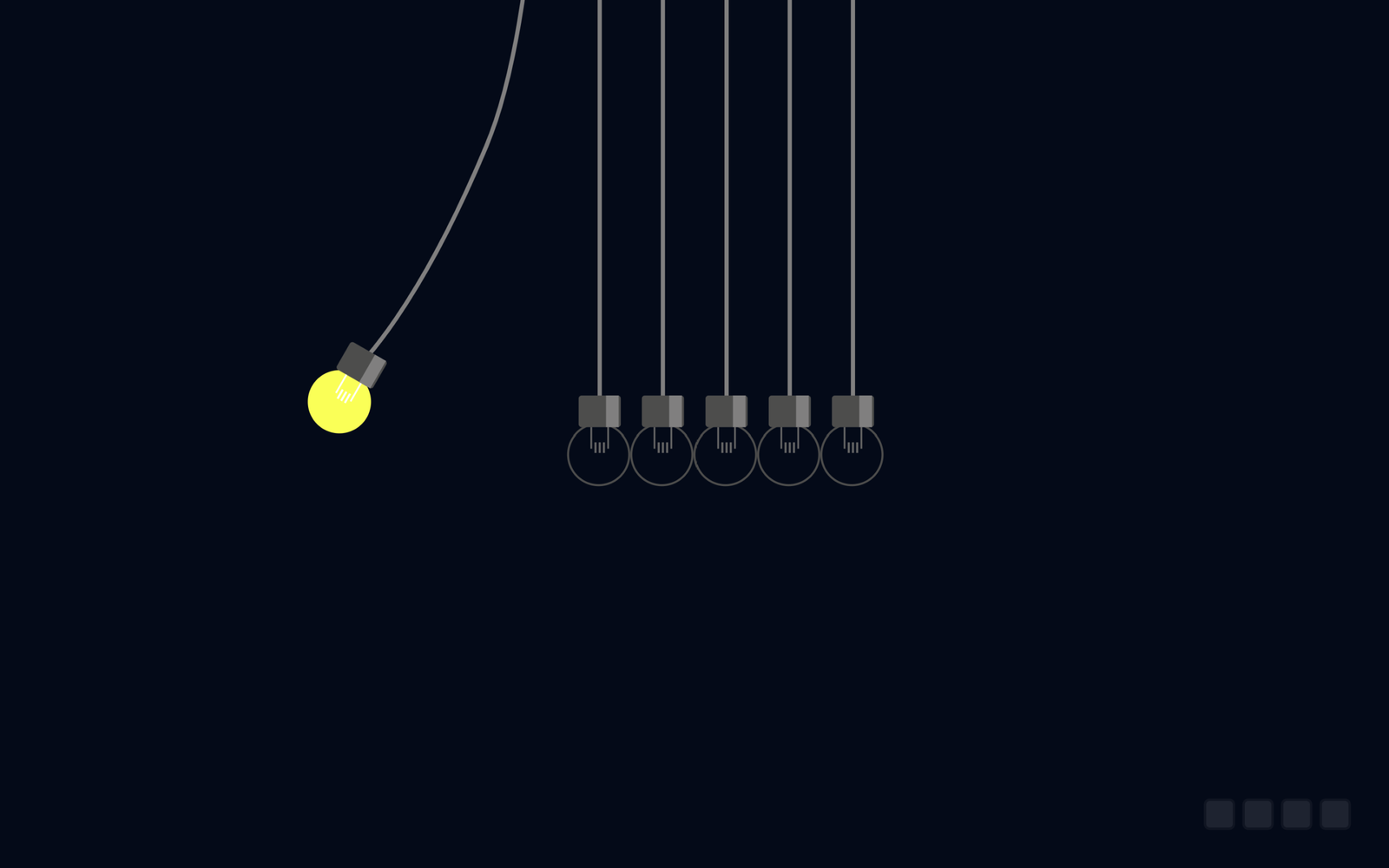
Let’s create a fun and visually engaging Newton’s Light Animations project using HTML, CSS, and JavaScript. This project features multiple animated light bulbs that swing, turn on and off, flash, glow, and change colors to create a smooth Newton’s light-inspired animation.
We’ll use:
- HTML to create the webpage structure, SVG light bulbs, and their different parts such as the glass, filament, fitting, and glow.
- CSS to style the bulbs, create the dark background, control their colors using CSS variables, and add visual effects for the light and glow.
- JavaScript with GSAP and MorphSVG to control the bulb animations, including swinging movements, flashing effects, turning the lights on and off, and continuously repeating the animation.
The project also includes an interactive feature where you can type a 3-digit hue value from 000 to 360 to change the color of all the light bulbs. A small banner displays the selected hue after the color is changed.
Whether you’re a beginner or an experienced developer, this project is a great way to learn how to combine SVG graphics, CSS variables, JavaScript DOM manipulation, and GSAP animations to create an attractive interactive web animation. Let’s get started and build your own Newton’s Light Animations!
Ready to make your website a bit more magical? Let’s start coding!
HTML :
This HTML code creates a Newton’s Light Bulbs animation by setting up the webpage, loading CSS and JavaScript files, and drawing six light bulbs using SVG. The four checkbox inputs are likely used by the JavaScript/CSS to control the animation or interactions. Each SVG <g> contains the parts of a bulb such as the glass, fitting, filament, shine, and glow, while the external GSAP and MorphSVG libraries are used to animate and transform the bulbs. The style.css controls the appearance, and script.js controls the animation and behavior.
<!DOCTYPE html>
<html lang="en">

<head>
  <meta charset="UTF-8">
  <title>Newton's Light Bulbs | @coding.stella </title>
  <link rel="stylesheet" href="https://public.codepenassets.com/css/normalize-5.0.0.min.css">
  <link rel="stylesheet" href="./style.css">

</head>

<body>
  <input type="checkbox" />
  <input type="checkbox" />
  <input type="checkbox" />
  <input type="checkbox" />
  <div class="wrapper">
    <svg xmlns="http://www.w3.org/2000/svg" viewbox="0 0 98.138617 90.336713">
      <g class="light-bulb light-bulb--3">
        <path class="light-bulb__chord" d="M45.1005633.00870392v68.74491" fill="none" stroke-width=".5291667"></path>
        <g class="light-bulb__bulb" transform="translate(2.5955317 -211.35093658)">
          <circle class="light-bulb__glass" r="3.8407259" cy="286.7189" cx="42.372742" stroke-width=".25604835"
            stroke-linecap="round" stroke-linejoin="round"></circle>
          <rect class="light-bulb__fitting" ry=".37417734" y="279.35907" x="39.8592" height="3.96875" width="5.2916665">
          </rect>
          <g class="light-bulb__filament">
            <path class="light-bulb__filament" d="M43.563367 283.32784v2.64583M41.446699 283.32784v2.64583"
              stroke-width=".21696301"></path>
            <path class="light-bulb__filament"
              d="M42.505033 285.17992v1.32292M41.975866 285.17992v1.32292M43.0342 285.17992v1.32292"
              stroke-width=".25654384"></path>
          </g>
          <path class="light-bulb__fitting-shine" d="M43.298786 279.35907h1.5875v3.96875h-1.5875z"></path>
          <circle class="light-bulb__bloom" r="3.5018382" cx="42.372742" cy="286.7189" stroke-width=".93382347"
            stroke-linecap="round" stroke-linejoin="round"></circle>
        </g>
      </g>
      <g class="light-bulb light-bulb--6">
        <path class="light-bulb__chord" d="M68.9130633.00870392v68.74491" fill="none" stroke-width=".5291667"></path>
        <g class="light-bulb__bulb" transform="translate(26.4080317 -211.35093658)">
          <circle class="light-bulb__glass" cx="42.372742" cy="286.7189" r="3.8407259" stroke-width=".25604835"
            stroke-linecap="round" stroke-linejoin="round"></circle>
          <rect class="light-bulb__fitting" width="5.2916665" height="3.96875" x="39.8592" y="279.35907" ry=".37417734">
          </rect>
          <g class="light-bulb__filament">
            <path class="light-bulb__filament" d="M43.563367 283.32784v2.64583M41.446699 283.32784v2.64583"
              stroke-width=".21696301"></path>
            <path class="light-bulb__filament"
              d="M42.505033 285.17992v1.32292M41.975866 285.17992v1.32292M43.0342 285.17992v1.32292"
              stroke-width=".25654384"></path>
          </g>
          <path class="light-bulb__fitting-shine" d="M43.298786 279.35907h1.5875v3.96875h-1.5875z"></path>
          <circle class="light-bulb__bloom" cy="286.7189" cx="42.372742" r="3.5018382" stroke-linecap="round"
            stroke-linejoin="round"></circle>
        </g>
      </g>
      <g class="light-bulb light-bulb--5">
        <path class="light-bulb__chord" d="M60.9755633.00870392v68.74491" fill="none" stroke-width=".5291667"></path>
        <g class="light-bulb__bulb" transform="translate(18.4705317 -211.35093658)">
          <circle class="light-bulb__glass" r="3.8407259" cy="286.7189" cx="42.372742" stroke-width=".25604835"
            stroke-linecap="round" stroke-linejoin="round"></circle>
          <rect class="light-bulb__fitting" ry=".37417734" y="279.35907" x="39.8592" height="3.96875" width="5.2916665">
          </rect>
          <g class="light-bulb__filament">
            <path class="light-bulb__filament" d="M43.563367 283.32784v2.64583M41.446699 283.32784v2.64583"
              stroke-width=".21696301"></path>
            <path class="light-bulb__filament"
              d="M42.505033 285.17992v1.32292M41.975866 285.17992v1.32292M43.0342 285.17992v1.32292"
              stroke-width=".25654384"></path>
          </g>
          <path class="light-bulb__fitting-shine" d="M43.298786 279.35907h1.5875v3.96875h-1.5875z"></path>
          <circle class="light-bulb__bloom" r="3.5018382" cx="42.372742" cy="286.7189" stroke-linecap="round"
            stroke-linejoin="round"></circle>
        </g>
      </g>
      <g class="light-bulb light-bulb--2">
        <path class="light-bulb__chord" d="M37.1630633.00870392v68.74491" fill="none" stroke-width=".5291667"></path>
        <g class="light-bulb__bulb" transform="translate(-5.3419683 -211.35093658)">
          <circle class="light-bulb__glass" cx="42.372742" cy="286.7189" r="3.8407259" stroke-width=".25604835"
            stroke-linecap="round" stroke-linejoin="round"></circle>
          <rect class="light-bulb__fitting" width="5.2916665" height="3.96875" x="39.8592" y="279.35907" ry=".37417734">
          </rect>
          <g class="light-bulb__filament">
            <path class="light-bulb__filament" d="M43.563367 283.32784v2.64583M41.446699 283.32784v2.64583"
              stroke-width=".21696301"></path>
            <path class="light-bulb__filament"
              d="M42.505033 285.17992v1.32292M41.975866 285.17992v1.32292M43.0342 285.17992v1.32292"
              stroke-width=".25654384"></path>
          </g>
          <path class="light-bulb__fitting-shine" d="M43.298786 279.35907h1.5875v3.96875h-1.5875z"></path>
          <circle class="light-bulb__bloom" cy="286.7189" cx="42.372742" r="3.5018382" stroke-linecap="round"
            stroke-linejoin="round"></circle>
        </g>
      </g>
      <g class="light-bulb light-bulb--1">
        <path class="light-bulb__chord" d="M29.2255633.00870392v68.74491" fill="none" stroke-width=".5291667"></path>
        <g class="light-bulb__bulb" transform="translate(-13.2794683 -211.35093658)">
          <circle class="light-bulb__glass" r="3.8407259" cy="286.7189" cx="42.372742" stroke-width=".25604835"
            stroke-linecap="round" stroke-linejoin="round"></circle>
          <rect class="light-bulb__fitting" ry=".37417734" y="279.35907" x="39.8592" height="3.96875" width="5.2916665">
          </rect>
          <g class="light-bulb__filament">
            <path class="light-bulb__filament" d="M43.563367 283.32784v2.64583M41.446699 283.32784v2.64583"
              stroke-width=".21696301"></path>
            <path class="light-bulb__filament"
              d="M42.505033 285.17992v1.32292M41.975866 285.17992v1.32292M43.0342 285.17992v1.32292"
              stroke-width=".25654384"></path>
          </g>
          <path class="light-bulb__fitting-shine" d="M43.298786 279.35907h1.5875v3.96875h-1.5875z"></path>
          <circle class="light-bulb__bloom" r="3.5018382" cx="42.372742" cy="286.7189" stroke-linecap="round"
            stroke-linejoin="round"></circle>
        </g>
      </g>
      <g class="light-bulb light-bulb--4">
        <path class="light-bulb__chord" d="M53.0380634.00870392v68.74491" fill="none" stroke-width=".5291667"></path>
        <g class="light-bulb__bulb" transform="translate(10.5330318 -211.35093658)">
          <circle class="light-bulb__glass" cx="42.372742" cy="286.7189" r="3.8407259" stroke-width=".25604835"
            stroke-linecap="round" stroke-linejoin="round"></circle>
          <rect class="light-bulb__fitting" width="5.2916665" height="3.96875" x="39.8592" y="279.35907" ry=".37417734">
          </rect>
          <g class="light-bulb__filament">
            <path class="light-bulb__filament" d="M43.563367 283.32784v2.64583M41.446699 283.32784v2.64583" fill="none"
              stroke-width=".21696301"></path>
            <path class="light-bulb__filament"
              d="M42.505033 285.17992v1.32292M41.975866 285.17992v1.32292M43.0342 285.17992v1.32292" fill="none"
              stroke-width=".25654384"></path>
          </g>
          <path class="light-bulb__fitting-shine" d="M43.298786 279.35907h1.5875v3.96875h-1.5875z"></path>
          <circle class="light-bulb__bloom" cy="286.7189" cx="42.372742" r="3.5018382" stroke-linecap="round"
            stroke-linejoin="round"></circle>
        </g>
      </g>
    </svg>
  </div>
  <div class="banner-container"></div>
  <script src='https://cdnjs.cloudflare.com/ajax/libs/gsap/3.1.1/gsap.min.js'></script>
  <script src='https://s3-us-west-2.amazonaws.com/s.cdpn.io/16327/MorphSVGPlugin3.min.js'></script>
  <script src='https://s3-us-west-2.amazonaws.com/s.cdpn.io/16327/GSDevTools3.min.js'></script>
  <script src="./script.js"></script>

</body>

</html>
CSS :
This CSS code styles and controls the light bulbs. It sets the dark background, centers the SVG bulbs, and defines their glass, filament, fitting, wire, glow, and colors using CSS variables. The four checkboxes act like controls that change the hue/color of the bulbs when selected, with different checkboxes producing different color patterns. It also creates a ceiling line above the bulbs and a banner at the bottom that can fade out using an animation.
* {
  box-sizing: border-box;
}

:root {
  --filament-saturation: 0;
  --filament-lightness: 40;
  --fitting-lightness: 30;
  --chord-lightness: 50;
  --bg-lightness: 5;
  --glass-lightness: 30;
  --glass-saturation: 0;
  --light-alpha: 0;
  --ceiling: 50;
  --bulb-hue: 60;
}

body {
  background: hsl(215, 100%, calc(var(--bg-lightness) * 1%));
  display: flex;
  align-items: center;
  justify-content: center;
  min-height: 100vh;
}

svg {
  width: 90vmin;
  transform: translate(0, -30%);
}

.wrapper {
  position: relative;
}

.wrapper:after {
  content: "";
  width: 90vmin;
  position: absolute;
  bottom: 130%;
  left: 0%;
  border-bottom: 4px solid hsl(0, 0%, calc(var(--ceiling) * 1%));
  transform: translate(0, 2px);
}

.light-bulb {
  display: block;
}

.light-bulb__chord {
  stroke: hsl(0, 0%, calc(var(--chord-lightness) * 1%));
}

.light-bulb__glass {
  fill: hsla(var(--bulb-hue), 100%, calc(var(--glass-lightness) * 1%), var(--light-alpha));
  stroke: hsla(var(--bulb-hue), calc(var(--glass-saturation) * 1%), calc(var(--glass-lightness) * 1%), 1);
}

.light-bulb__filament {
  fill: none;
  stroke: hsl(60, calc(var(--filament-saturation) * 1%), calc(var(--filament-lightness) * 1%));
}

.light-bulb__fitting {
  fill: hsl(0, 0%, calc(var(--fitting-lightness) * 1%));
}

.light-bulb__fitting-shine {
  fill: hsl(0, 0%, calc((var(--fitting-lightness) + 20) * 1%));
}

.light-bulb__bloom {
  fill: none;
  stroke: hsl(var(--bulb-hue), 100%, 50%);
  stroke-width: 2;
  opacity: 0;
}

[type='checkbox'] {
  position: fixed;
  bottom: 1rem;
  opacity: 0.1;
}

[type='checkbox']:nth-of-type(1) {
  right: 1rem;
}

[type='checkbox']:nth-of-type(1):checked~.wrapper svg .light-bulb:nth-of-type(odd) {
  --bulb-hue: 90;
}

[type='checkbox']:nth-of-type(1):checked~.wrapper svg .light-bulb:nth-of-type(even) {
  --bulb-hue: 0;
}

[type='checkbox']:nth-of-type(2) {
  right: 2rem;
}

[type='checkbox']:nth-of-type(2):checked~.wrapper svg .light-bulb--1 {
  --bulb-hue: 0;
}

[type='checkbox']:nth-of-type(2):checked~.wrapper svg .light-bulb--2 {
  --bulb-hue: 30;
}

[type='checkbox']:nth-of-type(2):checked~.wrapper svg .light-bulb--3 {
  --bulb-hue: 60;
}

[type='checkbox']:nth-of-type(2):checked~.wrapper svg .light-bulb--4 {
  --bulb-hue: 90;
}

[type='checkbox']:nth-of-type(2):checked~.wrapper svg .light-bulb--5 {
  --bulb-hue: 200;
}

[type='checkbox']:nth-of-type(2):checked~.wrapper svg .light-bulb--6 {
  --bulb-hue: 270;
}

[type='checkbox']:nth-of-type(3) {
  right: 3rem;
}

[type='checkbox']:nth-of-type(3):checked~.wrapper svg .light-bulb--1 {
  --bulb-hue: 60;
}

[type='checkbox']:nth-of-type(3):checked~.wrapper svg .light-bulb--2 {
  --bulb-hue: 120;
}

[type='checkbox']:nth-of-type(3):checked~.wrapper svg .light-bulb--3 {
  --bulb-hue: 180;
}

[type='checkbox']:nth-of-type(3):checked~.wrapper svg .light-bulb--4 {
  --bulb-hue: 240;
}

[type='checkbox']:nth-of-type(3):checked~.wrapper svg .light-bulb--5 {
  --bulb-hue: 300;
}

[type='checkbox']:nth-of-type(3):checked~.wrapper svg .light-bulb--6 {
  --bulb-hue: 360;
}

[type='checkbox']:nth-of-type(4) {
  right: 4rem;
}

[type='checkbox']:nth-of-type(4):checked~.wrapper svg .light-bulb--1 {
  --bulb-hue: 10;
}

[type='checkbox']:nth-of-type(4):checked~.wrapper svg .light-bulb--2 {
  --bulb-hue: 20;
}

[type='checkbox']:nth-of-type(4):checked~.wrapper svg .light-bulb--3 {
  --bulb-hue: 30;
}

[type='checkbox']:nth-of-type(4):checked~.wrapper svg .light-bulb--4 {
  --bulb-hue: 40;
}

[type='checkbox']:nth-of-type(4):checked~.wrapper svg .light-bulb--5 {
  --bulb-hue: 50;
}

[type='checkbox']:nth-of-type(4):checked~.wrapper svg .light-bulb--6 {
  --bulb-hue: 60;
}

.banner-container {
  position: fixed;
  bottom: 0;
  left: 50%;
  transform: translate(-50%, 0);
}

.hue-banner {
  color: hsl(var(--hue, 0), 100%, 50%);
  border-color: hsl(var(--hue, 0), 100%, 50%);
  border-style: solid;
  border-width: 4px;
  border-radius: 4px;
  margin-bottom: 1rem;
  padding: 1rem;
  font-weight: bold;
  font-family: -apple-system, BlinkMacSystemFont, 'Segoe UI', Roboto, Oxygen, Ubuntu, Cantarell, 'Open Sans', 'Helvetica Neue', sans-serif;
  line-height: 1.5;
  -webkit-animation: fadeToBlack 0.5s 1s both;
  animation: fadeToBlack 0.5s 1s both;
}

@-webkit-keyframes fadeToBlack {
  to {
    opacity: 0;
  }
}

@keyframes fadeToBlack {
  to {
    opacity: 0;
  }
}
JavaScript:
This JavaScript code controls the animation and behavior of the six light bulbs using GSAP. It first selects the bulbs and their parts, then creates animations for the bulbs to swing left and right, turn on/off, glow, and flash in sequence. The timeline combines these animations and repeats them continuously. It also allows the user to type a 3-digit hue value from 000-360, which changes the color of all bulbs and displays a small message showing the selected hue.
// eslint-disable-next-line
; (function () {
const {
// GSDevTools,
gsap,
gsap: { timeline, to, fromTo } } =
window;
const CURVES = {
RIGHT:
'M68.91306296.0087038s.77124463 23.43903799 6.34896852 36.75152668c9.014994 21.51630343 16.57659448 28.05805003 16.57659448 28.05805003',
LEFT:
'M29.2255629.00870376s-.77124454 23.43903794-6.34896837 36.75152662C13.86160061 58.2765338 6.3000002 64.81828041 6.3000002 64.81828041'
};
const STRAIGHTS = {
LEFT: 'M29.2255633.00870392v68.74491',
RIGHT: 'M68.9130633.00870392v68.74491'
};
const SPEEDS = {
ON: 0.05,
STAGGER: 0.05,
SWING: 0.5,
EASE: 4
};
// Disabled for now
// const isLightMode = window.matchMedia('(prefers-color-scheme: light)').matches
const isLightMode = false;
const CONFIG = {
ROTATION: 30,
FILAMENT: {
LIGHTNESS: {
OFF: isLightMode ? 70 : 40,
ON: 100
}
},
GLASS: {
ALPHA: {
ON: 1,
OFF: 0
},
SATURATION: {
ON: 100,
OFF: 0
},
LIGHTNESS: {
ON: isLightMode ? 80 : 50,
OFF: isLightMode ? 80 : 30
}
}
};
// DOM ORDERING IS 3, 6, 5, 2, 1, 4 🤦♂
const BULBS = document.querySelectorAll('.light-bulb__bulb');
const GLASSES = document.querySelectorAll('.light-bulb__glass');
const CHORDS = document.querySelectorAll('.light-bulb__chord');
const BLOOMS = document.querySelectorAll('.light-bulb__bloom');
const FILAMENTS = document.querySelectorAll('g.light-bulb__filament');
// Set transform origin on swinging bulbs
gsap.set('.wrapper', { display: 'block' });
gsap.set(BULBS[1], { transformOrigin: `50% -375%`, rotate: -CONFIG.ROTATION });
gsap.set(CHORDS[1], { morphSVG: { d: CURVES.RIGHT } });
gsap.set(GLASSES, { '--light-alpha': CONFIG.GLASS.ALPHA.OFF });
gsap.set(GLASSES[1], {
'--light-alpha': CONFIG.GLASS.ALPHA.ON,
'--glass-saturation': CONFIG.GLASS.SATURATION.ON,
'--glass-lightness': CONFIG.GLASS.LIGHTNESS.ON
});
gsap.set(BULBS[4], { transformOrigin: '50% -375%' });
gsap.set(BLOOMS, { scale: 0, transformOrigin: '50% 50%' });
gsap.set(FILAMENTS[1], {
'--filament-lightness': CONFIG.FILAMENT.LIGHTNESS.ON
});
//Create sub timelines
const SWING_LEFT_TL = new timeline().
add(
to(CHORDS[4], {
ease: `power${SPEEDS.EASE}.out`,
duration: SPEEDS.SWING,
morphSVG: {
d: CURVES.LEFT
}
}),
0).
add(
to(BULBS[4], {
ease: `power${SPEEDS.EASE}.out`,
rotate: CONFIG.ROTATION,
duration: SPEEDS.SWING
}),
0).
add(
to(GLASSES[4], {
'--light-alpha': CONFIG.GLASS.ALPHA.ON,
'--glass-saturation': CONFIG.GLASS.SATURATION.ON,
'--glass-lightness': CONFIG.GLASS.LIGHTNESS.ON,
duration: SPEEDS.ON
}),
0).
add(
to(FILAMENTS[4], {
'--filament-lightness': CONFIG.FILAMENT.LIGHTNESS.ON,
duration: SPEEDS.ON
}),
0).
add(
to(BLOOMS[4], {
duration: SPEEDS.ON * 5,
scale: 1.3,
opacity: 0
}),
0).
add(
to(CHORDS[4], {
ease: `power${SPEEDS.EASE}.in`,
duration: SPEEDS.SWING,
morphSVG: {
d: STRAIGHTS.LEFT
}
}),
SPEEDS.SWING).
add(
to(BULBS[4], {
ease: `power${SPEEDS.EASE}.in`,
rotate: 0,
duration: SPEEDS.SWING
}),
SPEEDS.SWING).
add(
to(GLASSES[4], {
duration: SPEEDS.ON,
'--light-alpha': CONFIG.GLASS.ALPHA.OFF,
'--glass-saturation': CONFIG.GLASS.SATURATION.OFF,
'--glass-lightness': CONFIG.GLASS.LIGHTNESS.OFF
}),
'SWINGING_BACK').
add(
to(FILAMENTS[4], {
'--filament-lightness': CONFIG.FILAMENT.LIGHTNESS.OFF,
duration: SPEEDS.ON
}),
'SWINGING_BACK');
const SWING_RIGHT_TL = new timeline().
add(
to(CHORDS[1], SPEEDS.SWING, {
ease: `power${SPEEDS.EASE}.in`,
morphSVG: {
d: STRAIGHTS.RIGHT
}
}),
0).
add(
to(BULBS[1], SPEEDS.SWING, {
ease: `power${SPEEDS.EASE}.in`,
rotate: 0
}),
0).
add(
to(
GLASSES[1],
{
duration: SPEEDS.ON,
'--light-alpha': CONFIG.GLASS.ALPHA.OFF,
'--glass-saturation': CONFIG.GLASS.SATURATION.OFF,
'--glass-lightness': CONFIG.GLASS.LIGHTNESS.OFF
},
'SWITCH_OFF')).
add(
to(FILAMENTS[1], {
duration: SPEEDS.ON,
'--filament-lightness': CONFIG.FILAMENT.LIGHTNESS.OFF
}),
'SWITCH_OFF');
const FLASH_TL = new timeline().
add(
to([GLASSES[2], GLASSES[5], GLASSES[0], GLASSES[3]], {
duration: SPEEDS.ON,
stagger: SPEEDS.STAGGER,
'--light-alpha': CONFIG.GLASS.ALPHA.ON,
'--glass-saturation': CONFIG.GLASS.SATURATION.ON,
'--glass-lightness': CONFIG.GLASS.LIGHTNESS.ON
}),
'SWITCHING_ON').
add(
to([BLOOMS[2], BLOOMS[5], BLOOMS[0], BLOOMS[3]], {
duration: SPEEDS.ON * 5,
stagger: SPEEDS.STAGGER,
scale: 1.25,
opacity: 0
}),
'SWITCHING_ON').
add(
to([FILAMENTS[2], FILAMENTS[5], FILAMENTS[0], FILAMENTS[3]], {
duration: SPEEDS.ON,
stagger: SPEEDS.STAGGER,
'--filament-lightness': CONFIG.FILAMENT.LIGHTNESS.ON
}),
'SWITCHING_ON').
add(
to([GLASSES[2], GLASSES[5], GLASSES[0], GLASSES[3]], {
duration: SPEEDS.ON * 2,
stagger: SPEEDS.STAGGER,
'--light-alpha': CONFIG.GLASS.ALPHA.OFF,
'--glass-saturation': CONFIG.GLASS.SATURATION.OFF,
'--glass-lightness': CONFIG.GLASS.LIGHTNESS.OFF
}),
SPEEDS.ON).
add(
to([FILAMENTS[2], FILAMENTS[5], FILAMENTS[0], FILAMENTS[3]], {
duration: SPEEDS.ON * 2,
stagger: SPEEDS.STAGGER,
'--filament-lightness': CONFIG.FILAMENT.LIGHTNESS.OFF
}),
SPEEDS.ON);
const FLASH_BACK_TL = new timeline().
add(
to([GLASSES[3], GLASSES[0], GLASSES[5], GLASSES[2]], {
duration: SPEEDS.ON,
stagger: SPEEDS.STAGGER,
'--light-alpha': CONFIG.GLASS.ALPHA.ON,
'--glass-saturation': CONFIG.GLASS.SATURATION.ON,
'--glass-lightness': CONFIG.GLASS.LIGHTNESS.ON
}),
'SWITCHING_ON_2').
add(
fromTo(
[BLOOMS[3], BLOOMS[0], BLOOMS[5], BLOOMS[2]],
{
scale: 0,
opacity: 1
},
{
scale: 1.25,
opacity: 0,
duration: SPEEDS.ON * 5,
stagger: SPEEDS.STAGGER
}),
'SWITCHING_ON_2').
add(
to([FILAMENTS[3], FILAMENTS[0], FILAMENTS[5], FILAMENTS[2]], {
duration: SPEEDS.ON,
stagger: SPEEDS.STAGGER,
'--filament-lightness': CONFIG.FILAMENT.LIGHTNESS.ON
}),
'SWITCHING_ON_2').
add(
to([GLASSES[3], GLASSES[0], GLASSES[5], GLASSES[2]], {
duration: SPEEDS.ON * 2,
stagger: SPEEDS.STAGGER,
'--light-alpha': CONFIG.GLASS.ALPHA.OFF,
'--glass-saturation': CONFIG.GLASS.SATURATION.OFF,
'--glass-lightness': CONFIG.GLASS.LIGHTNESS.OFF
}),
SPEEDS.ON).
add(
to([FILAMENTS[3], FILAMENTS[0], FILAMENTS[5], FILAMENTS[2]], {
duration: SPEEDS.ON * 2,
stagger: SPEEDS.STAGGER,
'--filament-lightness': CONFIG.FILAMENT.LIGHTNESS.OFF
}),
SPEEDS.ON);
const SWING_RIGHT_BACK_TL = new timeline().
add(
to(CHORDS[1], {
ease: `power${SPEEDS.EASE}.out`,
duration: SPEEDS.SWING,
morphSVG: {
d: CURVES.RIGHT
}
}),
0).
add(
to(BULBS[1], {
ease: `power${SPEEDS.EASE}.out`,
duration: SPEEDS.SWING,
rotation: -CONFIG.ROTATION
}),
0).
add(
to(GLASSES[1], {
'--light-alpha': CONFIG.GLASS.ALPHA.ON,
'--glass-saturation': CONFIG.GLASS.SATURATION.ON,
'--glass-lightness': CONFIG.GLASS.LIGHTNESS.ON,
duration: SPEEDS.ON
}),
0).
add(
to(FILAMENTS[1], {
'--filament-lightness': CONFIG.FILAMENT.LIGHTNESS.ON,
duration: SPEEDS.ON
}),
0).
add(
to(BLOOMS[1], {
duration: SPEEDS.ON * 5,
stagger: SPEEDS.STAGGER,
scale: 1.3,
opacity: 0
}),
0);
const BULBS_TL = new timeline({ repeat: -1 });
BULBS_TL.add(SWING_RIGHT_TL, 'SWING_IN');
BULBS_TL.add(FLASH_TL, `>-${SPEEDS.ON * 2}`);
BULBS_TL.add(SWING_LEFT_TL, `>-${SPEEDS.ON * 4}`);
BULBS_TL.add(FLASH_BACK_TL, `>-${SPEEDS.ON}`);
BULBS_TL.add(SWING_RIGHT_BACK_TL, `>-${SPEEDS.ON * 4}`);
/**
* Easter EGG - Type to Hue
*/
const CONTAINER = document.querySelector('.banner-container');
let HUE = '';
const processHue = e => {
if (e.key !== undefined && parseInt(e.key, 10) !== undefined) {
HUE += e.key;
if (HUE.length === 3) {
if (HUE >= 0 && HUE <= 360) {
for (const BULB of BULBS) {
BULB.style.setProperty('--bulb-hue', HUE);
}
const BANNER = document.createElement('div');
BANNER.className = 'hue-banner';
BANNER.style = `--hue: ${HUE};`;
BANNER.innerHTML = `Hue changed to ${HUE}`;
CONTAINER.appendChild(BANNER);
BANNER.addEventListener('animationend', BANNER.remove);
}
// Reset the hue regardless of whether it is valid
HUE = '';
}
}
};
window.addEventListener('keyup', processHue);
// GSDevTools.create()
})();
In conclusion, Newton’s Light Animations shows how HTML, CSS, and JavaScript can work together to create interactive animations. Using SVG, CSS variables, and GSAP, the project creates swinging, glowing, flashing, and color-changing light bulbs, making it a simple and engaging example of web animation.
If you face any issues with your project, don’t worry! You can grab the source code for this project by clicking the Download button. Ready to kick off your coding journey? Happy coding!
