


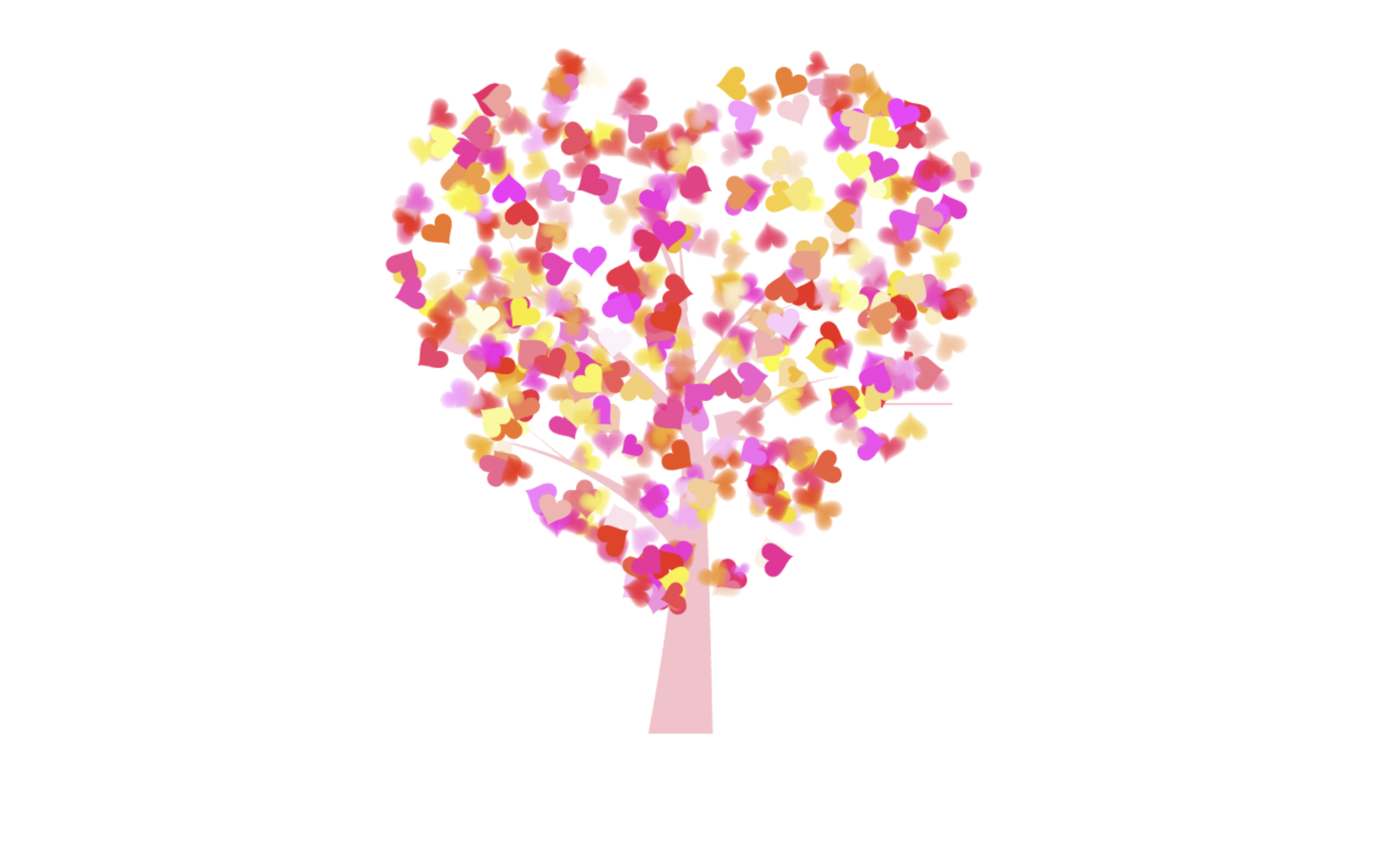
Let’s create a beautiful Birthday Heart Animation using HTML, CSS, and JavaScript. In this project, we’ll build an interactive birthday greeting that displays a heart-shaped tree animation along with personalized birthday wishes directly in the browser. The animation begins when the user clicks the heart seed, making the experience more engaging and memorable.
We’ll use:
- HTML: To create the page structure, including the canvas for the heart animation, birthday message, audio player, and text container.
- CSS: To design the layout, style the birthday message, customize fonts and colors, position elements, and create an elegant, responsive appearance.
- JavaScript: To control the heart animation, handle user interactions, play background music, animate the growing tree and blooming flowers, display the birthday message with a typewriter effect, and manage the overall animation sequence.
This project is perfect for learning HTML5 Canvas animations, JavaScript event handling, DOM manipulation, animation sequencing, typewriter effects, audio integration, and creating interactive greeting pages that can be shared with friends and loved ones.
HTML :
This HTML project creates an interactive birthday greeting with a beautiful heart tree animation. It loads the required CSS and JavaScript files, displays a personalized birthday message, and automatically plays background music. A <canvas> element is used to draw and animate the heart-shaped tree. When the user clicks the seed on the canvas, the animation starts: the seed shrinks, falls, grows into branches, blooms with flowers, and then displays the birthday text using a typewriter effect. The animation is controlled using JavaScript and the Jscex library, while jQuery handles user interactions like mouse hover and click events, making the greeting more engaging and visually appealing.
<!DOCTYPE html PUBLIC "-//W3C//DTD XHTML 1.0 Strict//EN" "http://www.w3.org/TR/xhtml1/DTD/xhtml1-strict.dtd">
<html xml:lang="en" xmlns="http://www.w3.org/1999/xhtml">

<head>
    <meta http-equiv="Content-Type" content="text/html; charset=UTF-8">
    <title>Birthday Heart Animation | @coding.stella</title>
    <link type="text/css" rel="stylesheet" href="file/default.css">
    <script type="text/javascript" src="file/jquery.min.js"></script>
    <script type="text/javascript" src="file/jscex.min.js"></script>
    <script type="text/javascript" src="file/jscex-parser.js"></script>
    <script type="text/javascript" src="file/jscex-jit.js"></script>
    <script type="text/javascript" src="file/jscex-builderbase.min.js"></script>
    <script type="text/javascript" src="file/jscex-async.min.js"></script>
    <script type="text/javascript" src="file/jscex-async-powerpack.min.js"></script>
    <script type="text/javascript" src="file/function.js" charset="utf-8"></script>
    <script type="text/javascript" src="file/love.js" charset="utf-8"></script>
    <script>
        function playAudio() {
            var audio = document.getElementById("myAudio");
            audio.play();
        }
    </script>
</head>

<body>
    <div id="main">
        <div id="error"><a
                href="http://www.google.cn/chrome/intl/zh-CN/landing_chrome.html?hl=zh-CN&brand=CHMI">Chrome</a> (<a
                href="http://firefox.com.cn/download/">Firefox</a>)</div>
        <audio autoplay="autoplay" height="100" width="100" id="myAudio">
            <source src="aud.mp3" type="audio/mp3" />
            <embed height="100" width="100" src="aud.mp3" />
        </audio>
        <div id="wrap">
            <div id="text">
                <div id="code">
                    <span class="say">Hey you 💞</span><br>
                    <span class="say">Happy Birthday 🎈</span><br>
                    <span class="say">May God bless you 🍀</span><br>
                    <span class="say">And give u many happiness 💕</span><br>
                    <span class="say">Just saying... you're pretty awesome ❤️</span><br>
                    <span class="say">Sending good vibes and maybe a wink 😏</span><br>
                    <span class="say">Hope u have a great day today ❤️😘</span><br>
                </div>
            </div>
            <div id="clock-box">
                <span id="clock">577 days 0 hours 0 minutes 0 seconds</span> <!-- Change to "6940 days..." if needed -->
            </div>
            <canvas id="canvas" width="1100" height="680"></canvas>
        </div>
    </div>

    <script>
        (function () {
            var canvas = $('#canvas');

            if (!canvas[0].getContext) {
                $("#error").show();
                return false;
            }

            var width = canvas.width();
            var height = canvas.height();
            canvas.attr("width", width);
            canvas.attr("height", height);

            var opts = {
                seed: {
                    x: width / 2 - 20,
                    color: "rgb(190, 26, 37)",
                    scale: 2
                },
                branch: [
                    [535, 680, 570, 250, 500, 200, 30, 100, [
                        [540, 500, 455, 417, 340, 400, 13, 100, [
                            [450, 435, 434, 430, 394, 395, 2, 40]
                        ]],
                        [550, 445, 600, 356, 680, 345, 12, 100, [
                            [578, 400, 648, 409, 661, 426, 3, 80]
                        ]],
                        [539, 281, 537, 248, 534, 217, 3, 40],
                        [546, 397, 413, 247, 328, 244, 9, 80, [
                            [427, 286, 383, 253, 371, 205, 2, 40],
                            [498, 345, 435, 315, 395, 330, 4, 60]
                        ]],
                        [546, 357, 608, 252, 678, 221, 6, 100, [
                            [590, 293, 646, 277, 648, 271, 2, 80]
                        ]]
                    ]]
                ],
                bloom: {
                    num: 700,
                    width: 1080,
                    height: 650,
                },
                footer: {
                    width: 1200,
                    height: 5,
                    speed: 10,
                }
            }

            var tree = new Tree(canvas[0], width, height, opts);
            var seed = tree.seed;
            var foot = tree.footer;
            var hold = 1;

            canvas.click(function (e) {
                playAudio();
                var offset = canvas.offset(), x, y;
                x = e.pageX - offset.left;
                y = e.pageY - offset.top;
                if (seed.hover(x, y)) {
                    hold = 0;
                    canvas.unbind("click");
                    canvas.unbind("mousemove");
                    canvas.removeClass('hand');
                }
            }).mousemove(function (e) {
                var offset = canvas.offset(), x, y;
                x = e.pageX - offset.left;
                y = e.pageY - offset.top;
                canvas.toggleClass('hand', seed.hover(x, y));
            });

            var seedAnimate = eval(Jscex.compile("async", function () {
                seed.draw();
                while (hold) {
                    $await(Jscex.Async.sleep(10));
                }
                while (seed.canScale()) {
                    seed.scale(0.95);
                    $await(Jscex.Async.sleep(10));
                }
                while (seed.canMove()) {
                    seed.move(0, 2);
                    foot.draw();
                    $await(Jscex.Async.sleep(10));
                }
            }));

            var growAnimate = eval(Jscex.compile("async", function () {
                do {
                    tree.grow();
                    $await(Jscex.Async.sleep(10));
                } while (tree.canGrow());
            }));

            var flowAnimate = eval(Jscex.compile("async", function () {
                do {
                    tree.flower(2);
                    $await(Jscex.Async.sleep(10));
                } while (tree.canFlower());
            }));

            var moveAnimate = eval(Jscex.compile("async", function () {
                tree.snapshot("p1", 240, 0, 610, 680);
                while (tree.move("p1", 500, 0)) {
                    foot.draw();
                    $await(Jscex.Async.sleep(10));
                }
                foot.draw();
                tree.snapshot("p2", 500, 0, 610, 680);

                canvas.parent().css("background", "url(" + tree.toDataURL('image/png') + ")");
                canvas.css("background", "#ffe");
                $await(Jscex.Async.sleep(300));
                canvas.css("background", "none");
            }));

            var textAnimate = eval(Jscex.compile("async", function () {
                $("#code").show().typewriter();
            }));

            var runAsync = eval(Jscex.compile("async", function () {
                $await(seedAnimate());
                $await(growAnimate());
                $await(flowAnimate());
                $await(moveAnimate());
                textAnimate().start();
            }));

            runAsync().start();
        })();
    </script>
</body>

</html>
In this project, we successfully created a Geometry Dash-style game using HTML, CSS, and JavaScript. By combining structured webpage elements, engaging visual design, and interactive game logic, we developed a fun browser-based game featuring player movement, jumping mechanics, obstacle generation, collision detection, and score tracking. This project helps in understanding core game development concepts such as animations, event handling, physics simulation, and real-time user interaction, making it a great way to explore modern web-based game development.
If your project has problems, don’t worry. Just click to download the source code and face your coding challenges with excitement. Have fun coding!
