


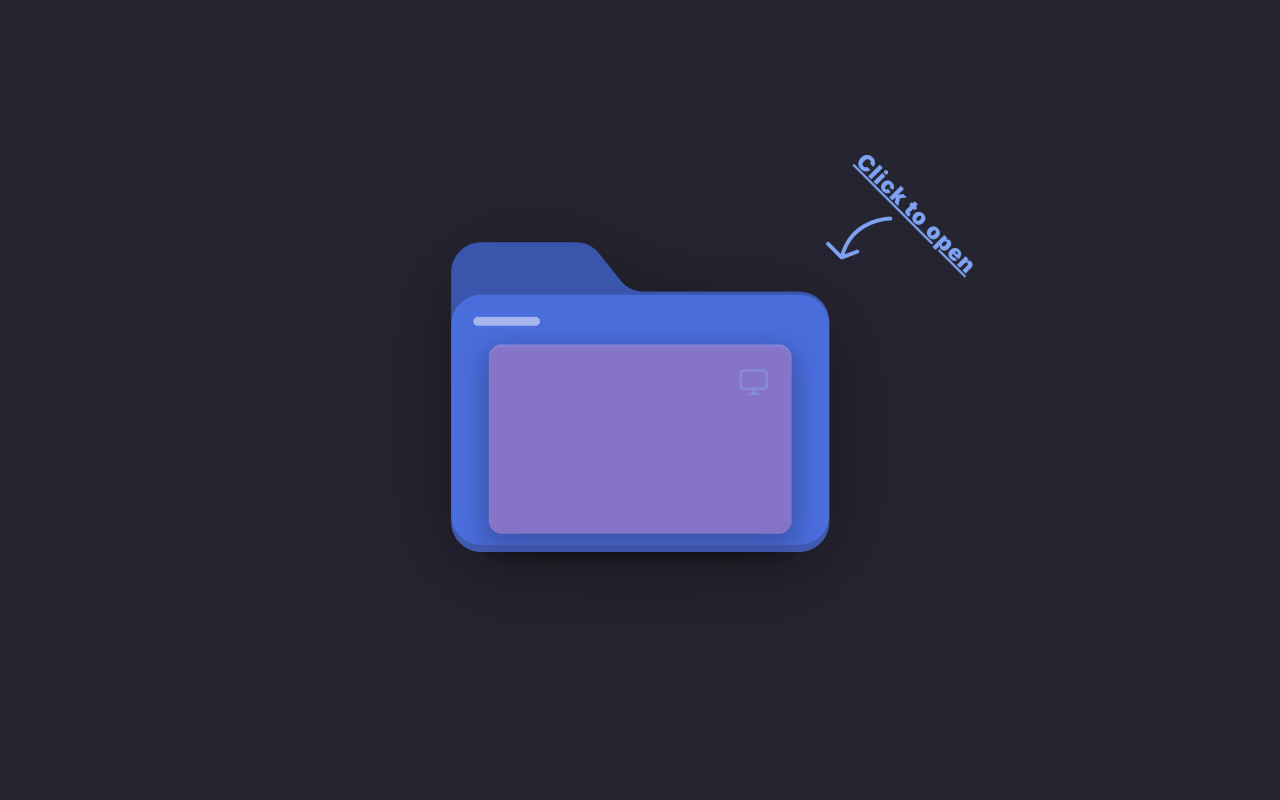
Let’s create a Futuristic 3D Folder Animation using HTML and CSS. In this project, we build an interactive file explorer inspired by modern operating systems, where a folder opens in 3D and reveals animated files with smooth transitions and visual effects.
We’ll use:
- HTML to create the folder structure, file cards, search bar, file counter, icons, and other interface elements inside a container.
- CSS to design the futuristic folder, apply 3D transforms, animate files as they spread out from the folder, add hover interactions, glowing effects, smooth transitions, and create a realistic folder-opening experience.
This project is perfect for beginners who want to learn modern CSS animations, 3D transforms, hover effects, UI design, and interactive components using only HTML and CSS. Let’s build an awesome Futuristic 3D Folder Animation! 🚀
HTML :
This HTML creates the structure of an interactive 3D folder interface. It includes a clickable folder card with a hint message, search bar, file counter, and five animated file cards containing icons, file names, and sizes. SVG graphics are used to draw the folder and file icons, while the checkbox controls the open/close state of the folder. Combined with the CSS, it produces a futuristic file explorer animation with realistic folder-opening and file-spreading effects.
<!DOCTYPE html>
<html lang="en">

<head>
	<meta charset="UTF-8">
	<meta name="viewport" content="width=device-width, initial-scale=1.0">
	<title>Futuristic 3D Folder Animation | @coding.stella</title>

	<link rel="preconnect" href="https://fonts.googleapis.com">
	<link rel="preconnect" href="https://fonts.gstatic.com" crossorigin>

	<link href="https://fonts.googleapis.com/css2?family=Inter:wght@400;700;800;900&display=swap" rel="stylesheet">

	<link rel="stylesheet" href="style.css">
</head>

<body>
	<label class="folder-card">
		<input type="checkbox" class="folder-toggle" />

		<div class="hint-wrapper">
			<span class="hint-text">Click to open</span>
			<svg class="hint-arrow" viewBox="0 0 40 40" fill="none" xmlns="http://www.w3.org/2000/svg">
				<path d="M 35 5 C 35 5, 15 5, 10 25 M 10 25 L 3 18 M 10 25 L 18 22" stroke="#60a5fa" stroke-width="2"
					stroke-linecap="round" stroke-linejoin="round"></path>
			</svg>
		</div>

		<div class="folder-container">
			<svg class="folder-back" viewBox="0 0 50 40" fill="none">
				<path
					d="M0 4C0 1.79086 1.79086 0 4 0H16.524C17.721 0 18.8415 0.54051 19.574 1.4673L22.426 5.0654C23.1585 5.99219 24.279 6.5327 25.476 6.5327H46C48.2091 6.5327 50 8.32356 50 10.5327V36C50 38.2091 48.2091 40 46 40H4C1.79086 40 0 38.2091 0 36V4Z"
					fill="#0056b3"></path>
			</svg>

			<div class="folder-search">
				<svg class="search-icon" viewBox="0 0 24 24" fill="none" stroke="white" stroke-width="3">
					<circle cx="11" cy="11" r="8"></circle>
					<line x1="21" y1="21" x2="16.65" y2="16.65"></line>
				</svg>
				<input type="text" placeholder="Search files..." class="search-input" />
			</div>

			<div class="file file-5">
				<div class="shine"></div>
				<svg class="file-icon" viewBox="0 0 24 24" fill="none" stroke="currentColor" stroke-width="2">
					<rect x="3" y="3" width="18" height="18" rx="2" ry="2"></rect>
					<circle cx="8.5" cy="8.5" r="1.5"></circle>
					<polyline points="21 15 16 10 5 21"></polyline>
				</svg>
				<div class="file-text">Hero_BG.png</div>
				<div class="file-tag">PNG • 4.2 MB</div>
			</div>

			<div class="file file-4">
				<div class="shine"></div>
				<svg class="file-icon" viewBox="0 0 24 24" fill="none" stroke="currentColor" stroke-width="2">
					<polygon points="23 7 16 12 23 17 23 7"></polygon>
					<rect x="1" y="5" width="15" height="14" rx="2" ry="2"></rect>
				</svg>
				<div class="file-text">Promo_Cut.mp4</div>
				<div class="file-tag">MP4 • 128 MB</div>
			</div>

			<div class="file file-3">
				<div class="shine"></div>
				<svg class="file-icon" viewBox="0 0 24 24" fill="none" stroke="currentColor" stroke-width="2">
					<polyline points="16 18 22 12 16 6"></polyline>
					<polyline points="8 6 2 12 8 18"></polyline>
				</svg>
				<div class="file-text">app_config.json</div>
				<div class="file-tag">JSON • 12 KB</div>
			</div>

			<div class="file file-2">
				<div class="shine"></div>
				<svg class="file-icon" viewBox="0 0 24 24" fill="none" stroke="currentColor" stroke-width="2">
					<path d="M14 2H6a2 2 0 0 0-2 2v16a2 2 0 0 0 2 2h12a2 2 0 0 0 2-2V8z"></path>
					<polyline points="14 2 14 8 20 8"></polyline>
					<line x1="16" y1="13" x2="8" y2="13"></line>
					<line x1="16" y1="17" x2="8" y2="17"></line>
					<polyline points="10 9 9 9 8 9"></polyline>
				</svg>
				<div class="file-text">Q3_Report.pdf</div>
				<div class="file-tag">PDF • 1.1 MB</div>
			</div>

			<div class="file file-1">
				<div class="shine"></div>
				<svg class="file-icon" viewBox="0 0 24 24" fill="none" stroke="currentColor" stroke-width="2">
					<rect x="2" y="3" width="20" height="14" rx="2" ry="2"></rect>
					<line x1="8" y1="21" x2="16" y2="21"></line>
					<line x1="12" y1="17" x2="12" y2="21"></line>
				</svg>
				<div class="file-text">Pitch_Deck.pptx</div>
				<div class="file-tag">PPTX • 8.4 MB</div>
			</div>

			<div class="folder-front-wrapper">
				<svg class="folder-front" viewBox="0 0 50 34" fill="none">
					<path
						d="M0 4C0 1.79086 1.79086 0 4 0H46C48.2091 0 50 1.79086 50 4V30C50 32.2091 48.2091 34 46 34H4C1.79086 34 0 32.2091 0 30V4Z"
						fill="rgba(0, 123, 255, 0.65)"></path>
				</svg>
				<div class="folder-label"></div>
				<div class="counter">
					<div class="status-dot"></div>
					<span class="counter-label">FILES</span>
					<span class="counter-number">05</span>
				</div>
			</div>
		</div>
	</label>


</body>

</html>
CSS :
This CSS creates an interactive 3D folder card using only HTML and CSS. It styles the page layout, folder, files, search bar, and counter badge while adding smooth animations, shadows, gradients, and hover effects. When the folder is clicked, it opens in 3D, spreads the files outward, reveals file details and a search bar, and adds visual effects like glowing indicators, shine animations, and floating hints to make the design feel modern and realistic.
* {
	margin: 0;
	padding: 0;
	box-sizing: border-box;
}

body {
	min-height: 100vh;
	display: flex;
	justify-content: center;
	align-items: center;
	background: #252432;
	font-family: "Inter", sans-serif;
}

.folder-card {
	width: 170px;
	height: 130px;
	perspective: 1200px;
	cursor: pointer;
	display: flex;
	align-items: center;
	justify-content: center;
	position: relative;
	-webkit-tap-highlight-color: transparent;
}

.folder-toggle {
	display: none;
}

/* hint text */
.hint-wrapper {
	position: absolute;
	top: -40px;
	right: -50px;
	display: flex;
	flex-direction: column;
	align-items: center;
	gap: 2px;
	transition:
		opacity 0.3s ease,
		transform 0.3s ease;
	pointer-events: none;
	z-index: 100;
	animation: floatHint 2.5s ease-in-out infinite;
}

.hint-text {
	font-family:
		"Inter",
		-apple-system,
		sans-serif;
	color: #60a5fa;
	font-size: 10px;
	font-weight: 900;
	text-decoration: underline;
	letter-spacing: 0.5px;
	white-space: nowrap;
	position: relative;
	right: -25px;
	top: 10px;
	transform: rotate(45deg);
}

.hint-arrow {
	height: 35px;
	width: 35px;
}

@keyframes floatHint {

	0%,
	100% {
		transform: translateY(0);
	}

	50% {
		transform: translateY(6px);
	}
}

.folder-toggle:checked~.hint-wrapper {
	opacity: 0;
	transform: translateY(-10px);
}

/* folder card logics are here */
.folder-container {
	position: relative;
	width: 100%;
	height: 100%;
	transform-style: preserve-3d;
	transition: transform 0.6s cubic-bezier(0.23, 1, 0.32, 1);
	backface-visibility: hidden;
	will-change: transform;
}

.folder-toggle:checked~.folder-container {
	transform: rotateX(10deg) rotateY(-5deg);
}

.folder-back {
	position: absolute;
	bottom: 0;
	width: 100%;
	filter: drop-shadow(0 10px 20px rgba(0, 0, 0, 0.4));
}

.folder-front-wrapper {
	position: absolute;
	bottom: -7px;
	width: 100%;
	z-index: 90;
	transform-origin: bottom;
	transition: transform 0.5s cubic-bezier(0.175, 0.885, 0.32, 1.275);
	border-radius: 12px;
}

.folder-label {
	position: absolute;
	top: 10px;
	left: 10px;
	width: 30px;
	height: 4px;
	background: rgba(255, 255, 255, 0.5);
	border-radius: 10px;
}

/* this counts files  */
.counter {
	position: absolute;
	top: -95px;
	right: -75px;
	background-color: #a18cd1;

	padding: 4px 8px;
	border-radius: 50px;
	display: flex;
	align-items: center;
	gap: 8px;

	box-shadow:
		0 10px 20px rgba(0, 0, 0, 0.3),
		inset 0 1px 1px rgba(255, 255, 255, 0.2);
	transform: scale(0) translateY(20px);
	opacity: 0;
	transition: all 0.5s cubic-bezier(0.34, 1.56, 0.64, 1);
	z-index: 100;
	pointer-events: auto;
}

.folder-toggle:checked~.folder-container .counter {
	transform: scale(1) translateY(0);
	opacity: 1;
	transition-delay: 0.2s;
}

.status-dot {
	width: 6px;
	height: 6px;
	background: #34d399;
	border-radius: 50%;
	position: relative;
	box-shadow: 0 0 10px #34d399;
}

.status-dot::after {
	content: "";
	position: absolute;
	top: 0;
	left: 0;
	width: 100%;
	height: 100%;
	background: #34d399;
	border-radius: 50%;
	animation: pulse 2s infinite;
}

@keyframes pulse {
	0% {
		transform: scale(1);
		opacity: 1;
	}

	100% {
		transform: scale(3);
		opacity: 0;
	}
}

.counter-label {
	font-family: "Inter", sans-serif;
	font-size: 8px;
	font-weight: 800;
	color: black;
	text-transform: capitalize;
}

.counter-number {
	font-family: "Inter", sans-serif;
	font-size: 12px;
	font-weight: 900;
	color: #ffffff;
	text-shadow: 0 0 10px rgba(255, 255, 255, 0.5);
}

.counter:hover {
	background: rgba(255, 255, 255, 0.2);
	border-color: #60a5fa;
	transform: scale(1.1) translateY(-5px) !important;
	cursor: help;
}

.counter:hover .counter-number {
	color: #60a5fa;
	transition: color 0.3s ease;
}

/* files with <hidden secrects /> */
.file {
	position: absolute;
	bottom: 5px;
	left: 10%;
	width: 80%;
	height: 85px;
	border-radius: 6px;
	overflow: hidden;
	box-shadow:
		inset 0 1px 1px rgba(255, 255, 255, 0.3),
		0 4px 12px rgba(0, 0, 0, 0.3);
	transition: all 0.6s cubic-bezier(0.68, -0.55, 0.265, 1.55);
	z-index: 0;
}

.file-1 {
	background: #ff5f6d;
	z-index: 25;
	transition-delay: 0.15s;
}

.file-2 {
	background: #ffc371;
	z-index: 24;
	transition-delay: 0.1s;
}

.file-3 {
	background: #4facfe;
	z-index: 23;
	transition-delay: 0.05s;
}

.file-4 {
	background: #00f2fe;
	z-index: 22;
	transition-delay: 0.02s;
}

.file-5 {
	background: #a18cd1;
	z-index: 21;
	transition-delay: 0s;
}

.shine {
	position: absolute;
	top: 0;
	left: -100%;
	width: 50%;
	height: 100%;
	background: linear-gradient(90deg,
			transparent,
			rgba(255, 255, 255, 0.4),
			transparent);
	transform: skewX(-20deg);
	transition: none;
}

.folder-toggle:checked~.folder-container .shine {
	left: 150%;
	transition: left 0.8s ease-in-out;
	transition-delay: 0.3s;
}

.file-text {
	font-family: "Inter", sans-serif;
	font-size: 9px;
	color: white;
	padding: 12px;
	font-weight: 800;
	text-shadow: 0 1px 3px rgba(0, 0, 0, 0.2);
	opacity: 0;
	transform: translateY(5px);
	transition: all 0.3s ease 0.4s;
}

.folder-toggle:checked~.folder-container .file-text {
	opacity: 1;
	transform: translateY(0);
}

/* active state (click on card folder) */
.folder-toggle:checked~.folder-container .folder-front-wrapper {
	transform: rotateX(-50deg);
}

.folder-toggle:checked~.folder-container .file-1 {
	transform: translateY(-70px) rotate(-10deg) translateX(-15px) translateZ(20px);
}

.folder-toggle:checked~.folder-container .file-2 {
	transform: translateY(-55px) rotate(8deg) translateX(18px) translateZ(10px);
}

.folder-toggle:checked~.folder-container .file-3 {
	transform: translateY(-40px) rotate(-15deg) translateX(-8px);
}

.folder-toggle:checked~.folder-container .file-4 {
	transform: translateY(-25px) rotate(12deg) translateX(12px);
}

.folder-toggle:checked~.folder-container .file-5 {
	transform: translateY(-10px) rotate(-5deg);
}

/*  Hover Interaction */
.folder-toggle:checked~.folder-container .file:hover {
	cursor: pointer;
	filter: brightness(1.1);
}

.folder-toggle:checked~.folder-container .file-1:hover {
	transform: translateY(-80px) rotate(-10deg) translateX(-15px) translateZ(20px);
}

.folder-toggle:checked~.folder-container .file-2:hover {
	transform: translateY(-65px) rotate(8deg) translateX(18px) translateZ(10px);
}

.folder-toggle:checked~.folder-container .file-3:hover {
	transform: translateY(-50px) rotate(-15deg) translateX(-8px);
}

.folder-toggle:checked~.folder-container .file-4:hover {
	transform: translateY(-35px) rotate(12deg) translateX(12px);
}

.folder-toggle:checked~.folder-container .file-5:hover {
	transform: translateY(-20px) rotate(-5deg);
}

/* extras styles for files  */
.file-icon {
	position: absolute;
	top: 10px;
	right: 10px;
	width: 14px;
	height: 14px;
	color: rgba(255, 255, 255, 0.4);
	transition: color 0.3s ease;
}

.file-tag {
	position: absolute;
	bottom: 10px;
	right: 10px;
	background: rgba(0, 0, 0, 0.5);
	backdrop-filter: blur(4px);
	-webkit-backdrop-filter: blur(4px);
	color: rgba(255, 255, 255, 0.9);
	font-family:
		"Inter",
		-apple-system,
		sans-serif;
	font-size: 7px;
	font-weight: 700;
	padding: 3px 6px;
	border-radius: 4px;
	box-shadow: 0 2px 4px rgba(0, 0, 0, 0.2);
	opacity: 0;
	transform: translateX(10px);
	transition: all 0.3s cubic-bezier(0.34, 1.56, 0.64, 1);
	pointer-events: none;
}

/* when folder is OPEN and you HOVER a file */
.folder-toggle:checked~.folder-container .file:hover .file-icon {
	color: rgba(255, 255, 255, 0.9);
}

.folder-toggle:checked~.folder-container .file-tag {
	opacity: 1;
}

/* search bar */
.folder-search {
	position: absolute;
	top: -40px;
	left: 10%;
	width: 30px;
	height: 25px;
	background-color: #60a5fa;
	backdrop-filter: blur(10px);
	-webkit-backdrop-filter: blur(10px);
	border-radius: 20px;
	display: flex;
	align-items: center;
	padding: 0 8px;
	transition: all 0.5s cubic-bezier(0.68, -0.55, 0.265, 1.55);
	opacity: 0;
	z-index: 100;
	border: 1px solid rgba(255, 255, 255, 0.2);
}

.search-icon {
	width: 12px;
	height: 12px;
	flex-shrink: 0;
}

.search-input {
	background: transparent;
	border: none;
	color: #ffffff;
	font-family: "Inter", sans-serif;
	font-size: 9px;
	margin-left: 8px;
	outline: none;
	transition: width 0.4s ease;
}

.search-input::placeholder {
	color: #ffffff;
}

.folder-toggle:checked~.folder-container .folder-search {
	opacity: 1;
	top: -80px;
	width: 80%;
}

.folder-toggle:checked~.folder-container .folder-search:focus-within {
	width: 90%;
	background-color: #ff3b30;
}

.folder-toggle:checked~.folder-container .folder-search:focus-within .search-input {
	width: 100%;
}
In this project, we created a Futuristic 3D Folder Animation using HTML and CSS. It demonstrates how 3D transforms, animations, and interactive effects can be combined to build a modern and engaging user interface without using JavaScript. 🚀
If your project has problems, don’t worry. Just click to download the source code and face your coding challenges with excitement. Have fun coding!
