


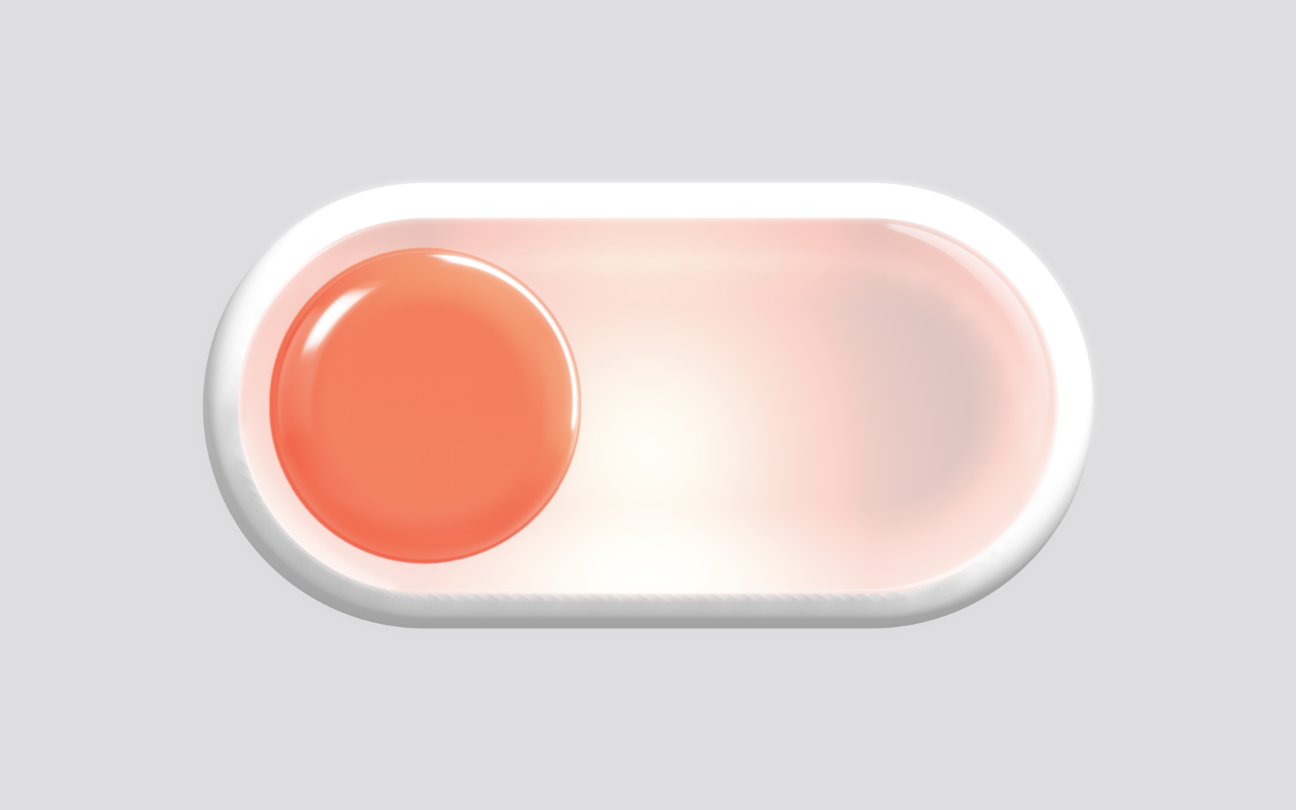
Let’s create a 3D Liquid Toggle using HTML, CSS, and JavaScript to build a smooth and interactive toggle switch with realistic liquid-style animations and 3D effects. In this project, we’ll create a visually appealing toggle that uses a 3D liquid object to simulate fluid movement when switched on or off.
We’ll use:
- HTML: To create the canvas container where the 3D liquid toggle is displayed and load the required libraries.
- CSS: To style the page layout, center the 3D scene, make the canvas responsive, and create a clean background that highlights the liquid effect.
- JavaScript: To load and control the 3D liquid scene using Spline, handle animations with GSAP, and manage object interactions for smooth toggle transitions.
This project is perfect for learning 3D web design, Spline integration, GSAP animations, interactive UI effects, and creating modern toggle components using HTML, CSS, and JavaScript.nd building premium-looking navigation components for websites.
HTML :
The HTML creates a container with a <canvas> element where the 3D animation is displayed. It also connects the CSS file for styling, the GSAP library for animations, and the JavaScript file that loads the 3D scene.
<!DOCTYPE html>
<html lang="en">

<head>
  <meta charset="UTF-8">
  <title>3D Liquid Toggle | @coding.stella</title>
  <link rel="stylesheet" href="https://public.codepenassets.com/css/normalize-5.0.0.min.css">
  <link rel="stylesheet" href="./style.css">
</head>

<body>
  <div id='container'>
    <canvas id="canvas3d"></canvas>
  </div>
  <script src='https://unpkg.com/gsap@3/dist/gsap.min.js'></script>
  <script type="module" src="./script.js"></script>

</body>
</html>
CSS :
The CSS removes the default page margin, hides scrollbars, and sets a light gray background color. It also makes the canvas fill the entire screen and centers the 3D content properly.
body {
  background-color: #DDDDDF;
  margin: 0;
  overflow: hidden;
}

#container {
  display: flex;
  justify-content: center;
  align-items: flex-start;
  height: 100% !important;

}

#canvas3d {
  width: 100% !important;
  height: 100% !important;
}
JavaScript:
The JavaScript loads a 3D scene from Spline into the canvas, creates helper functions for calculations and object handling, and initializes GSAP for animations. After the scene loads, it prepares the objects so they can be animated and interacted with.
const fileName = "UrQ5NC7ZjIIFJb7O";

function r2d(r) {
  return r * (180 / Math.PI);
}
function d2r(d) {
  return d * (Math.PI / 180);
}
function objectArray(all, name) {
  return all.filter(item => item.name == name)
}
function getDuplicateNameObjects(app, obj, name) {
  if (new RegExp(name).test(obj.name)) {
    return true
  }
}
//   if(getDuplicateNameObjects(app, c, 'Shape')){
//    shapeObjArr.push(c);
// }
const timelineObject = {
  repeat: -1,
  defaults: {
    ease: 'elastic(0.5, 0.43)',
    duration: 1
  }
}
import { Application } from "https://esm.sh/@splinetool/runtime";
const canvas = document.getElementById('canvas3d');
const app = new Application(canvas);
//const myVariables = { displayText: 'Chris!', mySize: 350 };
app.load(`https://prod.spline.design/${fileName}/scene.splinecode`)
  .then(() => {

    //const labelGroup = app.findObjectByName('labelGroup');
    //let allObjects = app.getAllObjects();


    //let objArr = objectArray(allObjects, 'name')

    let mainTl = gsap.timeline();
    /*
        objArr.forEach((i, c) => {
          console.log(i, c)

        })
      */
    //const obj = spline.findObjectById('7AF5EBC0-09BB-4720-B045-F478F8053AA4');

    //console.log(binPopupArray); // Spline Object => { name: 'Cube', id: '7AF5EBC0-09BB-4720-B045-F478F8053AA4', position: {}, ... }

  });
In conclusion, we successfully created a 3D Liquid Toggle using HTML, CSS, and JavaScript, combining modern web technologies with interactive 3D design. By using Spline for the 3D scene and GSAP for animations, we achieved a smooth liquid-like toggle effect that feels both realistic and engaging. This project is a great way to explore 3D web experiences, animation techniques, and creative UI design, helping you build more modern and visually impressive interfaces for your websites.
If your project has problems, don’t worry. Just click to download the source code and face your coding challenges with excitement. Have fun coding!
