

Close Menu

    Subscribe to Updates

    Get the latest creative news from FooBar about art, design and business.

    What's Hot

    How to create Interactive Gaming Product Card using HTML CSS and JS

    15 May 2026

    How to create 3D Portfolio Book using HTML CSS and JS

    12 May 2026

    How to create Impossible light bulb using HTML CSS and JS

    9 May 2026
    Facebook X (Twitter) Instagram YouTube Telegram Threads
    Coding StellaCoding Stella
    • Home
    • Blog
    • HTML & CSS
      • Login Form
    • JavaScript
    • Hire us!
    Coding StellaCoding Stella
    Home - HTML & CSS - How to create Animated 404 Page not found using HTML and CSS
    HTML & CSS

    How to create Animated 404 Page not found using HTML and CSS

    Coding StellaBy Coding Stella29 July 2025No Comments2 Mins Read
    Share Facebook Twitter Pinterest LinkedIn Tumblr Reddit Email WhatsApp Copy Link

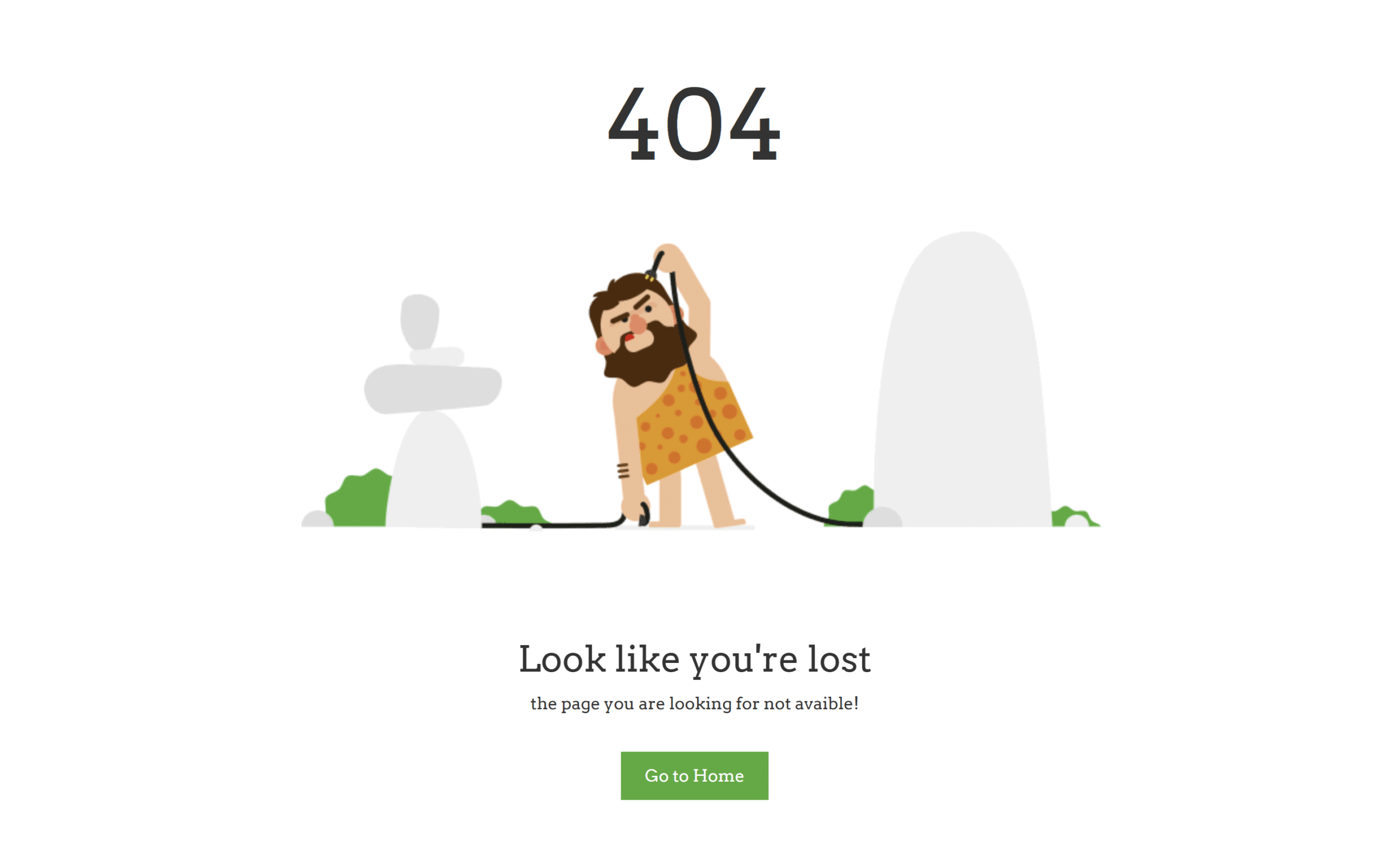
    Let’s create an Animated 404 Page Not Found using HTML and CSS! 🚫💻
    This creative project turns a dull error page into a fun, animated experience that keeps users engaged.

    We’ll use:

    • HTML to structure the 404 message and elements.
    • CSS for styling, background animation, moving graphics, or fun effects.

    Whether it’s animated text, a floating ghost, or a bouncing number – the idea is to make the 404 page feel intentional and on-brand.

    HTML :

    This HTML creates a clean animated 404 error page. It uses Bootstrap for layout and Google Fonts for styling. The page displays a large “404” with a background image, a message saying the user is lost, and a button to go back to the homepage. The layout is centered using Bootstrap grid classes for responsiveness.

    <!DOCTYPE html>
    <html lang="en" >
    <head>
      <meta charset="UTF-8">
      <title>Animated 404 | @coding.stella</title>
      <link rel='stylesheet' href='https://cdnjs.cloudflare.com/ajax/libs/twitter-bootstrap/3.3.7/css/bootstrap.min.css'>
    <link rel='stylesheet' href='https://fonts.googleapis.com/css?family=Arvo'><link rel="stylesheet" href="./style.css">
    
    </head>
    <body>
    
    <section class="page_404">
      <div class="container">
        <div class="row">
          <div class="col-sm-12">
            <div class="col-sm-10 col-sm-offset-1 text-center">
              <div class="four_zero_four_bg">
                <h1 class="text-center">404</h1>
              </div>
    
              <div class="contant_box_404">
                <h3 class="h2">Look like you're lost</h3>
    
                <p>the page you are looking for not avaible!</p>
    
                <a href="" class="link_404">Go to Home</a>
              </div>
            </div>
          </div>
        </div>
      </div>
    </section>
    
    </body>
    </html>

    CSS :

    This CSS styles a 404 error page by setting a white background, custom font, and hiding overflow for the body. The .page_404 img is made full-width, and .four_zero_four_bg adds a background GIF with centered positioning and a fixed height. The large headings (h1 and h3) inside it are sized to 80px. The .link_404 styles a green button with padding and white text, and .contant_box_404 shifts its content upward using a negative top margin.

    body{
        padding: 40px 0;
      background: #fff;
      font-family: "Arvo", serif;
      overflow: hidden;
    }
    
    .page_404 img {
      width: 100%;
    }
    
    .four_zero_four_bg {
      background-image: url(bg.gif);
      height: 500px;
      background-position: center;
    }
    
    .four_zero_four_bg h1 {
      font-size: 80px;
    }
    
    .four_zero_four_bg h3 {
      font-size: 80px;
    }
    
    .link_404 {
      color: #fff !important;
      padding: 10px 20px;
      background: #39ac31;
      margin: 20px 0;
      display: inline-block;
    }
    .contant_box_404 {
      margin-top: -50px;
    }

    An animated 404 page using HTML and CSS makes error pages more engaging and creative. It’s a perfect project to learn CSS animations and impress users even when they’re lost! 🎨🛠️

    If your project has problems, don’t worry. Just click to download the source code and face your coding challenges with excitement. Have fun coding!

    Animation cat loader
    Share. Copy Link Twitter Facebook LinkedIn Email WhatsApp
    Previous ArticleHow to create Reptile Interactive Cursor using HTML and JS
    Next Article How to create Solar System Explorer using HTML and CSS
    Coding Stella
    • Website

    Related Posts

    JavaScript

    How to create Interactive Gaming Product Card using HTML CSS and JS

    15 May 2026
    JavaScript

    How to create 3D Portfolio Book using HTML CSS and JS

    12 May 2026
    JavaScript

    How to create Impossible light bulb using HTML CSS and JS

    9 May 2026
    Add A Comment
    Leave A Reply Cancel Reply

    Trending Post

    Master Frontend in 100 Days Ebook

    2 March 202432K Views

    How to make Modern Login Form using HTML & CSS | Glassmorphism

    11 January 202431K Views

    How to make I love you Animation in HTML CSS & JavaScript

    14 February 202424K Views

    How to make Valentine’s Day Card using HTML & CSS

    13 February 202415K Views
    Follow Us
    • Instagram
    • Facebook
    • YouTube
    • Twitter
    ads
    Featured Post

    How to create Glowing Tubes Cursor using HTML CSS and JS

    28 January 2026

    How to Create A Dark/Light Calendar in HTML CSS & JavaScript

    11 December 2023

    How to make a Sticky Navigation Bar using HTML, CSS, And JavaScript

    12 January 2024

    How to make Happy New Year 2026 Animation using HTML and CSS

    28 December 2025
    Latest Post

    How to create Interactive Gaming Product Card using HTML CSS and JS

    15 May 2026

    How to create 3D Portfolio Book using HTML CSS and JS

    12 May 2026

    How to create Impossible light bulb using HTML CSS and JS

    9 May 2026

    How to create Glass Thermometer Part 2 using HTML CSS and JS

    6 May 2026
    Facebook X (Twitter) Instagram YouTube
    • About Us
    • Privacy Policy
    • Return and Refund Policy
    • Terms and Conditions
    • Contact Us
    • Buy me a coffee
    © 2026 Coding Stella. Made with 💙 by @coding.stella

    Type above and press Enter to search. Press Esc to cancel.

    Ad Blocker Enabled!
    Ad Blocker Enabled!
    Looks like you're using an ad blocker. We rely on advertising to help fund our site.
    Okay! I understood