

Close Menu

    Subscribe to Updates

    Get the latest creative news from FooBar about art, design and business.

    What's Hot

    How to create Interactive Login Bag Form using HTML and CSS

    26 July 2026

    How to create I Love You Heart Animation using HTML CSS and JS

    20 July 2026

    How to create Interactive Code Strings Animation using HTML CSS and JS

    18 July 2026
    Facebook X (Twitter) Instagram YouTube Telegram Threads
    Coding StellaCoding Stella
    • Home
    • Blog
    • HTML & CSS
      • Login Form
    • JavaScript
    • Hire us!
    Coding StellaCoding Stella
    Home » How to create Interactive Login Bag Form using HTML and CSS
    HTML & CSS

    How to create Interactive Login Bag Form using HTML and CSS

    Coding StellaBy Coding Stella26 July 2026Updated:26 July 2026No Comments3 Mins Read
    Share Facebook Twitter Pinterest LinkedIn Tumblr Reddit Email WhatsApp Copy Link

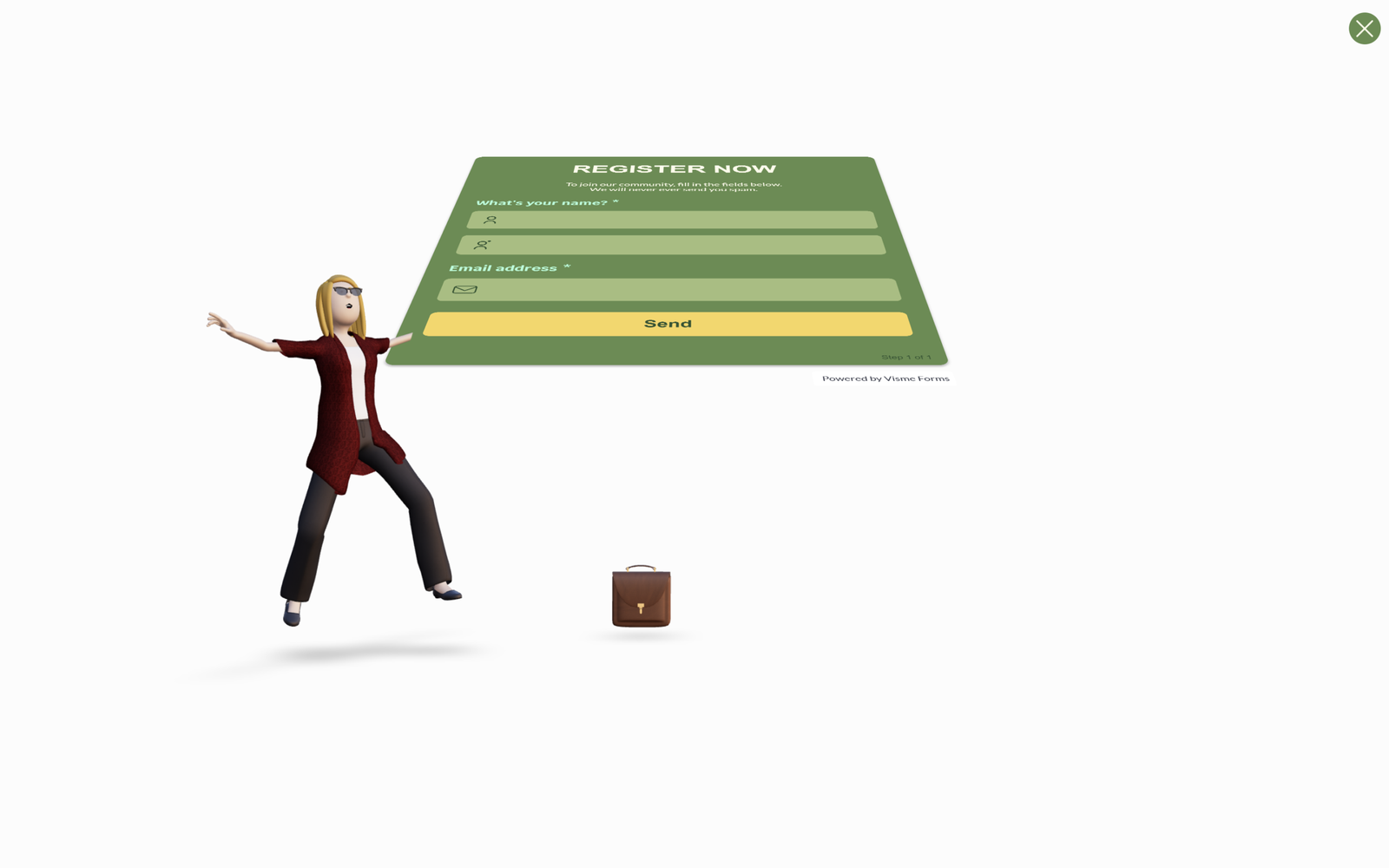
    Create a fun and interactive Login Bag Form using HTML and CSS! 🎒✨ This creative UI features a bag-themed login form where the design reacts as users interact with the input fields, making the login experience feel engaging and memorable.

    We’ll use:

    • HTML to build the login form structure, including the bag design, email and password fields, and login button.
    • CSS to style the bag, create smooth animations, add hover effects, transitions, and responsive layouts for a polished interactive experience.

    This project is perfect for beginners looking to improve their CSS animation skills or developers who want to create unique login pages, landing pages, or modern web interfaces. Let’s build this interactive Login Bag Form from scratch!

    HTML CSS :

    This code creates a full-screen webpage that embeds an interactive form made in Visme. The <head> section sets the page title and makes it responsive on all devices using the viewport meta tag. The CSS removes the browser’s default spacing (margin and padding), uses box-sizing: border-box for easier sizing, makes the html and body fill the entire screen, hides page scrolling with overflow: hidden, and centers the content using Flexbox. The .visme_d class is given a width of 100% and height of 100vh so the embedded form covers the full viewport. Inside the <body>, the <div class="visme_d"> contains data attributes that tell Visme which form to load (data-url and data-form-id) and to display it as a full-page form. Finally, the <script> loads Visme’s JavaScript, which reads these attributes and automatically displays the interactive form on the webpage.

    <!DOCTYPE html>
    <html lang="en">
    
    <head>
      <meta charset="UTF-8">
      <meta name="viewport" content="width=device-width, initial-scale=1.0">
      <title>Interactive Login Bag Form | @coding.stella</title>
    
      <style>
        * {
          margin: 0;
          padding: 0;
          box-sizing: border-box;
        }
    
        html,
        body {
          width: 100%;
          height: 100%;
          overflow: hidden;
          background: #f0f0f0;
        }
    
        body {
          display: flex;
          justify-content: center;
          align-items: center;
        }
    
        .visme_d {
          width: 100%;
          height: 100vh;
        }
      </style>
    </head>
    
    <body>
    
      <div class="visme_d" data-title="Email Capture Form Template"
        data-url="7vgjrgxy-email-capture-form-template?fullPage=true" data-domain="forms" data-full-page="true"
        data-min-height="100vh" data-form-id="192189">
      </div>
    
      <script src="https://static-bundles.visme.co/forms/vismeforms-embed.js"></script>
    
    </body>
    
    </html>

    Conclusion:

    And that’s it! 🎉 We successfully created an Interactive Login Bag Form using HTML and CSS. By combining creative design, smooth animations, and interactive effects, you can turn a simple login page into a fun and engaging user experience. Feel free to customize the colors, shapes, animations, and layout to match your own style or brand. Happy coding! 🚀

    If your project has problems, don’t worry. Just click to download the source code and face your coding challenges with excitement. Have fun coding!

    Animation website
    Share. Copy Link Twitter Facebook LinkedIn Email WhatsApp
    Previous ArticleHow to create I Love You Heart Animation using HTML CSS and JS
    Coding Stella
    • Website

    Related Posts

    JavaScript

    How to create I Love You Heart Animation using HTML CSS and JS

    20 July 2026
    JavaScript

    How to create Interactive Code Strings Animation using HTML CSS and JS

    18 July 2026
    JavaScript

    How to create Order Confirm Animation using HTML CSS and JS

    13 July 2026
    Add A Comment
    Leave A Reply Cancel Reply

    Trending Post

    Master Frontend in 100 Days Ebook

    2 March 202432K Views

    How to make Modern Login Form using HTML & CSS | Glassmorphism

    11 January 202431K Views

    How to make I love you Animation in HTML CSS & JavaScript

    14 February 202424K Views

    How to make Valentine’s Day Card using HTML & CSS

    13 February 202415K Views
    Follow Us
    • Instagram
    • Facebook
    • YouTube
    • Twitter
    ads
    Featured Post

    How to make Husky Dog Animation using HTML and CSS

    10 November 2025

    How to make Dynamic Glassmorphism Login Form using HTML & CSS

    14 August 2024

    How to make Netflix Login page using HTML & CSS

    18 March 2026

    What is HTML? Understanding the Basics of Hypertext Markup Language

    31 January 2024
    Latest Post

    How to create Interactive Login Bag Form using HTML and CSS

    26 July 2026

    How to create I Love You Heart Animation using HTML CSS and JS

    20 July 2026

    How to create Interactive Code Strings Animation using HTML CSS and JS

    18 July 2026

    How to create Order Confirm Animation using HTML CSS and JS

    13 July 2026
    Facebook X (Twitter) Instagram YouTube
    • About Us
    • Privacy Policy
    • Return and Refund Policy
    • Terms and Conditions
    • Contact Us
    • Buy me a coffee
    © 2026 Coding Stella. Made with 💙 by @coding.stella

    Type above and press Enter to search. Press Esc to cancel.

    Ad Blocker Enabled!
    Ad Blocker Enabled!
    Looks like you're using an ad blocker. We rely on advertising to help fund our site.
    Okay! I understood